3.7
Date Code 20170927 Instruction Manual SEL-751 Relay
PC Software
Settings
File > New
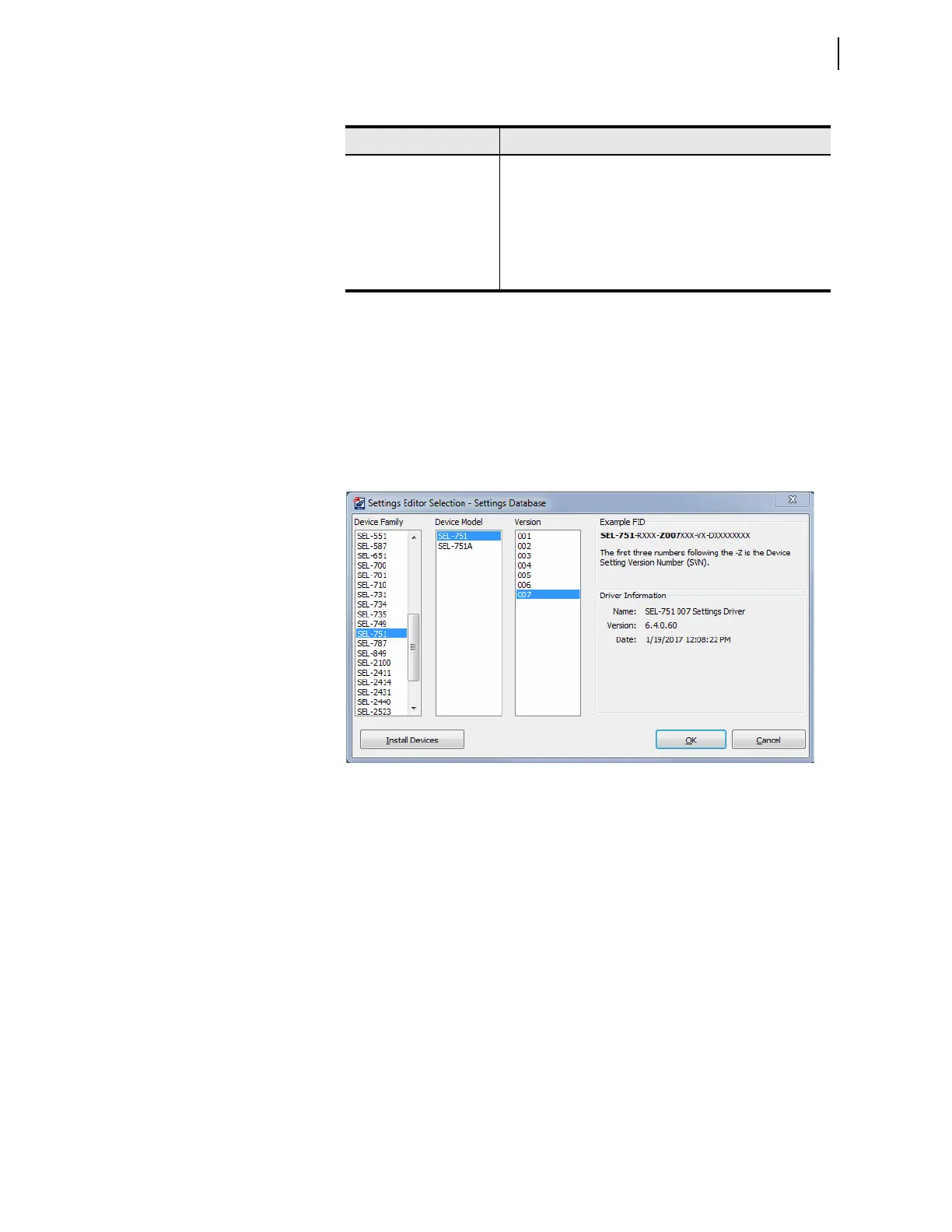
Selecting the New menu item creates new settings files. QuickSet makes the
new settings files from the driver that you specify in the Settings Editor
Selection dialog box. QuickSet uses the Z-number in the FID string to create a
particular version of settings. To get started making SEL-751 settings with the
Settings Editor in the Editor Mode, select File > New from the main menu
bar, and SEL-751 and 004 from the Settings Editor Selection window as
shown in Figure 3.6.
Figure 3.6 Selection of Drivers
After the relay model and settings driver selection, QuickSet presents the
Device Part Number dialog box. Use this dialog box to configure the Relay
Editor to produce settings for a relay with options determined by the part
number, as shown in Figure 3.7. Press OK when finished.
Table 3.3 File/Tools Menus
Menus Description
<<, >> Use these navigation menu buttons to move from one cate-
gory to the next
File > New Open a New record
File > Open Open an existing record
File > Read Read device settings and then create and open a new record
Tools > Settings > Convert Convert and open an existing record



 To Next Page