8.9
Date Code 20170927 Instruction Manual SEL-751 Relay
Front-Panel Operations
Two-Line Display Front Panel
Select the target row to display two consecutive Relay Word bits with name
and binary state as shown in Figure 8.17.
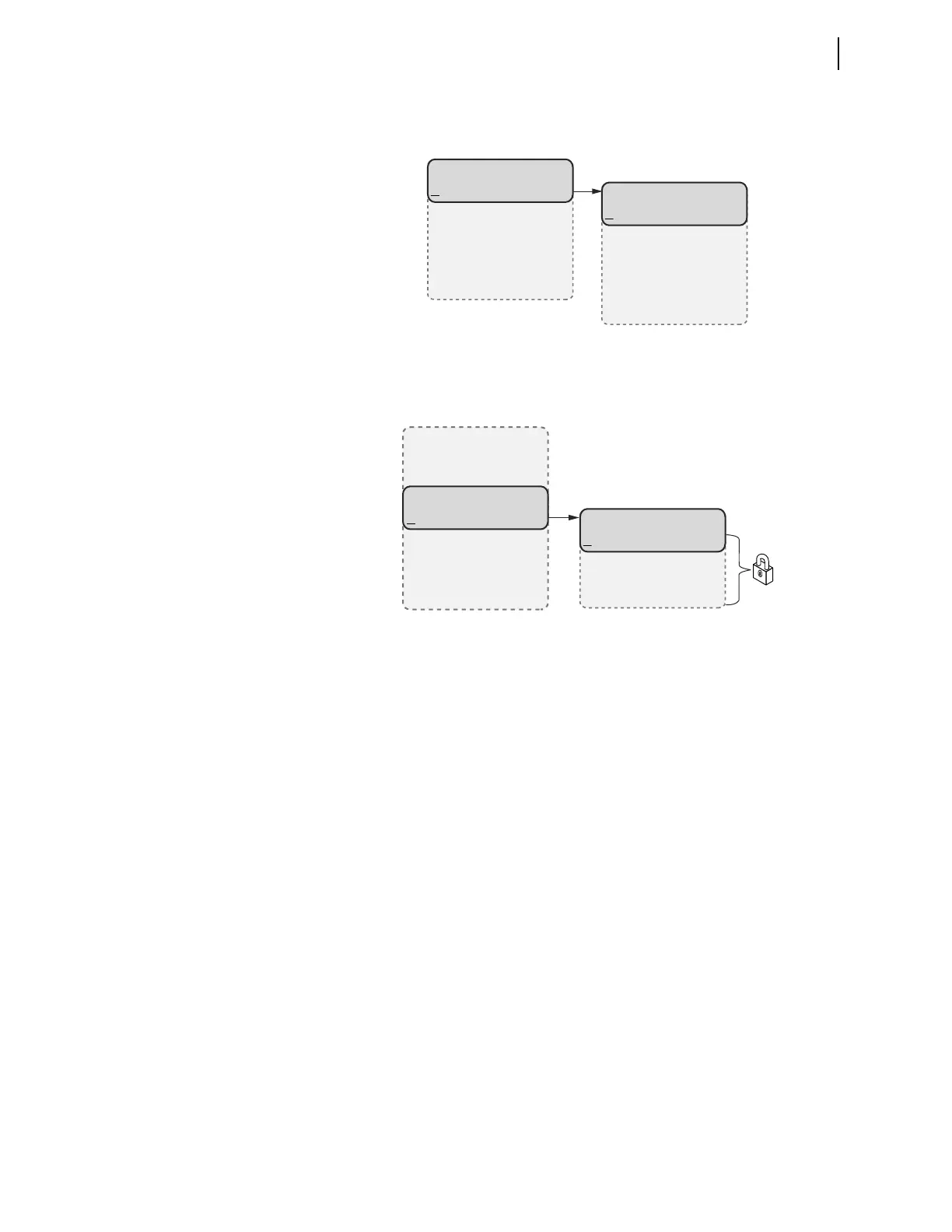
Figure 8.17 TARGETS Menu Navigation
Control Menu . Select the Control menu item on the MAIN menu as shown in
Figure 8.18 to go to the
CONTROL menu.
Figure 8.18 MAIN Menu and CONTROL Submenu
The CONTROL menu has Open, Close, Outputs, and Local Bits as menu items.
Select the
Open menu item to assert Relay Word bit OC that opens the breaker
via the TR SEL
OGIC control equation (see Table 4.48 for the TR equation and
Table K.2 for the definition of the OC bit). Note that this requires Level 2 access.
Select the
Close menu item to assert Relay Word bit CC that closes the
breaker via the CL SEL
OGIC control equation (see Figure 4.80). Note that this
requires Level 2 access.
Breaker control through the front panel is supervised by the position of the
breaker jumper (refer to Table 2.17), the status of the LOCAL bit when
EN_LRC := Y, and the access level (requires 2AC). When the local/remote
supervision setting EN_LRC := Y and LOCAL := 0, control of the OC and
CC bits from the front panel is blocked. When EN_LRC := N, breaker control
from the front panel is always allowed. For the settings related to the local/
remote control function, refer to Local/Remote Breaker Control in Section 9:
Bay Control.
TARGETS
Row 0=10000000
Row 1=00000000
Row 2=00000000
.
.
.
ENABLED=1
TRIP_LED=0
TLED_01=0
TLED_02=0
.
.
.
(Row 0 Selected)
CONTROL
Open
Close
Outputs
Local Bits
(Control Selected)
MAIN
Meter
Events
Targets
Control
Set/Show
Status
Breaker
Quit



 To Next Page