8.32
SEL-751 Relay Instruction Manual Date Code 20170927
Front-Panel Operations
Touchscreen Display Front Panel
Table 8.14 identifies all of the applications available in the Access Level
folder.
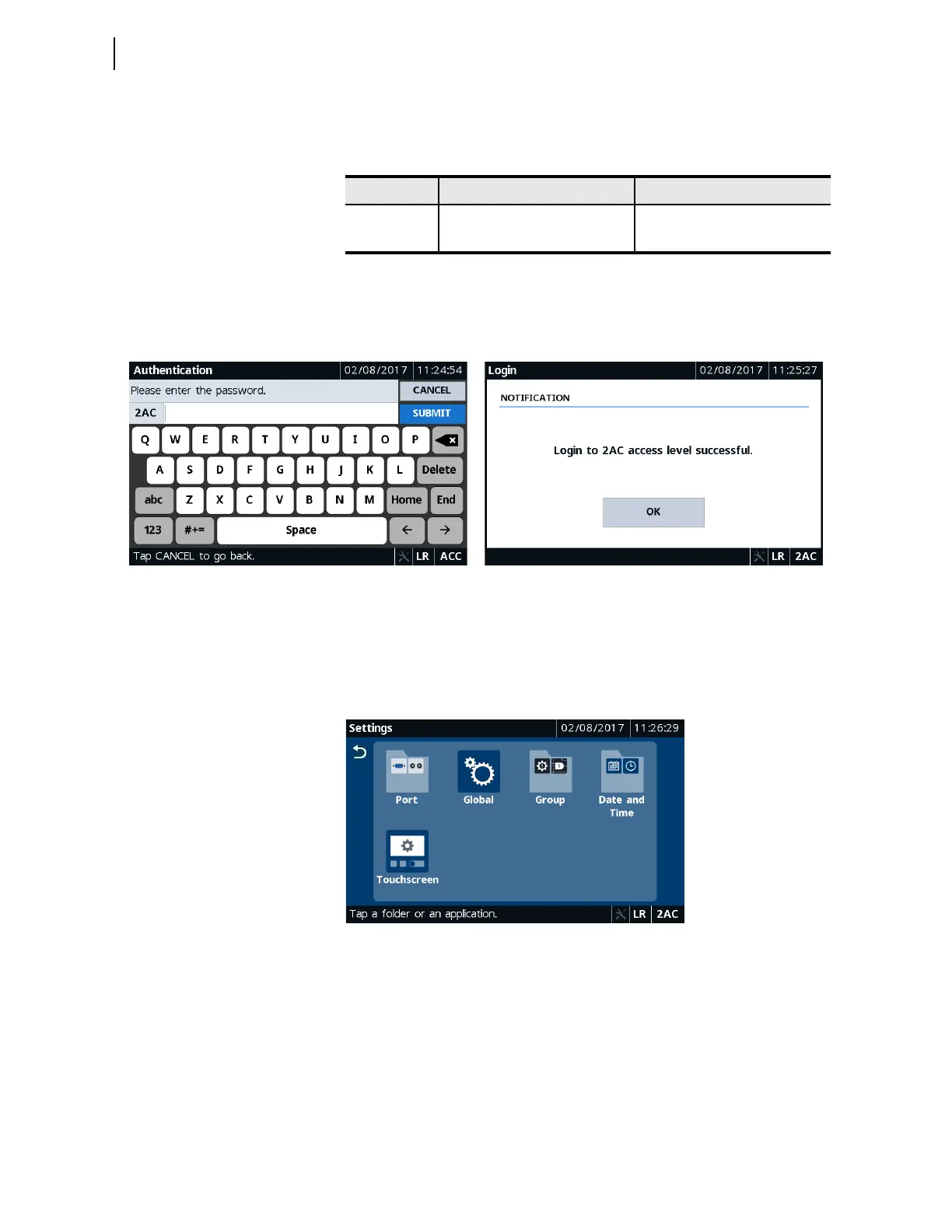
Note that when a folder requires the 2AC access level and the relay is at ACC,
the relay automatically pops up the authentication screen requiring you to
enter the password before performing a control operation, editing setting, etc.
Settings
Tapping this folder navigates you to the Settings screen where you can access
settings applications (Global, Touchscreen) or settings folders (Port, Group,
Date and Time) through which you can set or show settings.
Figure 8.62 Settings Folders and Applications
Table 8.14 Access Level Application Availability
Folder Name Application Name Comments
Access Level
Login Always available
Logout Always available
Figure 8.60 Authentication Figure 8.61 Login Confirmation



 To Next Page