Date Code 20170927 Instruction Manual SEL-751 Relay
Section 8
Front-Panel Operations
Overview
The SEL-751 Feeder Protection Relay front panel makes feeder data
collection and control quick and efficient. Use the front panel to analyze
operating information, view and change relay settings, and perform control
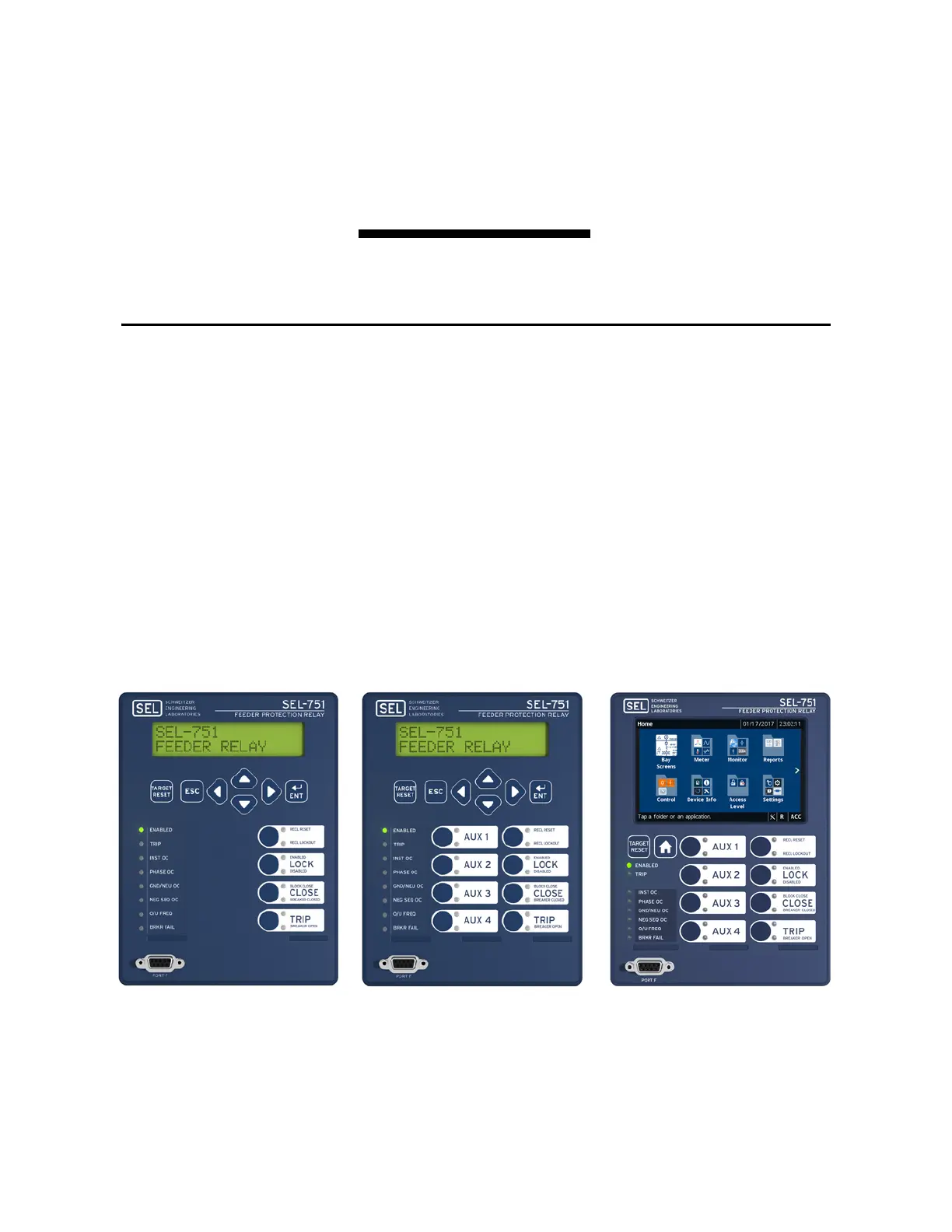
functions. You can order the SEL-751 in three different front-panel options, as
shown in Table 1 .4 and Figure 8.1. The display comes with a two-line display
(2 x 16 characters) front panel and eight control pushbuttons. You can also
order the SEL-751 with a two-line display front panel and four control
pushbuttons or with a touchscreen display (5-inch, color, 800 x 480 pixels)
and eight control pushbuttons. You can use the front-panel to accomplish the
following activities:
➤ Read metering
➤ Inspect targets
➤ Access settings
➤ Control relay operations
➤ View diagnostics
The two-line display and the touchscreen display front-panel models are
similar in all aspects except the display and navigation scheme. The
touchscreen display model offers additional features with respect to
monitoring, control, and device status that are discussed in Touchscreen
Figure 8.1 SEL-751 Front-Panel Models



 To Next Page