9.6
SEL-751 Relay Instruction Manual Date Code 20170927
Bay Control
Overview
2. The breaker control jumper on the main board is installed. The
Relay Word bit BKJMP stays asserted when the breaker control
jumper is installed. Refer to Password, Breaker Control, and
SEL
BOOT Jumper Selection on page 2.18 for information on the
breaker jumper.
3. You are at Access Level 2. The relay prompts for the Access
Level 2 password if you are not at Access Level 2.
When the conditions are satisfied, the application pulses the OC or CC bit,
respectively, depending on your selection for breaker open or close.
Bay Screens Design
Using QuickSet and
Bay Screen Builder
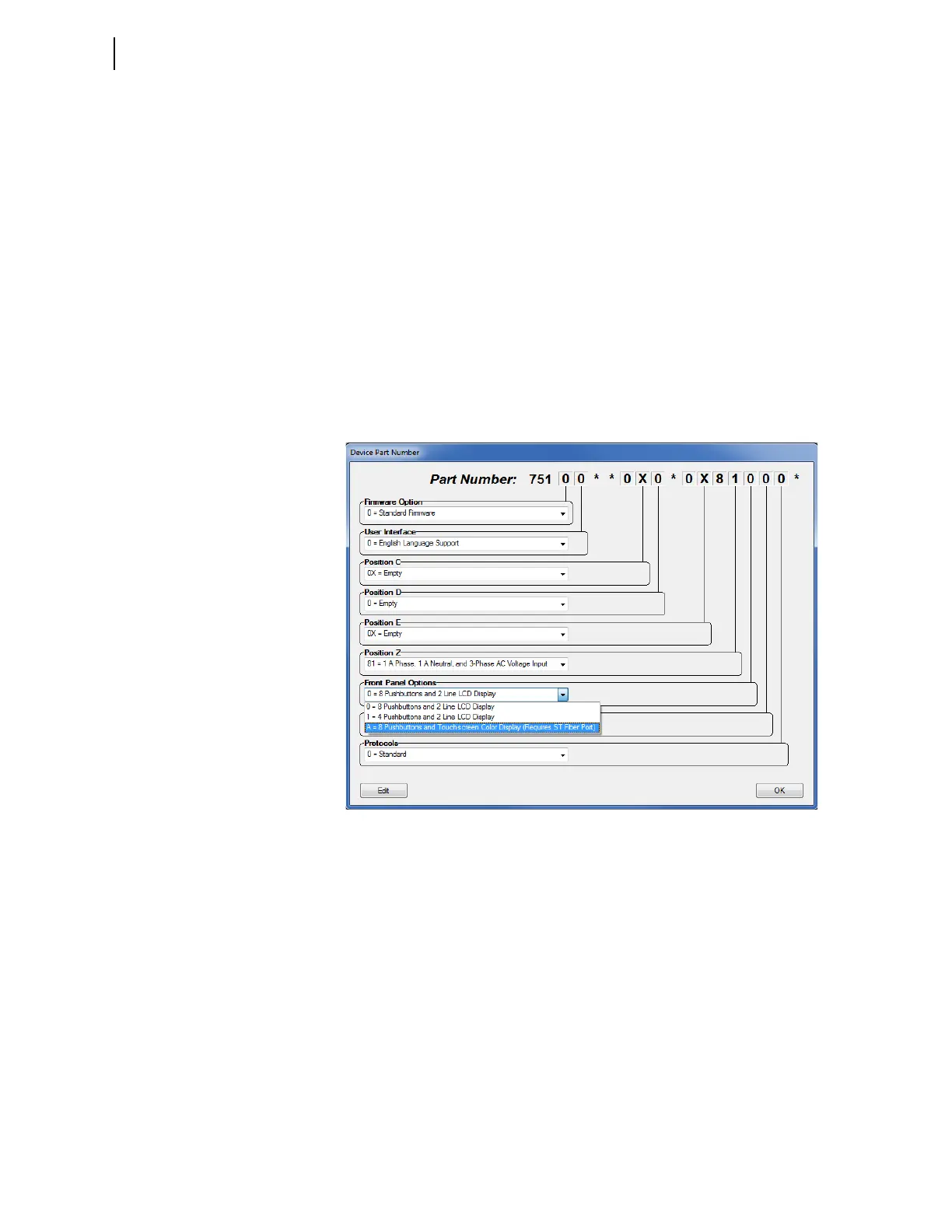
QuickSet and Bay Screen Builder provide user-friendly interfaces to set the
touchscreen settings. The touchscreen settings are not available for setting via
ASCII terminal, unlike the other relay settings. The touchscreen settings are
only available if the relay part number is configured with eight pushbuttons
and the touchscreen display under Front-Panel Options drop down as shown
in Figure 9.5. Figure 9.6 shows the Touchscreen settings in QuickSet.
Figure 9.5 QuickSet Front-Panel Options



 To Next Page