2.13
Date Code 20170927 Instruction Manual SEL-751 Relay
Installation
I/O Configuration
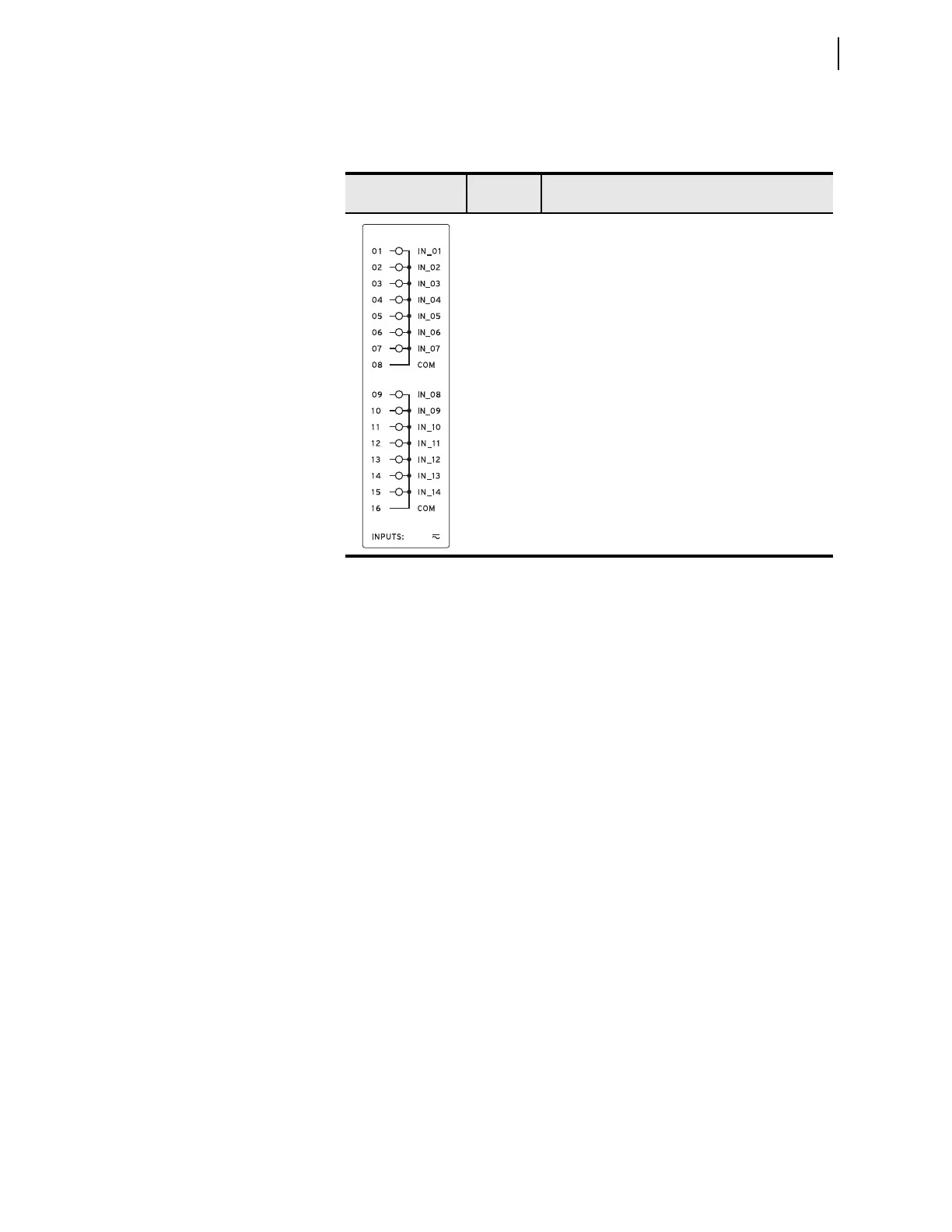
I/O Card (14 DI)
Supported in any nonbase unit slot (Slot C through Slot E), this card has four-
teen digital inputs. Table 2.16 shows the terminal designations.
Card Configuration
Procedure
Changing card positions or expanding on the initial number of cards requires
no card programming; the relay detects the new hardware and updates the
software accordingly (you still have to use the SET command to program the
I/O settings).
The SEL-751 offers flexibility in tailoring I/O to your specific application.
The SEL-751 has six rear-panel slots, labeled as Slots A, B, C, D, E, and Z. Slots
A, B, and Z are base unit slots, each associated with a specific function.
Optional digital/analog I/O, communication, RTD, arc-flash detectors, and
voltage/current cards are available for the SEL-751 in Slots C, D, and E.
Figure 2.2 shows the slot allocations for the cards. Because installations differ
substantially, the SEL-751 offers a variety of card configurations that provide
options for the many diverse applications. Choose the combination of option
cards most suited for your application.
Swapping Optional I/O Boards
When an I/O board is moved from one slot to a different slot, the associated
settings for the slot the card is moved from are lost. For example, if a
4 DI/4 DO card is installed in Slot 4 (Slot D), the SEL
OGIC control equation
settings OUT401–404 would be available. If OUT401 = IN101 AND 51P1T,
and the card is moved to a different slot, then the OUT4xx settings are lost.
This is true for all the digital and analog I/O cards.
Table 2.16 Fourteen Digital Inputs (14 DI) Card Terminal Designations
Side-Panel
Connections Label
Ter m inal
Number
Description
a
a
x=3, 4, or 5 (e.g., OUT401, OUT402, etc. if the card is installed in Slot D).
01
02
03
04
05
06
07
08
09
10
11
12
13
14
15
16
INx01, drives INx01 element
INx02, drives INx02 element
INx03, drives INx03 element
INx04, drives INx04 element
INx05, drives INx05 element
INx06, drives INx06 element
INx07, drives INx07 element
COM
INx08, drives INx08 element
INx09, drives INx09 element
INx10, drives INx10 element
INx11, drives INx11 element
INx12, drives INx12 element
INx13, drives INx13 element
INx14, drives INx14 element
COM



 To Next Page