8.28
SEL-751 Relay Instruction Manual Date Code 20170927
Front-Panel Operations
Touchscreen Display Front Panel
Table 8.12 identifies all the applications available in the Control folder.
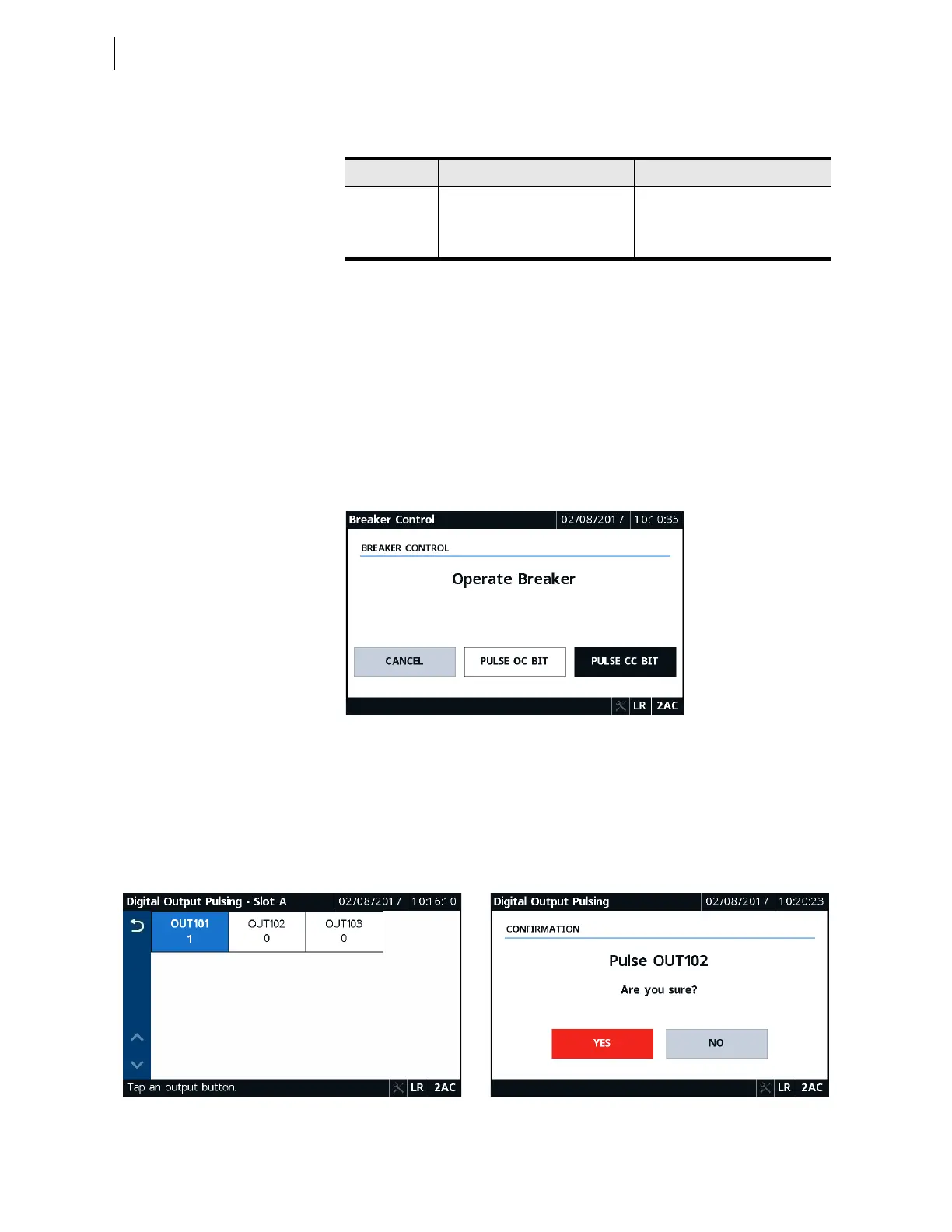
To perform breaker control, tap the Breaker Control application and then tap
and confirm the control action. Breaker control through the touchscreen is
supervised by (1) the status of the LOCAL bit when EN_LRC := Y, (2) the
position of the breaker jumper, and (3) the access level (requires 2AC). When
EN_LRC := N, supervision through the LOCAL bit is ignored, while
supervision through the breaker jumper and access level are maintained.
When local/remote supervision setting EN_LRC := Y and LOCAL := 0, the
OC and CC bits are not processed from the touchscreen (i.e., breaker control
through the touchscreen is blocked). Figure 8.46 shows a typical breaker
control screen. For the settings related to the local/remote control function,
refer to Local/Remote Breaker Control on page 9.3.
Figure 8.46 Local Bits Confirmation
To pulse a digital output contact, tap the Output Pulsing application. Navigate
to the desired output contact screen, tap the desired output, and confirm the
control action. The output tile will be highlighted in blue on assertion, as
shown in Figure 8.47. An output contact cannot be pulsed if it is already
asserted. Pulsing the output contact requires that the breaker jumper be
installed and that you have Level 2 access.
Table 8.12 Control Application Availability
Folder Name Application Name Comments
Control
Breaker Control Always available
Output Pulsing Always available
Local Bits Always available
Figure 8.47 Digital Output Pulsing—Slot A Figure 8.48 Digital Output Pulsing Confirmation



 To Next Page