8.2
SEL-751 Relay Instruction Manual Date Code 20170927
Front-Panel Operations
Two-Line Display Front Panel
Display Front Panel. The function of operation and target LEDs and the
TARGET RESET and control pushbuttons are similar in all three front-panel
variations.
This section includes the following:
➤ Two-Line Display Front Panel on page 8.2. Discusses the
navigation scheme in the two-line display models, the
operation of target LEDs, and programming of the control
pushbuttons.
➤ Touchscreen Display Front Panel on page 8.18. Discusses the
navigation scheme and the display screens in the touchscreen
display model.
Two-Line Display Front Panel
Front-Panel Layout
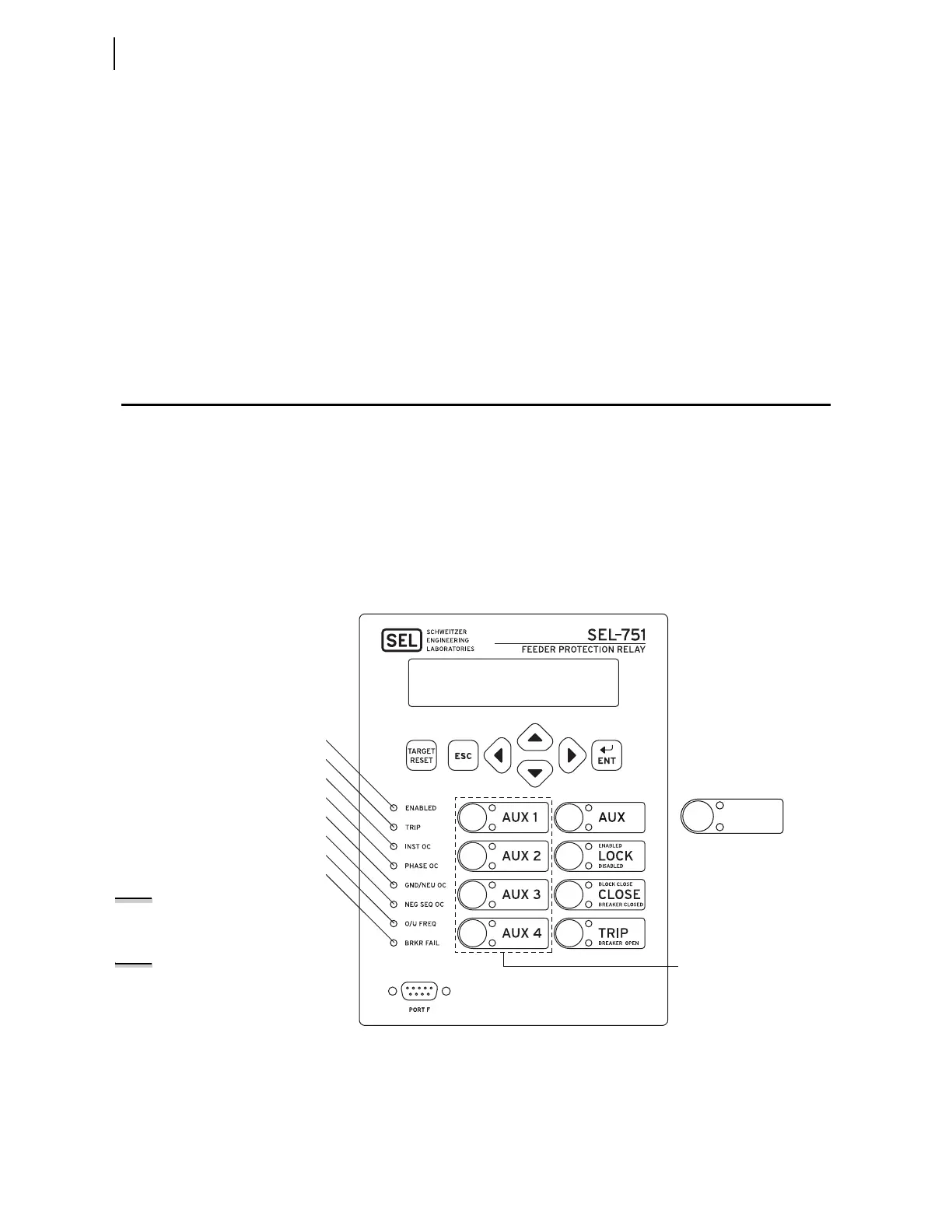
Figure 8.2 shows and identifies the following regions:
➤ Human-Machine Interface (HMI)
➤ TARGET RESET and navigation pushbuttons
➤ Operation and target LEDs
➤ Operator control pushbuttons and pushbutton LEDs
➤ EIA-232 Serial Port (PORT F). See Section 7: Communications
for details on the serial port.
Figure 8.2 Front-Panel Overview
RECL RESET
RECL LOCKOUT
In Reclosing Models Only
Not Available in Relay
Model With Four
Pushbuttons (PB05–PB08)
i5379a
Relay powered properly/self-tests are okay
Trip occurred
Instantaneous/definite time overcurrent trip
Phase time-overcurrent trip
Ground/neutral time-overcurrent trip
Negative-sequence time-overcurrent trip
Over-/underfrequency trip
Breaker failure trip
NOTE: Refer to Figure 8.27 for the
pushbutton and LED numbering
conventions.
NOTE: If the relay part number
specifies the Spanish language option,
all of the front-panel pushbuttons and
LED labels will be in Spanish.



 To Next Page