D.28
SEL-751 Relay Instruction Manual Date Code 20170927
DNP3 Communications
DNP3 Documentation
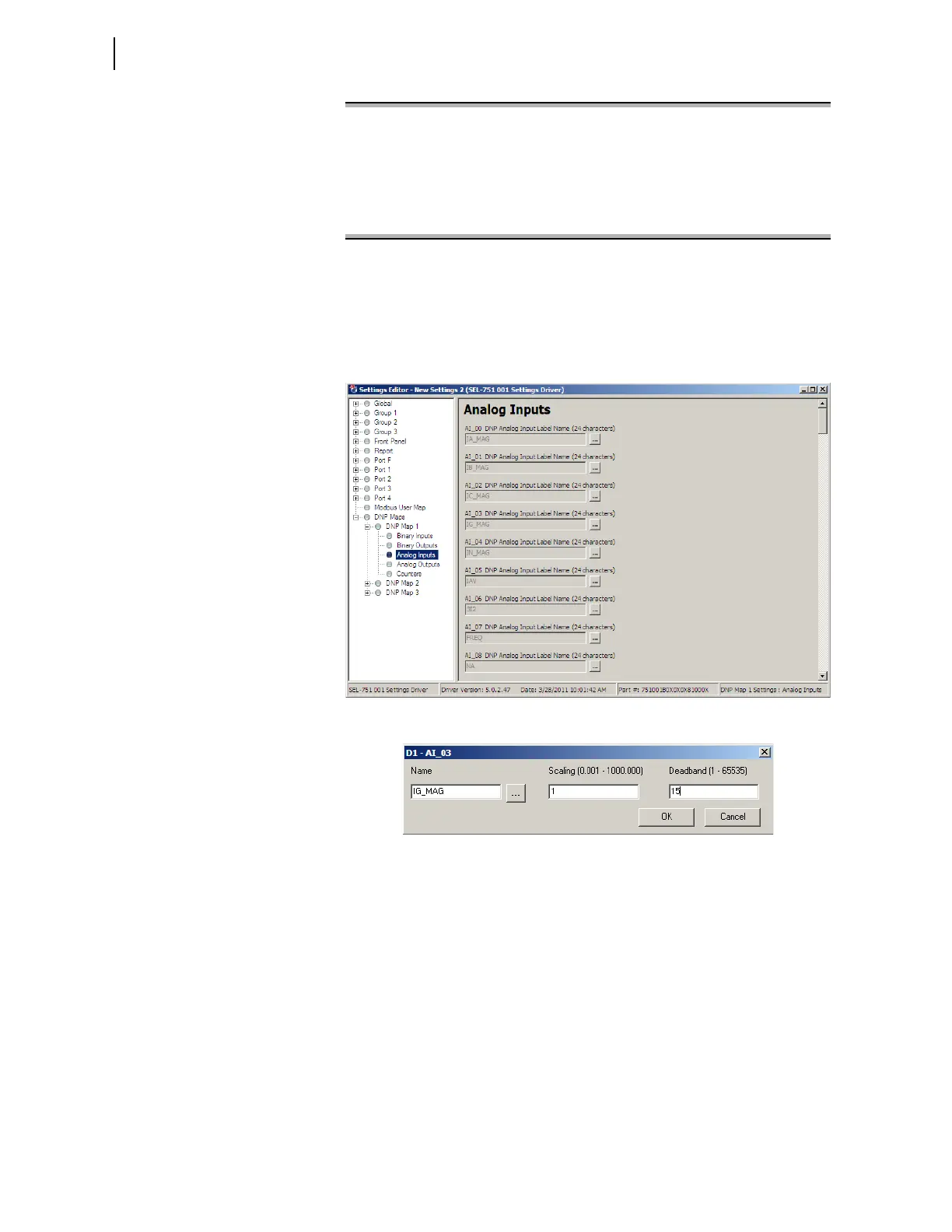
You can also use ACSELERATOR QuickSet to enter the previous AI map
settings as shown in the screen capture in Figure D.6. You can enter scaling
and dead-band settings in the same pop-up dialog used to select the AI point,
as shown in Figure D.7.
Figure D.6 Analog Input Map Entry in ACSELERATOR QuickSet Software
Figure D.7 AI Point Label, Scaling and Deadband in
ACSELERATOR QuickSet
Software
The SET DNP x AO_00<Enter> command allows you to populate the DNP
analog output map with any of the 128 Remote Analogs (RA001–RA128) or
the GROUP variable (present settings group) as shown in Figure D.8.
AI_07 := NA
? > FREQ:.01:1 <Enter>
AI_08 := NA
? > end <Enter>
Save changes (Y/N) ? Y <Enter>
=>>
Figure D.5 Sample Custom DNP3 AI Map Settings (Continued)



 To Next Page