8.19
Date Code 20170927 Instruction Manual SEL-751 Relay
Front-Panel Operations
Touchscreen Display Front Panel
Home Pushbutton
Use the HOME pushbutton to wake up the touchscreen after the inactivity
timer expires and the screen goes dark. While the default mapping of the HOME
pushbutton is the Home screen (see Figure 8.29), you can program the HOME
pushbutton to jump to any screen. Refer to Table 8.17 for a list of screens
available for the HOME pushbutton. Use the FPHOME setting in the
Touchscreen settings of QuickSet to program a specific screen.
Touchscreen Backlight
Adjustment
You can adjust the touchscreen backlight to suit your viewing angle and
lighting conditions. To change the backlight settings, tap the Settings folder
and then tap the Touchscreen application. Use the FPBAB setting to adjust
the brightness of the display. The backlight of the display goes dark 60
minutes after the inactivity timer (1–30 min) expires.
Table 8.5 Touchscreen Display Component and Indicator Descriptions
Display
Components and
Indicators
Function or Indication
Screen Title Shows the display name of a screen (see Figure 8.28).
Sidebar Shows the navigation icons (see Figure 8.28).
Notification Bar Shows the notification messages and help text for screens
(see Figure 8.28).
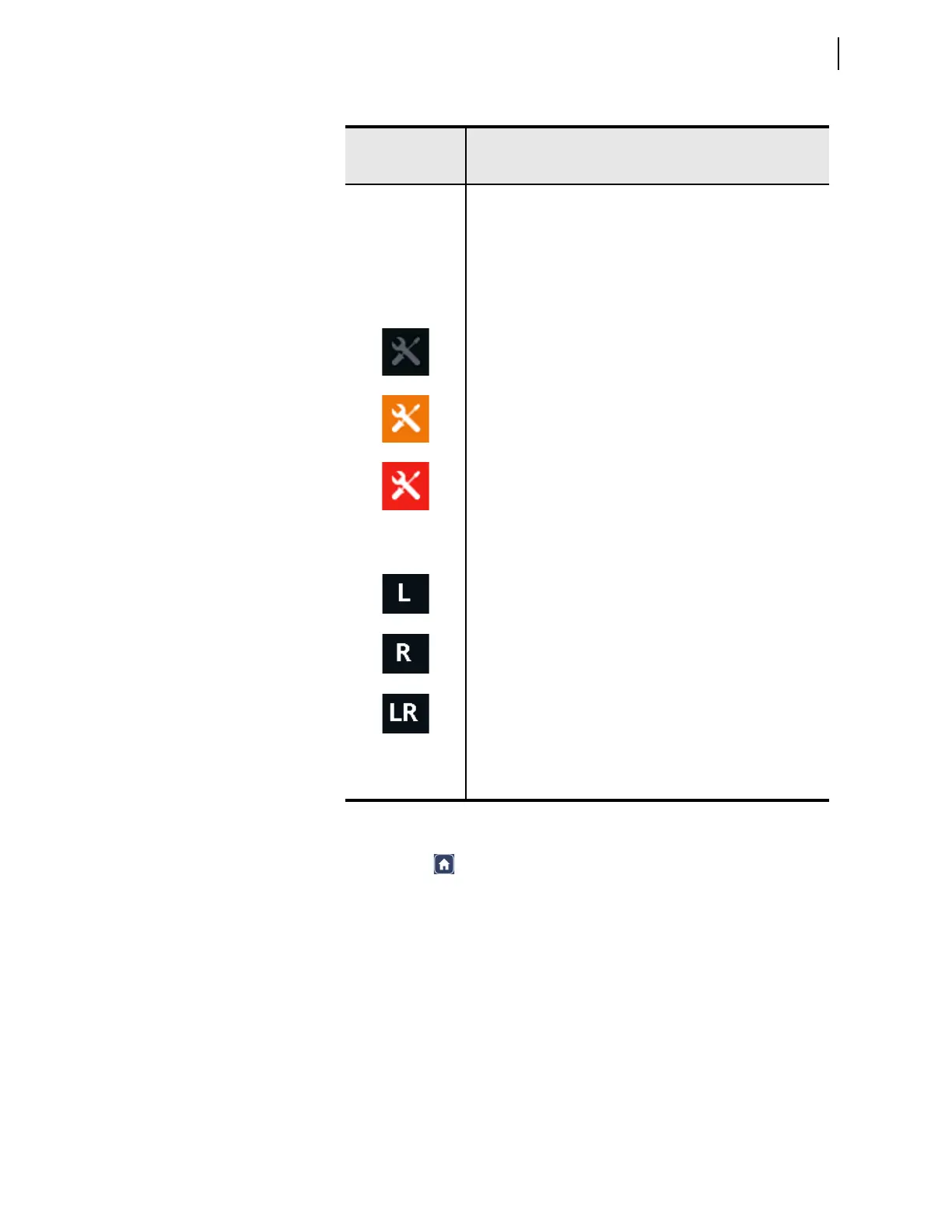
Diagnostics Icon ON if there are any warning/diagnostic failures on the unit.
Normal (no warnings or diagnostic failures present). Icon is OFF.
Warning. Icon asserts in amber.
Diagnostic failure. Icon asserts in red.
Local/Remote
Indication
Indicates the status of the local/remote control. Refer to Local/
Remote Breaker Control on page 9.3 for more details.
When EN_LRC := Y and LOCAL := 1, relay control is in local
mode, i.e., OC and CC bits can be processed via the front panel
only.
When EN_LRC := Y and LOCAL := 0, relay control is in remote
mode, i.e., OC and CC bits can be processed via remote sources/
protocols only.
When EN_LRC := N, relay control is in local/remote control,
i.e., OC and CC bits can be processed from both the front panel
and the remote sources/protocols.
Access Level
Indication
Indicates the access level that the device is on at the time.
Shows ACC if the device is on access level 1 and 2AC if on
access level is 2.



 To Next Page