8.35
Date Code 20170927 Instruction Manual SEL-751 Relay
Front-Panel Operations
Touchscreen Display Front Panel
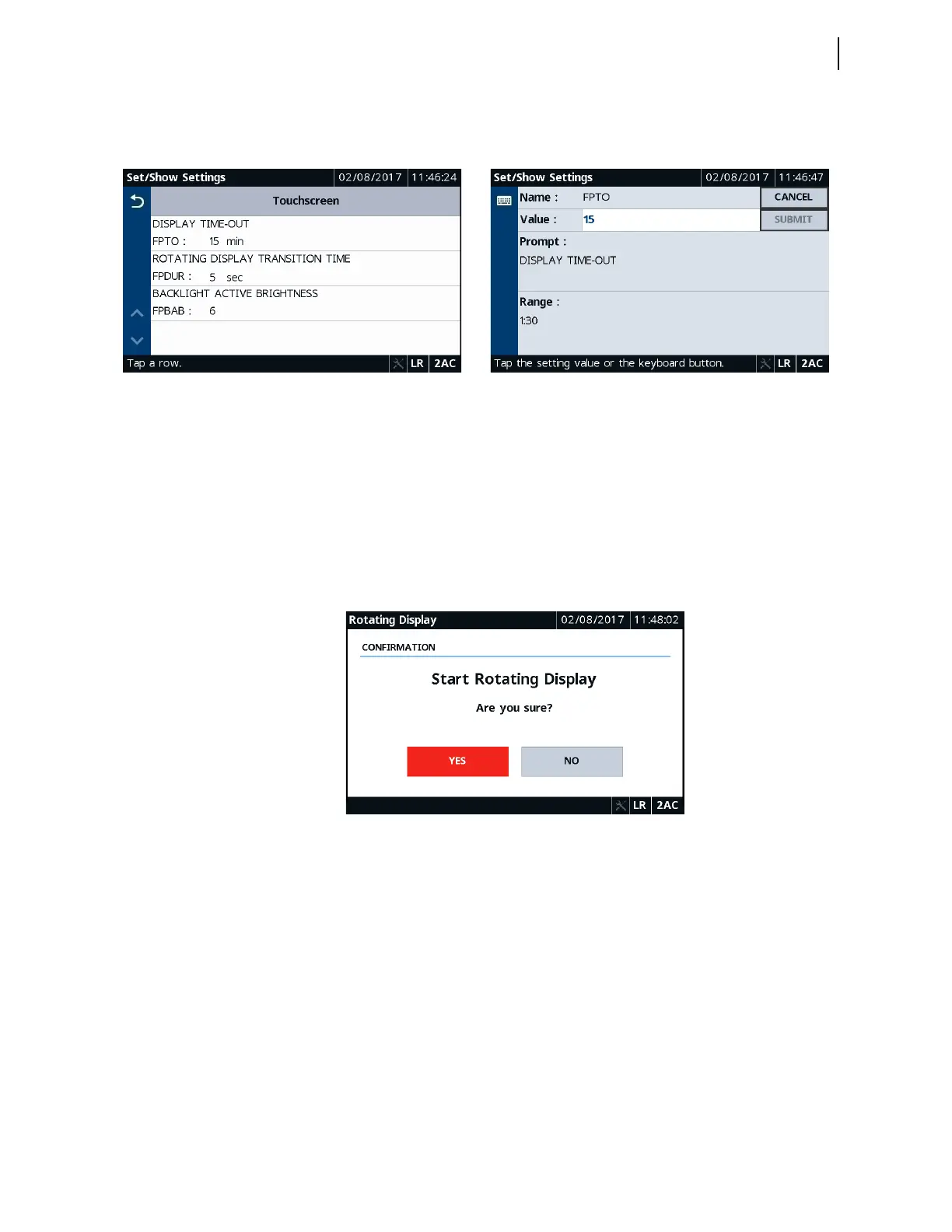
You can control the screen brightness, the screen inactivity timer settings, etc.,
through the Touchscreen application.
Rotating Display
Tapping this application allows you to start the rotating display. You can pick
as many as 16 screens through which the display can rotate after the inactivity
timer expires. Refer to Table 8.17 for all the available quantities on each
screen.
Tapping any screen while the display is rotating takes you to that particular
screen. You can perform the needed operation and use the Back button to
return to the Home screen.
Figure 8.70 Rotating Display
Language Support
All of the HMI messages can be displayed in multiple languages (English or
Spanish). The relay part number determines which language is displayed on
the HMI. See the SEL-751 Relay Command Summary for a list of the
commands.
Operation and Target
LEDs
Programmable LEDs
The SEL-751 provides quick confirmation of relay conditions via operation
and target LEDs. Refer to Operation and Target LEDs on page 8.13 for details
on ENABLED, TRIP, programmable LEDs and their operation, and possible
warning conditions on the relay.
Figure 8.68 Touchscreen Settings Figure 8.69 Touchscreen Settings Edit



 To Next Page