F.7
Date Code 20170927 Instruction Manual SEL-751 Relay
IEC 61850 Communications
IEC 61850 Operation
Within Architect, IEC 61850 datasets have two main purposes:
➤ GOOSE: You can use predefined or edited datasets, or create
new datasets for outgoing GOOSE transmission.
➤ Reports: Fourteen predefined datasets (BRDSet01–BRDSet07
and URDSet01–URDSet07) correspond to the default seven
buffered and seven unbuffered reports, respectively. Note that
you cannot change the number (14) or type of reports (buffered
or unbuffered) within Architect. However, you can alter the
data attributes that a dataset contains and so define what data an
IEC 61850 client receives with a report.
➤ MMS: You can use predefined or edited datasets, or create new
datasets to be monitored by MMS clients.
Reports
The SEL-751 supports buffered and unbuffered report control blocks in the
report model as defined in IEC 61850-8-1:2004(E). The predefined reports
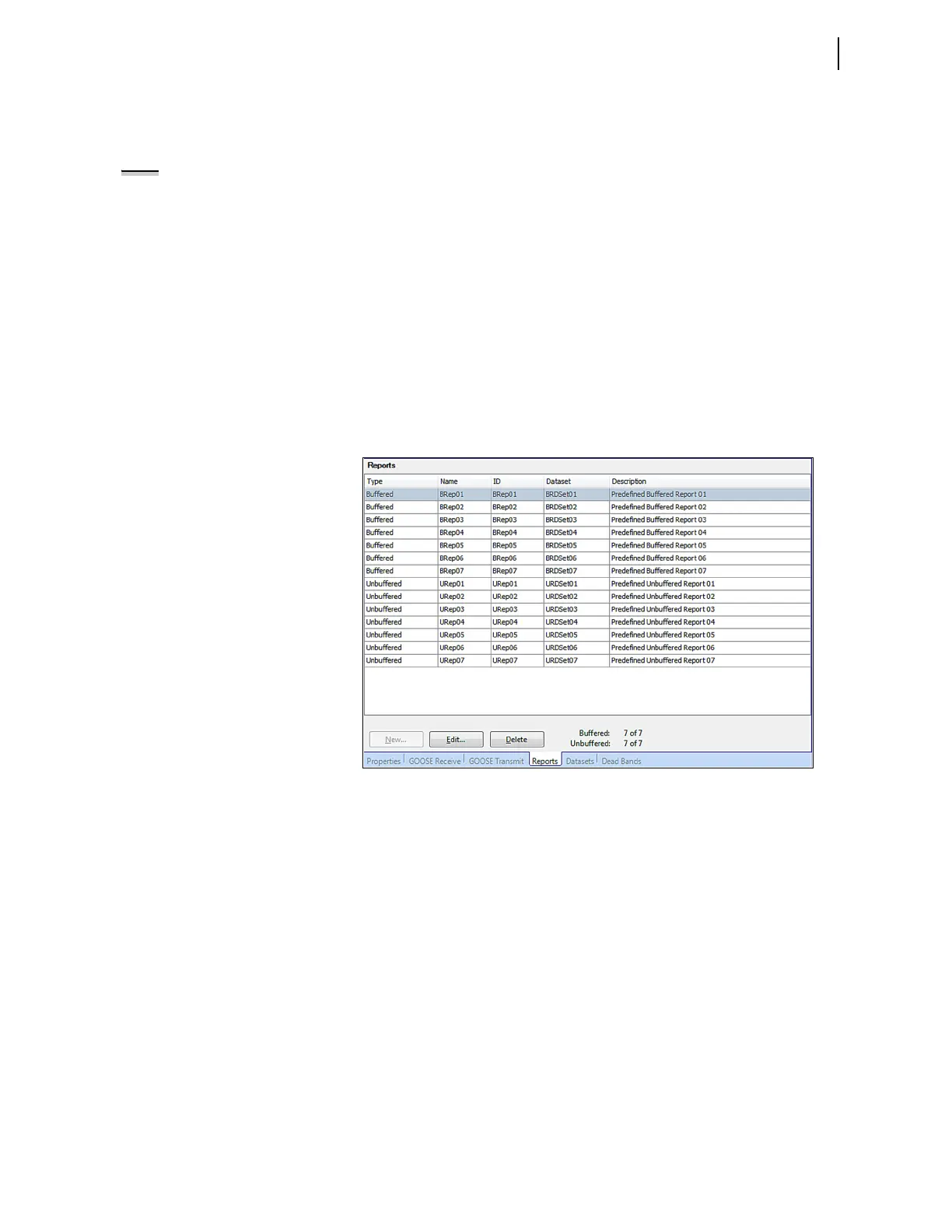
shown in Figure F.2 are available by default via IEC 61850. There are 14
report control blocks, seven buffered reports and seven unbuffered.
Figure F.2 SEL-751 Predefined Reports
For each report control block, there can be just one client association, i.e., only
one client can be associated to a report control block (BRCB or URCB) at any
given time. The number of reports (14) and the type of reports (buffered or
unbuffered) cannot be changed. However, by using Architect, you can
reallocate data within each report dataset to present different data attributes for
each report beyond the predefined datasets. For buffered reports, connected
clients can edit the report parameters shown in Table F.4.
NOTE: Do not edit the dataset
names used in reports. Changing or
deleting any of those dataset names
will cause a failure in generating the
corresponding report.



 To Next Page