8.24
SEL-751 Relay Instruction Manual Date Code 20170927
Front-Panel Operations
Touchscreen Display Front Panel
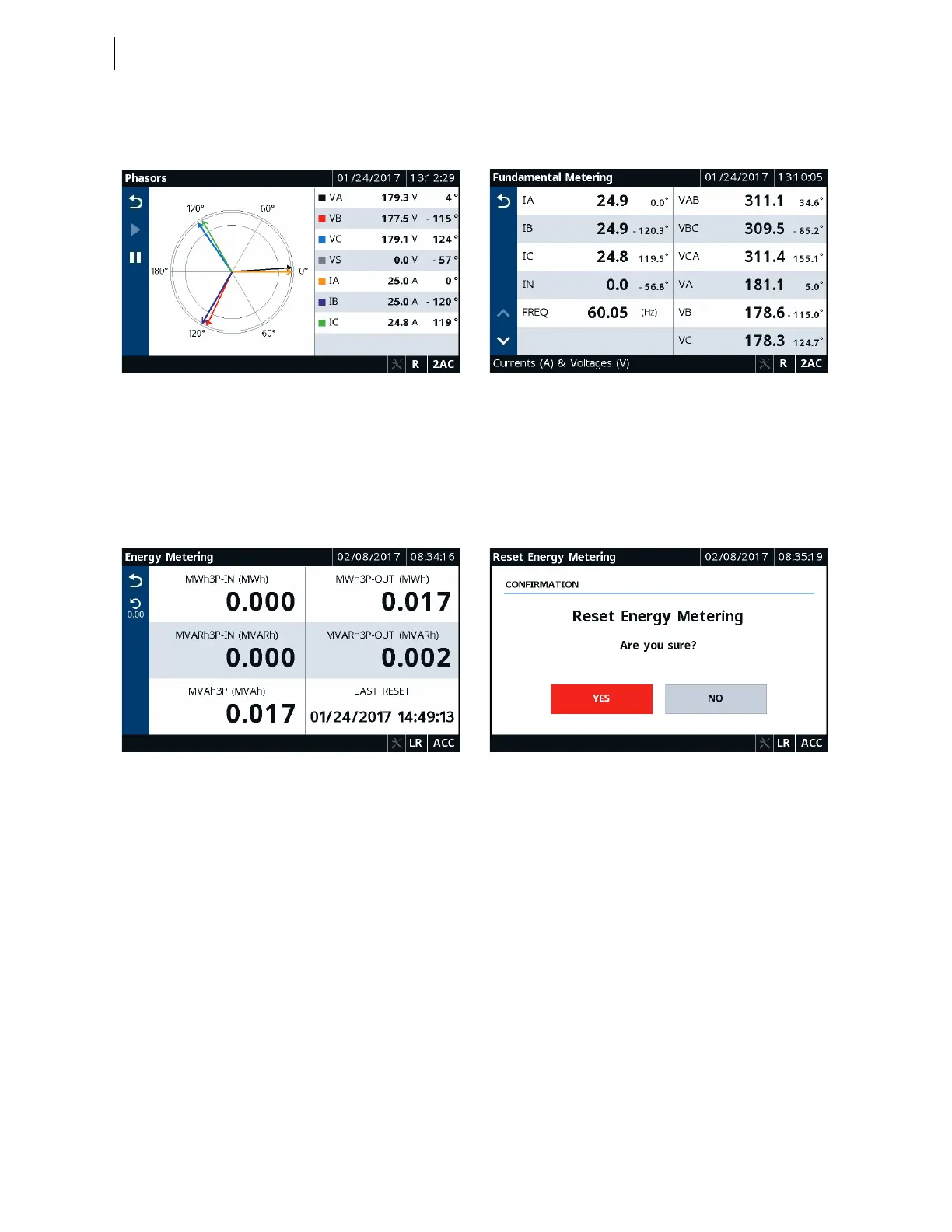
Figure 8.32 and Figure 8.33 show typical screens for phasor and fundamental
metering.
A reset feature is provided for the Energy, Max/Min, Demand, and Peak
Demand applications. Tap the Reset button to navigate to the reset
confirmation screen. Once you confirm the reset, the data are reset to zero.
Figure 8.34 and Figure 8.35 show typical screens for energy metering and
reset confirmation.
Monitor
Tapping this folder navigates you to the Monitor screen, as shown in
Figure 8.36. Monitor the status of the Relay Word bits (targets), digital
outputs, digital inputs, SEL
OGIC counters, and breaker wear data using the
respective applications (Relay Word Bits, Digital Outputs, Digital Inputs,
SEL
OGIC Counters, and Breaker Wear).
Figure 8.32 Meter Phasors Figure 8.33 Meter Fundamental
Figure 8.34 Meter Energy Figure 8.35 Meter Energy Reset



 To Next Page