10.24
SEL-751 Relay Instruction Manual Date Code 20170927
Analyzing Events
Event Reporting
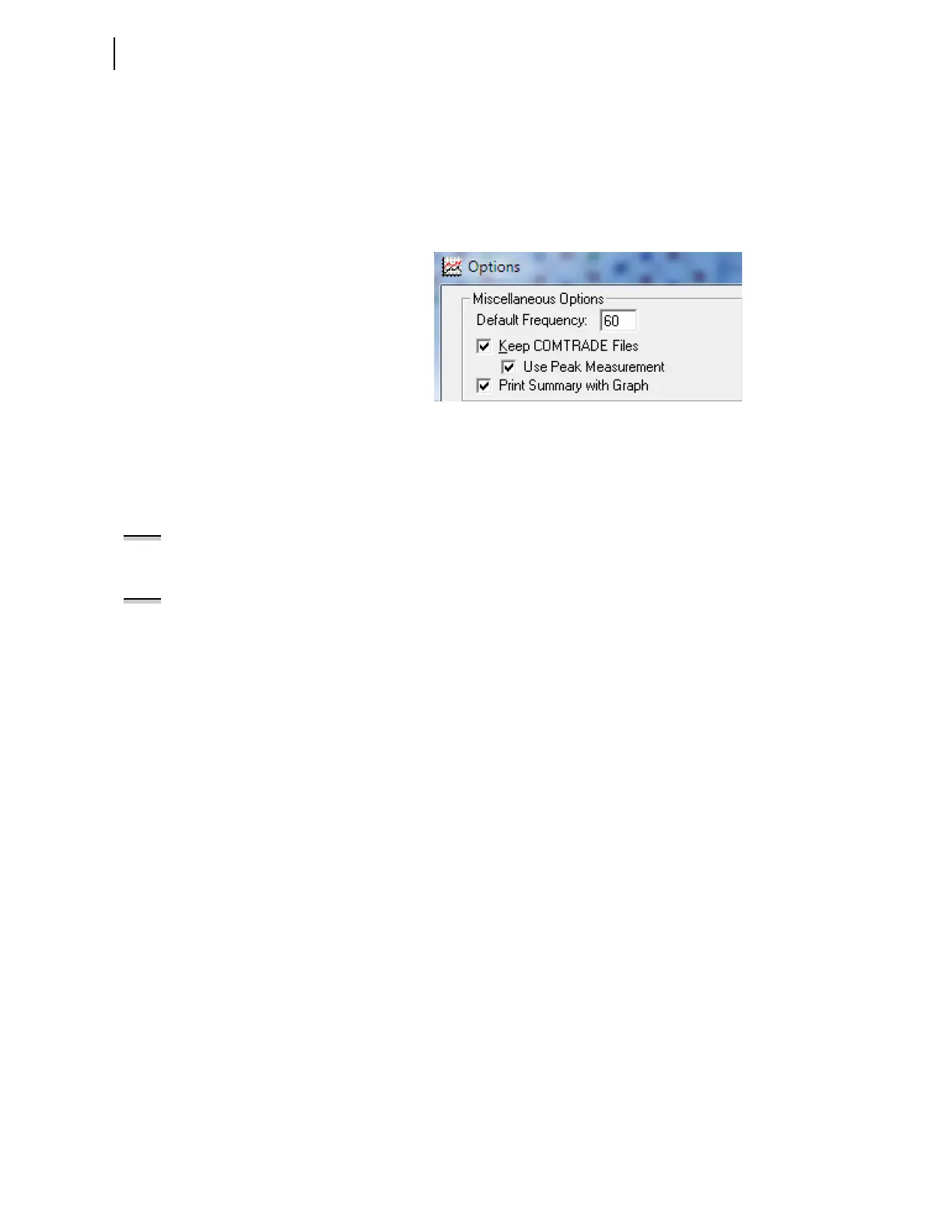
➤ Keep COMTRADE Files
➤ Use Peak Measurement
Keep COMTRADE Files allows you to convert the CEV report to
COMTRADE. Use Peak Measurement allows you to scale all the quantities
by 1.414 to represent actual instantaneous values for the signals in the
converted COMTRADE file.
Figure 10.8 Options for Converting CEV Reports to COMTRADE in Analytic
Assistant
COMTRADE File
Format Event Reports
The SEL-751 stores high-resolution raw data oscillography in binary format
and uses COMTRADE file types to output these data:
➤ .HDR—header file
➤ .CFG—configuration file
➤ .DAT—high-resolution raw data file
The .HDR file contains summary information about the event in ASCII
format. The .CFG file is an ASCII configuration file that describes the layout
of the .DAT file. The .DAT file is in binary format and contains the values for
each input channel for each sample in the record. These data conform to the
IEEE C37.111-1999 COMTRADE standard.
NOTE: COMTRADE event reports are
sampled at 32 samples per cycle,
which are equivalent to CEV R event
reports.
NOTE: COMTRADE events can be
extracted using the FILE command
(see Section 7: Communications),
Ethernet File Transfer Protocol (FTP),
or the IEC-61850 Manufacturing
Messaging Specification (MMS). To
transfer files using MMS, set EMMSFS
to Y.



 To Next Page