9.10
SEL-751 Relay Instruction Manual Date Code 20170927
Bay Control
Overview
supports as many as 32 digital labels. Set DLABqq (qq = 01–32) to display
the desired Relay Word bits on the bay screen. Refer to Tab l e K . 1 for the list
of Relay Word bits available to program into digital labels.
Bay Screen Builder Software
The Bay Screen Builder Software provides an intuitive and powerful interface
to design bay screens to meet your application needs. This instruction manual
provides only a brief overview of the Bay Screen Builder Software. For more
details, refer to the
ACSELERATOR Bay Screen Builder SEL-5036 Software
Instruction Manual available from the Help > Contents menu in Bay Screen
Builder or at selinc.com.
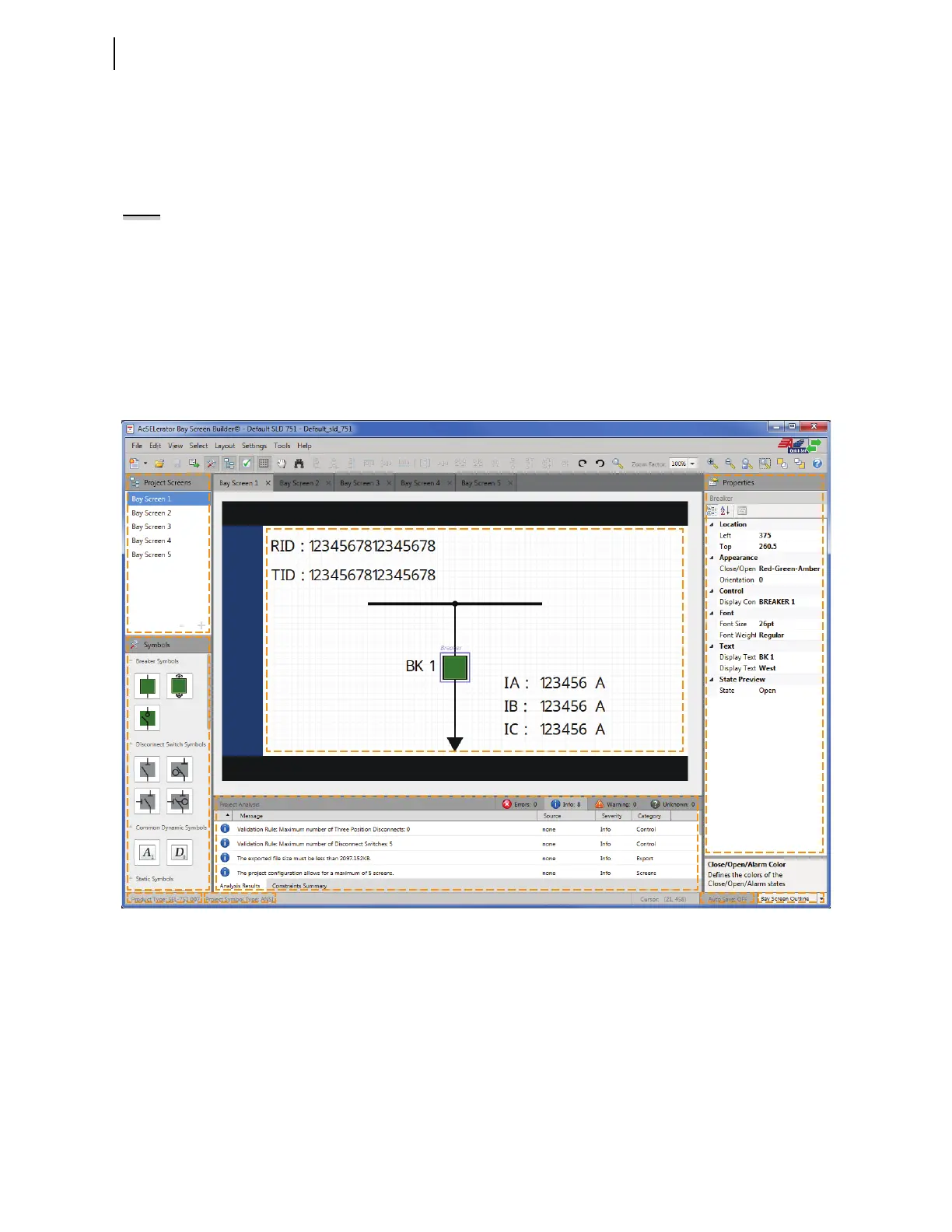
Several of the settings identified in Table 9.5 are available for you to set
depending on the symbols chosen for your single-line diagram. Figure 9.7
shows the layout of Bay Screen Builder and identifies different menus, panes,
and information.
Figure 9.7 Layout of Bay Screen Builder
NOTE: Refer to the Product
Literature CD for a list of UTF-8
characters that can be rendered on
the bay screen in Bay Screen Builder.



 To Next Page