9.5
Date Code 20170927 Instruction Manual SEL-751 Relay
Bay Control
Overview
Breaker Control Via
the Touchscreen
The SEL-751 enables you to control the breaker from the touchscreen or the
two-line LCD and through the front-panel operator control pushbuttons. Refer
to Front-Panel Operator Control Pushbuttons on page 8.15 for a discussion on
breaker control via the control pushbuttons. Refer to Control Menu on
page 8.9 for instructions on breaker control via the two-line LCD. This section
discusses breaker control via touchscreen.
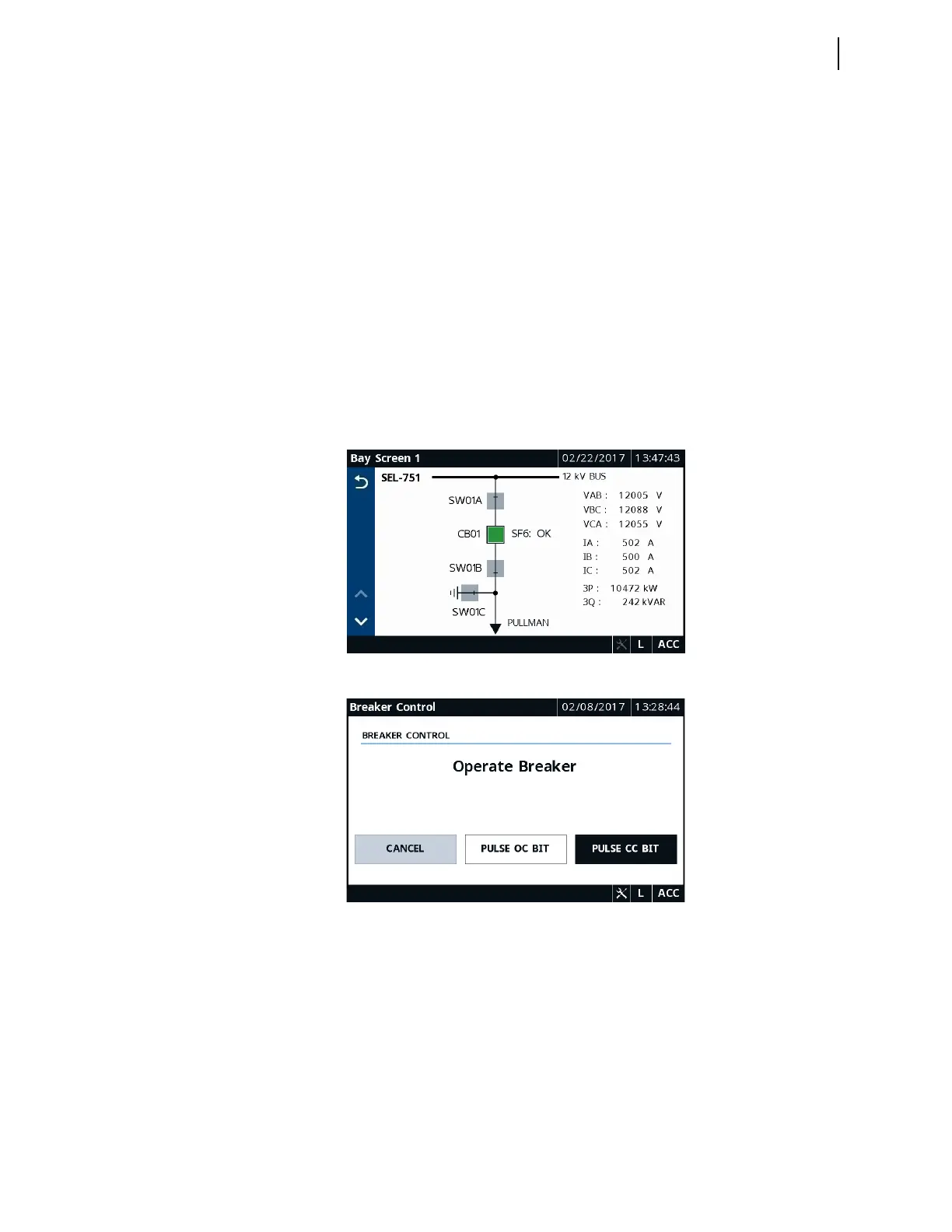
The touchscreen allows you to control the breaker via two applications: Bay
Screens and Breaker Control. The Bay Screens application is available on
the Home screen. Breaker control via the Bay Screens application requires
you to design a bay control single-line diagram. Figure 9.3 shows a sample
single-line diagram with a controllable breaker, monitor-only disconnects, and
analog quantities. For more details on how to design this screen, refer to Bay
Control Application Example.
You can also control the breaker via the Breaker Control application, which
is available in the Control folder. This application is built-in and is always
available for you to perform breaker control. Figure 9.4 shows the Breaker
Control application display.
Figure 9.3 Bay Screens Application Display With a Single-Line Diagram
Figure 9.4 Breaker Control Application
The Bay Screens and Breaker Control applications use the OC and CC bits
and require you to program the OC and CC bits into their respective trip (TR)
and close (CL) SEL
OGIC control equations to perform breaker control. For
more details on how to program these bits, refer to Bay Control Application
Example. The relay checks for the following conditions, in the order shown, in
both applications. Only when the conditions are satisfied can you perform
breaker control.
1. EN_LRC := Y and Relay Word bit LOCAL is asserted. If
EN_LRC := N, then this check is ignored.



 To Next Page