9.13
Date Code 20170927 Instruction Manual SEL-751 Relay
Bay Control
Bay Control Application Example
Bay Control Application Example
Specific components of bay screens are covered in Bay Screens Design Using
QuickSet and Bay Screen Builder. This section provides a summarized
application example tying all the components together. Refer to the
ACSELERATOR Bay Screen Builder SEL-5036 Software Instruction Manual,
available from the Help > Contents menu in Bay Screen Builder or at
selinc.com, for more specific details regarding bay screen creation and symbol
properties.
The SEL-751 supports as many as five custom screens. You can edit the
predefined bay screen (Bay Screen 1) and the blank screens (Bay Screen 2,
Bay Screen 3, Bay Screen 4, Bay Screen 5) (see Figure 9.12). You can also
import one of the five predefined bay control single-line diagrams from the
instruction manual CD. Refer to Predefined Bay Control Single-Line
Diagrams on page 9.23 for more details.
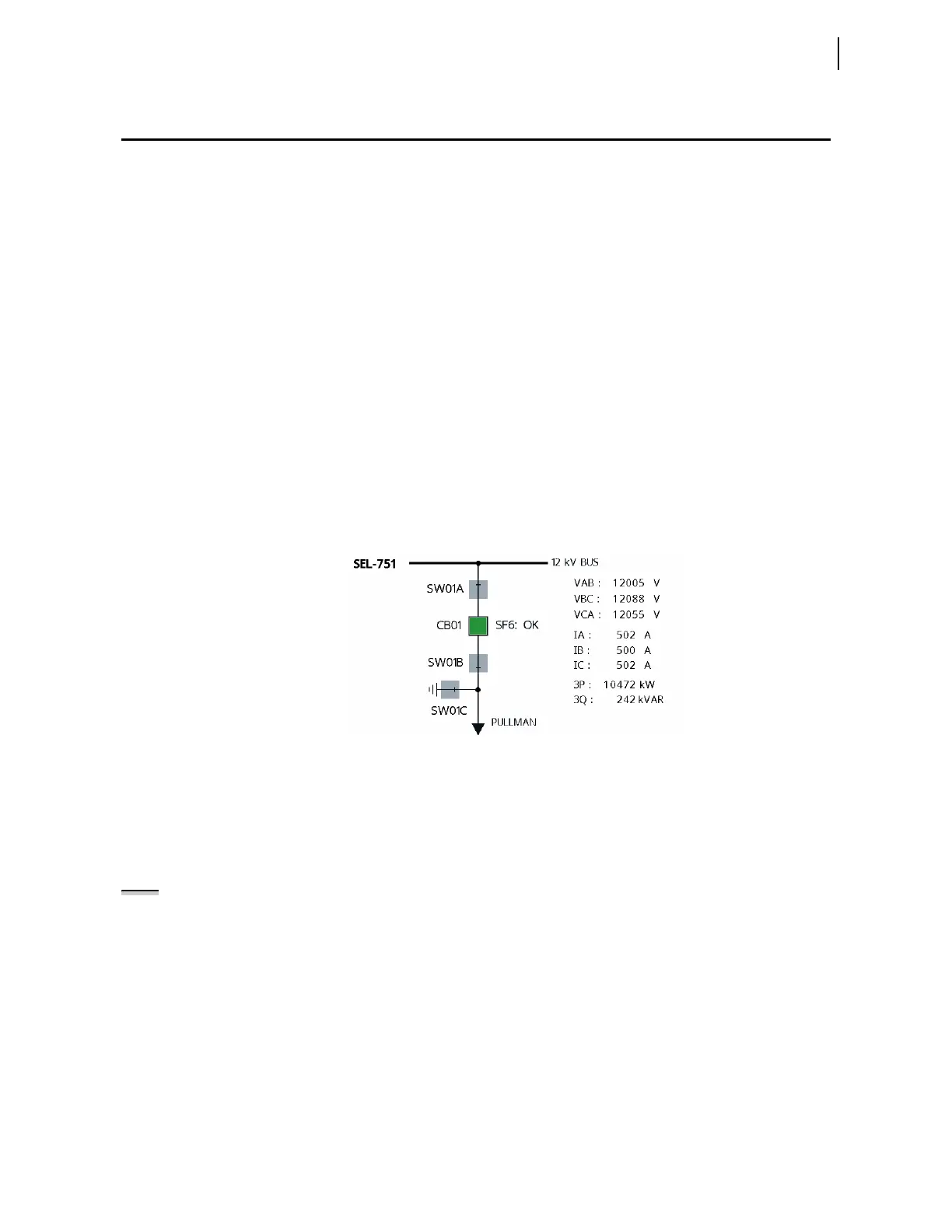
Consider if you were to create the single-line diagram shown in Figure 9.10 as
part of your application. Use the following step-by-step approach to design the
single-line diagram beginning with the predefined bay screen (Bay Screen 1).
Before creating your own diagram, ensure that the number of dynamic
symbols in your schematic does not exceed the number allowed by the
SEL-751 (see Figure 9.7 and the symbols pane description).
Figure 9.10 Bay Control Single-Line Diagram Schematic
Configure QuickSet
for Bay Screen
Builder
To use QuickSet and Bay Screen Builder to create bay screens for the
SEL-751, your relay must have the touchscreen MOT configuration (an “A” in
the 13th place of the part number). When your relay is configured for the
touchscreen option, perform the following steps to configure QuickSet to
work with Bay Screen Builder.
Step 1. Create an SEL-751 settings file configured for the touchscreen
display. Use the Front-Panel Options drop down to select the
touchscreen option (see Figure 9.11).
NOTE: The touchscreen display
option is only available for SEL-751
QuickSet drivers 007 and higher.



 To Next Page