9.14
SEL-751 Relay Instruction Manual Date Code 20170927
Bay Control
Bay Control Application Example
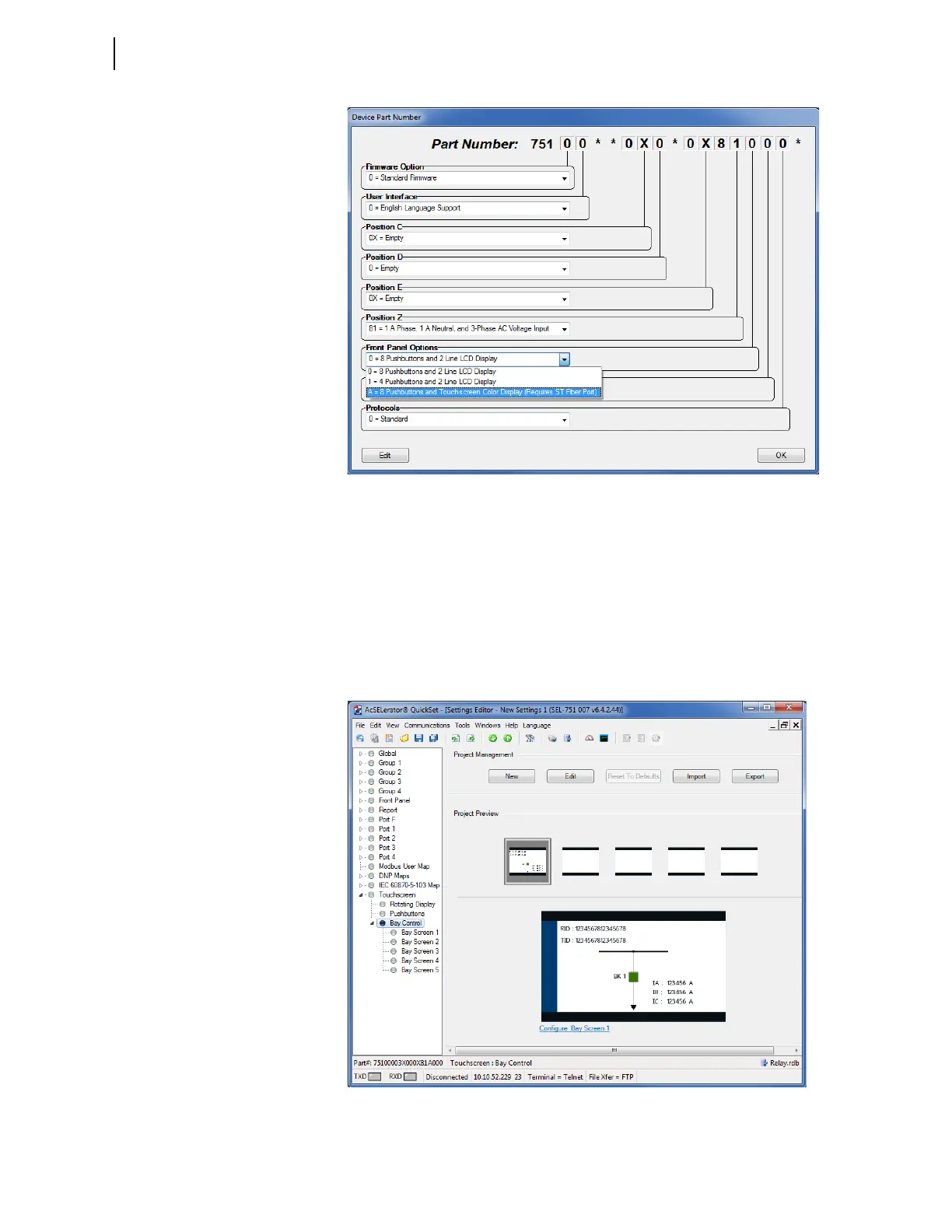
Figure 9.11 Device Part Number Touchscreen Configuration Option
Step 2. Click OK.
Step 3. Expand the Touchscreen settings class.
Step 4. Click Bay Control.
QuickSet displays project management buttons and a project
preview that includes a small-scale view of five project screens
(one screen with a predefined single-line diagram and four
blank screens) and an enlarged view of the predefined single-
line diagram, which is selected by default (see Figure 9.12).
Figure 9.12 QuickSet Bay Control Project Management and Project Preview
Display



 To Next Page