8.26
SEL-751 Relay Instruction Manual Date Code 20170927
Front-Panel Operations
Touchscreen Display Front Panel
Reports
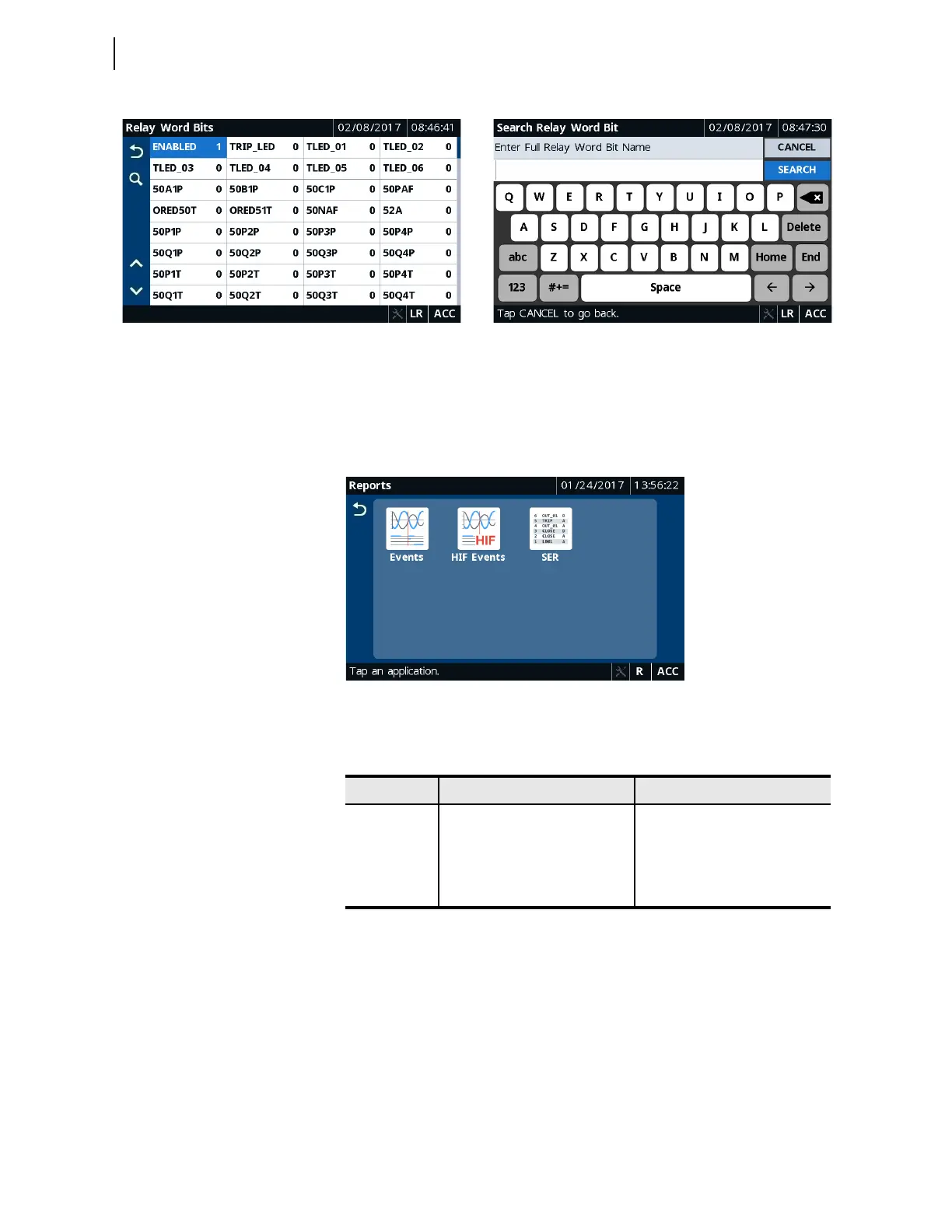
Tapping this folder navigates you to the Reports screen where you can access
the Events, HIF Events (if available), and SER applications. Use these
applications to view events, HIF events, and SERs.
Figure 8.41 Reports Applications
Table 8.11 identifies all the applications available in the Reports folder.
To view the summary of a particular event record, tap the event record on the
Event History screen. When new records become available while viewing
any of the Reports screens (Events, HIF Events, and SER), the up and down
buttons are disabled and the footer displays a message to refresh the screen.
Update the screen using the Refresh button. Tapping the Trash button on the
Event History, HIF Event History, and Sequential Events Recorder
screens and confirming the delete action removes the records from the relay.
Figure 8.42 through Figure 8.44 show typical Event History, Event
Summary, and Sequential Events Recorder screens.
Figure 8.39 Monitor Relay Word Bits Figure 8.40 Search Relay Word Bits
Table 8.11 Reports Application Availability
Folder Name Application Name Comments
a
a
Refer to the relay part number.
Reports
Events Always available
HIF Events Shown when HIF is supported,
i.e., when the firmware option is
3, 5, or 8
SER Always available



 To Next Page