9.18
SEL-751 Relay Instruction Manual Date Code 20170927
Bay Control
Bay Control Application Example
Publish Bay Screen
Builder Project
When you have completed your single-line diagram in Bay Screen Builder,
you are ready to publish your project to QuickSet.
Step 1. Click Save Project in the File menu to save your project.
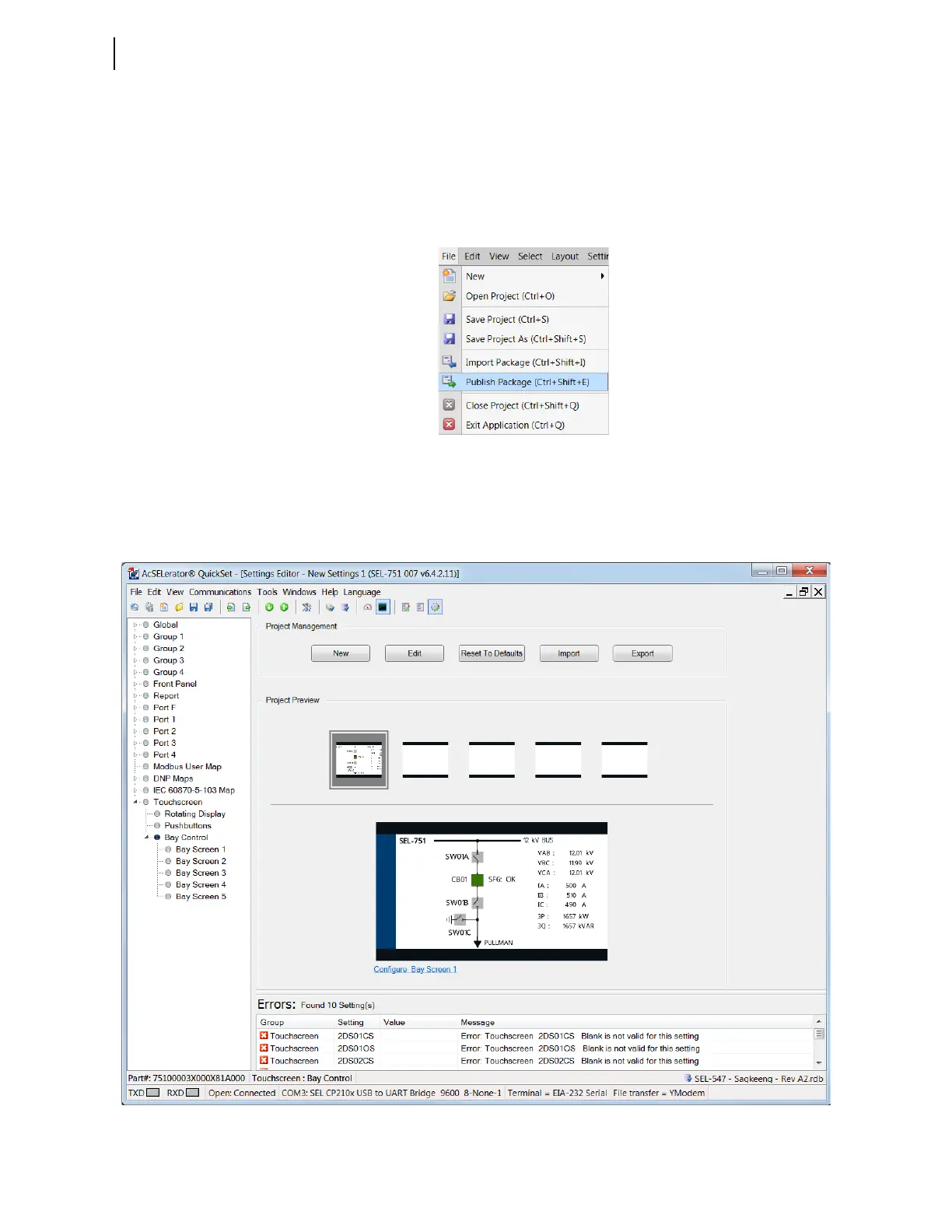
Step 2. Click Publish Package in the File menu to publish your
project (see Figure 9.17). Bay Screen Builder exports the
project into QuickSet.
Figure 9.17 Publish Bay Screen Builder Project to QuickSet
Step 3. Allow a few seconds for Bay Screen Builder to publish the
project to QuickSet. Respond to the QuickSet prompt, if
presented. QuickSet then populates the settings of the updated
single-line diagram (see Figure 9.18).
Figure 9.18 QuickSet Updated Single-Line Diagram and Corresponding Settings



 To Next Page