B.2
SEL-751 Relay Instruction Manual Date Code 20170927
Firmware Upgrade Instructions
Upgrade Firmware Using QuickSet
➤ Disk containing the firmware upgrade file (for example,
r1017xxx.s19 or r1017xxx.z19)
➤ QuickSet Software
Upgrade Firmware Using QuickSet
NOTE: Firmware releases are also
available as zip files (.z19). Use the zip
file for faster download.
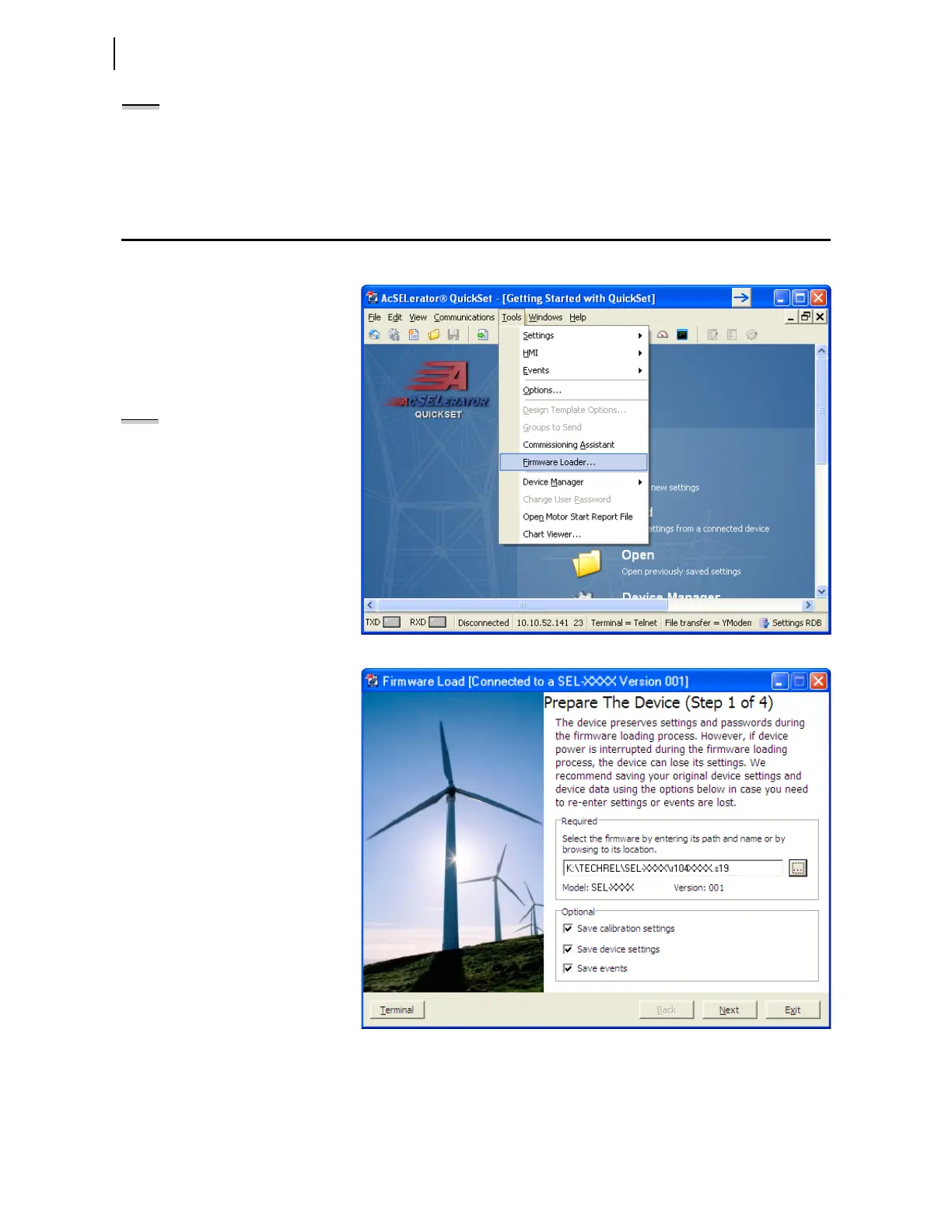
Select Tools > Firmware Loader
from the QuickSet menu bar to
launch a wizard that walks you
through the steps to load firmware
into your SEL device. Refer to
Section 3: PC Software for setup and
connection procedures for QuickSet.
NOTE: The firmware loader is not supported
on Ethernet port connections.
Firmware Loader does not start if:
➤ The device is unsupported by
QuickSet.
➤ The device is not connected to the
computer with a communications
cable.
➤ The device is disabled.
Step 1. Prepare the device.
a. Select the firmware to be
loaded using the browse
control and select Save
calibration settings,
Save device settings,
and Save events. Select
Next to continue the
wizard.



 To Next Page