7.4
SEL-751 Relay Instruction Manual Date Code 20170927
Communications
Communications Interfaces
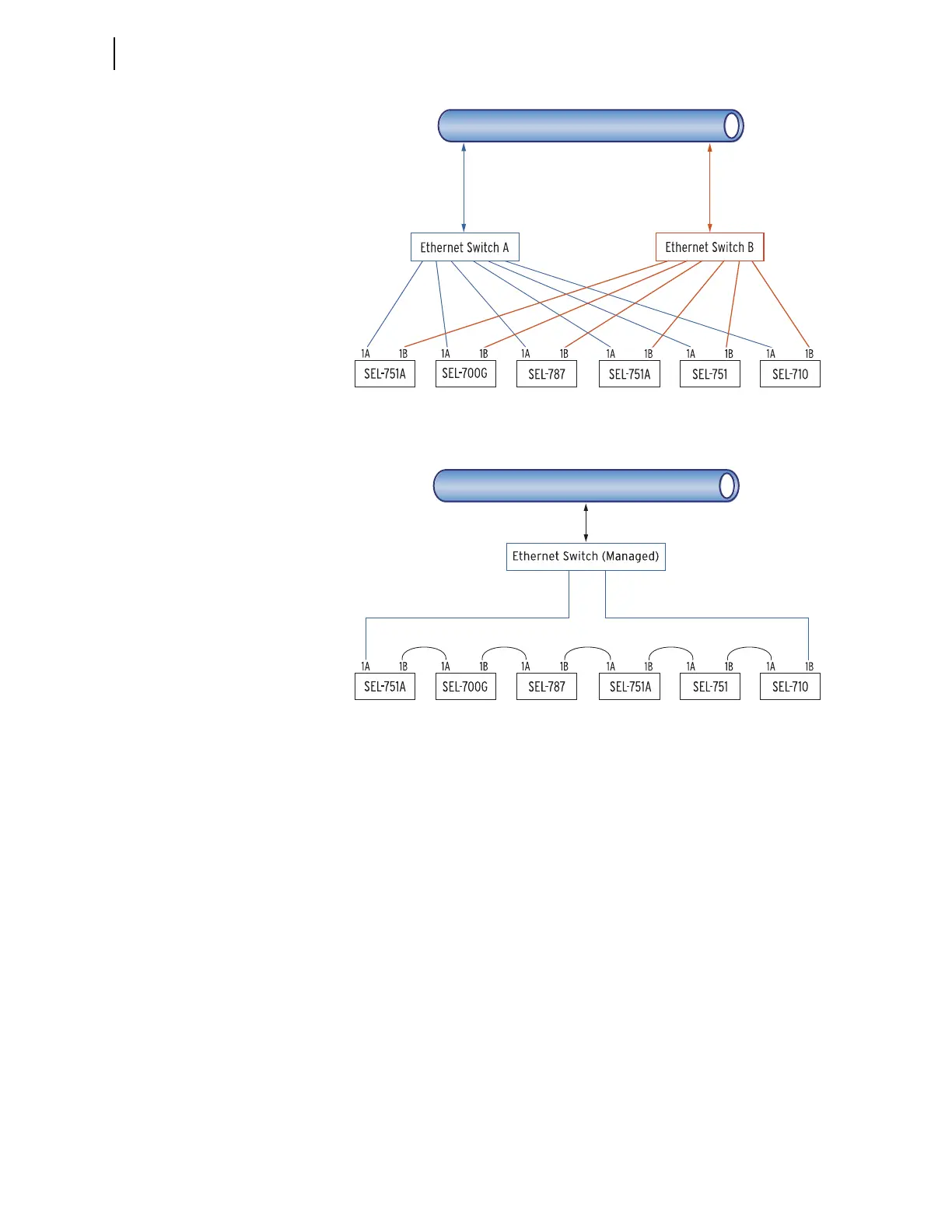
Figure 7.2 Ethernet Network Configuration With Dual Redundant
Connections (Failover Mode)
Figure 7.3 Ethernet Network Configuration With Ring Structure
(Switched Mode)
Dual Network Port Operation
The SEL-751 dual Ethernet port option has two network ports. Network port
failover mode enables the dual Ethernet port to operate as a single network
adapter with a primary and standby physical interface. You can connect the
two network ports to the same network or to different networks depending on
your specific Ethernet network architecture.
Failover Mode
In the failover mode operation, the relay determines the active port. To use
failover mode, proceed with the following steps.
Step 1. Set NETMODE to FAILOVER.
Step 2. Set FTIME to the desired network port failover time
(0.10–65.00 seconds or OFF).
Step 3. Set NETPORT to the network interface you prefer.
NETWORK
Set Port 1 (Ethernet) settin
s in each relay.
CAT 5 shielded twisted pair (STP) cables with RJ45
connectors (SEL-C627/C628) for copper Ethernet ports
OR
Fiber-optic Ethernet cables with LC connectors
(SEL-C808) for fiber-optic Ethernet ports
Set Port 1 (Ethernet) settings in each relay.
NETWORK
CAT 5 shielded twisted pair (STP) cables
with RJ45 connectors (SEL-C627/C628)
for copper Ethernet ports
OR
Fiber-optic Ethernet cables with
LC connectors (SEL-C808) for
fiber-optic Ethernet ports



 To Next Page