9.4
SEL-751 Relay Instruction Manual Date Code 20170927
Bay Control
Overview
The relay supervises the OC and CC bits based on the EN_LRC setting and
the status of the LOCAL Relay Word bit.
➤ When EN_LRC := Y and LOCAL := 1, the relay processes the
OC and CC bits from the front panel (two-line display or
touchscreen). The OC and CC bits from remote sources/
protocols (ASCII terminal, SEL Fast Operate, DNP, Modbus,
IEC 61850, etc.) are blocked.
➤ When EN_LRC := Y and LOCAL := 0, the relay processes the
OC and CC bits from remote sources/protocols (ASCII
terminal, SEL Fast Operate, DNP, Modbus, IEC 61850, etc.).
The OC and CC bits from the front panel are blocked (two-line
display or touchscreen).
➤ When EN_LRC := N, the relay processes the OC and CC bits
from both the front panel (two-line display or touchscreen) and
remote sources/protocols (ASCII terminal, SEL Fast Operate,
DNP, Modbus, IEC 61850, etc.).
Enable the local/remote control for proper supervision of breaker control and
operator safety. Map the LOCAL SEL
OGIC control equation to the status of
the local/remote switch on the panel, if available. Alternatively, program one
of the front-panel pushbuttons and an LED in conjunction with a SEL
OGIC
latch to mimic the local/remote switch and map it to the LOCAL SEL
OGIC
control equation.
When EN_LRC := Y, the status of the local/remote control is indicated on the
footer of the touchscreen as “L” for local (LOCAL = 1) and “R” for remote
(LOCAL = 0). If you do not intend to use the built-in local/remote function,
and prefer to create your own control function using SEL
OGIC and remote bits,
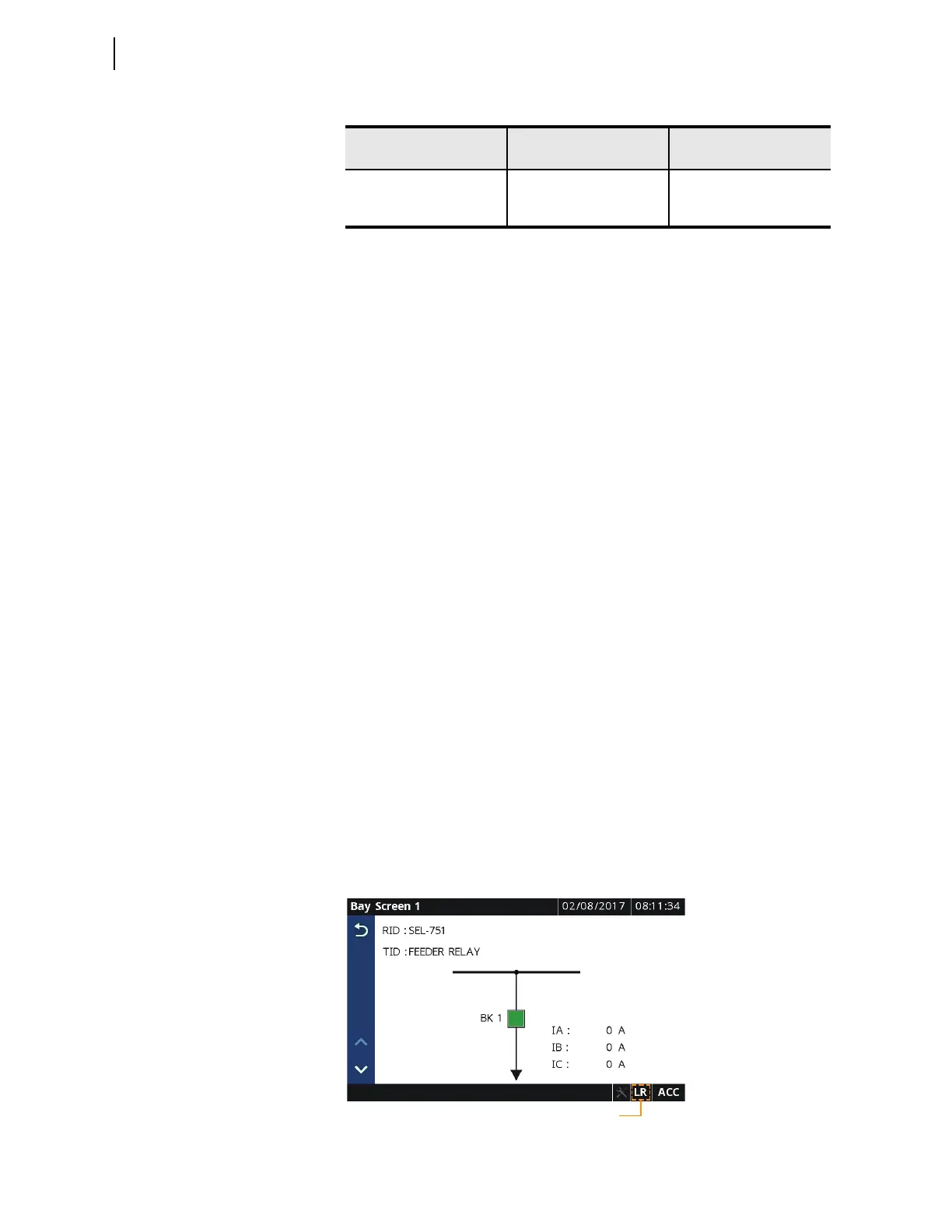
then set EN_LRC := N. In which case, the footer indicates “LR,” as shown in
Figure 9.2, indicating that OC and CC bits are processed from both the
touchscreen and remote sources/protocols. Local/remote indication is only
available on the SEL-751 touchscreen display model. Refer to Bay Control
Application Example on page 9.13 for example settings.
Figure 9.2 Local/Remote Control Mode Indication
Table 9.4 Local/Remote Breaker Control Settings
Setting Prompt Setting Range
Setting Name :=
Factory De fault
ENABLE LOC REM CON
Y, N EN _L R C : = N
LOCAL CONTROL
a
a
This setting is hidden when EN_LRC := N.
SELOGIC LOCAL := 0
Local/Remote Control Indication



 To Next Page