9.7
Date Code 20170927 Instruction Manual SEL-751 Relay
Bay Control
Overview
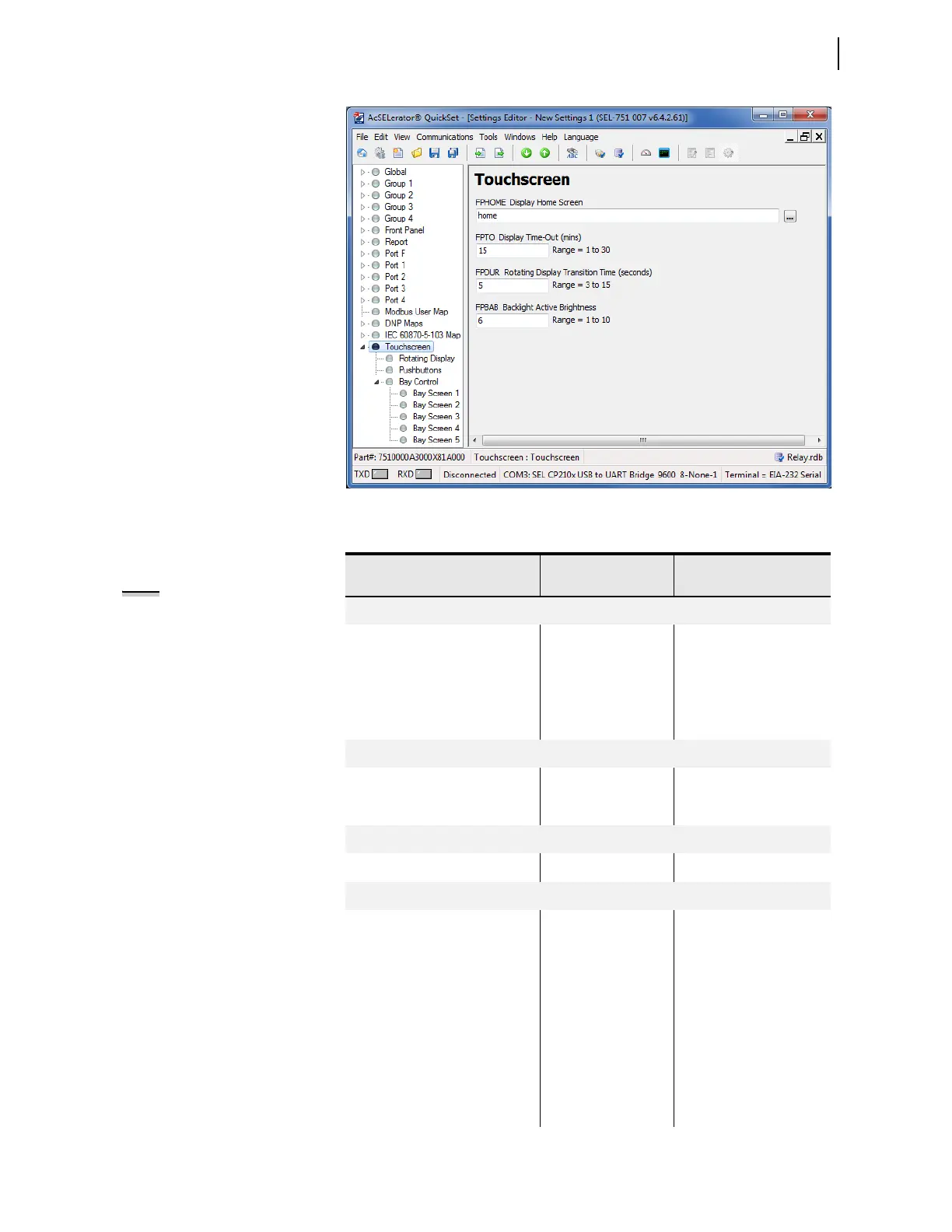
Figure 9.6 QuickSet Touchscreen Settings
Table 9.5 Touchscreen Settings (Sheet 1 of 2)
Setting Prompt Setting Range
Setting Name :=
Fac to ry Default
Display Settings
Display Home Screen See Table 8.17 FPHOME := HOME
Display Time-Out 1–30 min FPTO := 15
Rotating Display Transition Time 3–15 sec FPDUR := 5
Backlight Active Brightness 1–10 FPBAB := 6
Rotating Display Screen Settings (kk = 01–16)
Rotating Display 01 See Table 8.17 FPRD01 := Bay Screen 1
Rotating Display kk See Table 8.17
FPRDkk :=
Pushbutton Settings (nn = 01–08)
Pushbutton nn HMI Screen OFF, See Table 8.17 FPPBnn := OFF
Bay Control Breaker Settings
Breaker Trip Type 3 BK01TTY := 3
Breaker Mode CONTROL,
MONITOR
BK01MOD := MONITOR
Breaker Close Status Relay Word Bit BK01CS := 52A
Breaker Open Status Relay Word Bit BK01OS := 52B
Breaker Alarm Status Relay Word Bit BK01AS := NA
Breaker HMI Close Command Relay Word Bit BK01CLC := NA
Breaker HMI Open Command Relay Word Bit BK01OPC := NA
NOTE: The touchscreen
configuration settings (FPTO, FPDUR,
and FPBAB) are available to view and
change through the To uchs creen
application (Figure 8.68) to facilitate
field adjustments. Changes made to
these settings through the Touchscreen
application are temporary and the
settings are reset to the original
QuickSet settings when the relay
goes through a power cycle.



 To Next Page