9.22
SEL-751 Relay Instruction Manual Date Code 20170927
Bay Control
Bay Control Application Example
Send all active settings to the relay.
To view the designed bay control single-line diagram on the touchscreen
display, perform the following steps:
Step 1. Navigate to the Home screen.
Step 2. Select the Bay Screens application.
Step 3. Use the Up and Down arrows to view your screens.
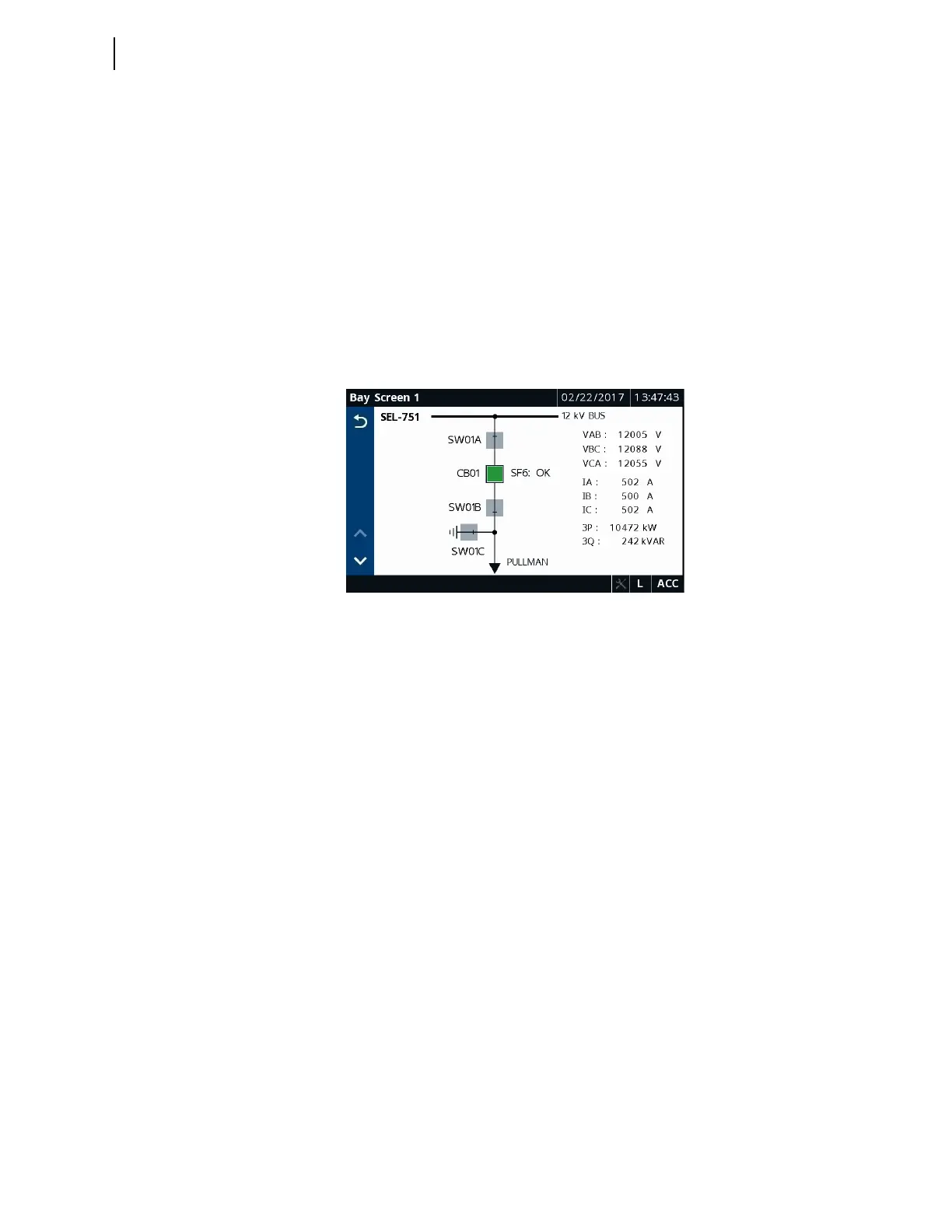
With all the previous settings applied to the relay, you have a bay control
single-line diagram that provides the status of the breaker and disconnects and
provides you with the ability to perform breaker control via the touchscreen,
as shown in Figure 9.19. In addition, you have the ability to monitor the
voltages at the bus, the flow of currents and power through the breaker, and
the status of the breaker SF6 gas pressure.
Figure 9.19 Final Bay Screen Builder Rendering
Export/Import Bay
Screen Builder
Project File
If you plan to use the same Bay Screen Builder project file (*.ldme) across
multiple relays, export the file as shown in Figure 9.20 and save the file to
import it to another relay. The *.ldme file does not save the settings associated
with the bay control symbols.
Alternately, QuickSet allows you to save the Bay Screen as well as all of the
corresponding analog and digital quantities settings (Tools > Settings >
Export > Touchscreen).



 To Next Page