11.12
SEL-751 Relay Instruction Manual Date Code 20170927
Testing and Troubleshooting
Periodic Tests (Routine Maintenance)
Testing the Complete Arc-Flash Protection System
It is necessary to verify the complete protection subsystem even though the
relay is tested at the factory before shipping as it is a critical protection
function. If a synchronized light and current pulse test source is available to
simulate an arc, you can use it to exercise the arc-flash protection TOLn
elements together with the 50PAF or the 50NAF elements. If the relay has
been set for the arc-flash protection including the tripping logic, the test could
exercise the breaker tripping (unenergized state). You can capture the total
event with appropriate event report trigger settings and use the
ACSELERATOR
Analytic Assistant to view and analyze the CEV R (raw data) report. The
CEV R report shows the analog currents and light channels together with the
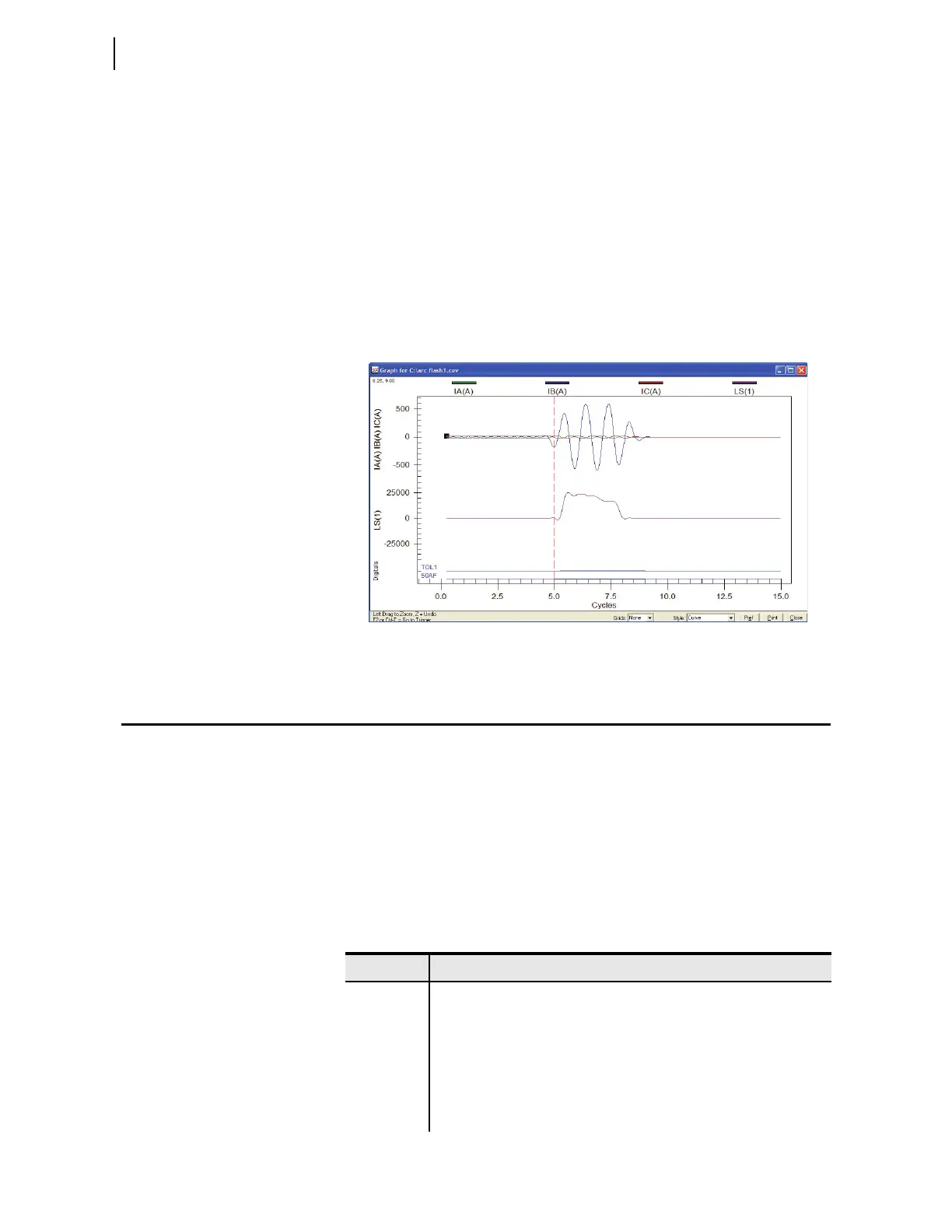
Relay Word bits so that you can analyze and qualify the response. Figure 11.7
shows an example event report for a simulated arc-flash incident.
Figure 11.7 CEV R Light Event Capture Example
Periodic Tests (Routine Maintenance)
Because the SEL-751 is equipped with extensive self-tests, the most effective
maintenance task is to monitor the front-panel messages after a self-test
failure. In addition, each relay event report generated by a fault should be
reviewed. Such reviews frequently reveal problems with equipment external to
the relay, such as instrument transformers and control wiring.
The SEL-751 does not require specific routine tests, but your operation stan-
dards may require some degree of periodic relay verification. If you need or
want to perform periodic relay verification, the following checks are recom-
mended.
Table 11.7 Periodic Relay Checks (Sheet 1 of 2)
Test Description
Relay Status Use the front-panel STATUS or serial port STATUS command to verify
that the relay self-tests have not detected any WARN or FAIL conditions.
Arc-Flash
Detection
(AFD) Status
Use the serial port AFT command to verify that the AFD channel self-
tests have not detected any FAIL condition in any of the channels.
Meter Verify that the relay is correctly measuring current and voltage (if
included) by comparing the relay meter readings to separate external
meters.



 To Next Page