8.29
Date Code 20170927 Instruction Manual SEL-751 Relay
Front-Panel Operations
Touchscreen Display Front Panel
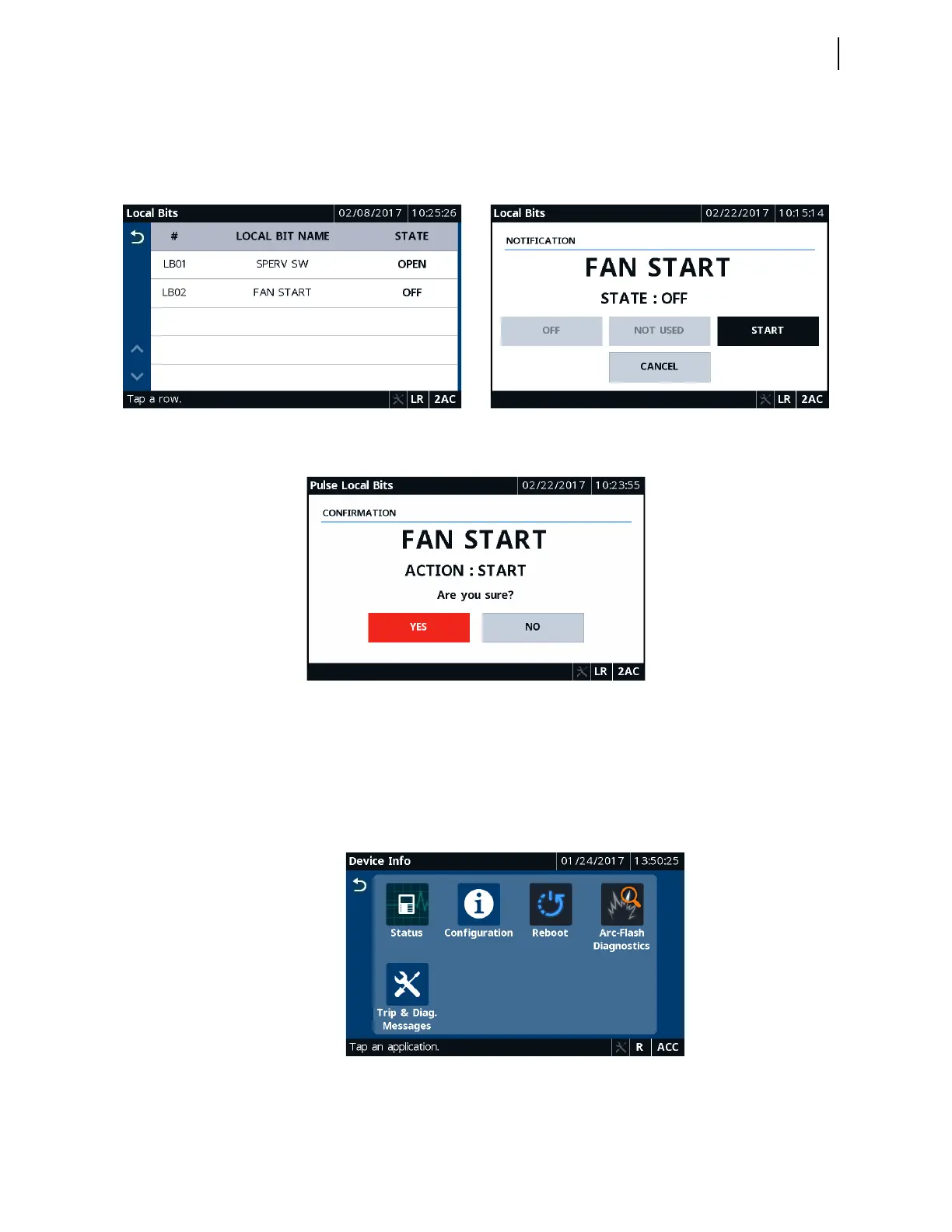
To control the local bits, tap the Local Bits application. You can control the
desired local bit by tapping on the corresponding row. Depending on the state,
tap and confirm the type of action you would like to perform. Figure 8.49
through Figure 8.51 show typical local bits control screens.
Device Info
Tapping this folder navigates you to the Device Info screen where you can
access specific device information applications (Status, Configuration,
Arc-Flash Diagnostics, and Trip & Diag. Messages) and the Reboot
application.
Figure 8.52 Device Info Applications
Figure 8.49 Local Bits Figure 8.50 Local Bits Notification
Figure 8.51 Local Bits Confirmation



 To Next Page