2.18
SEL-751 Relay Instruction Manual Date Code 20170927
Installation
I/O Configuration
Password, Breaker
Control, and SELBOOT
Jumper Selection
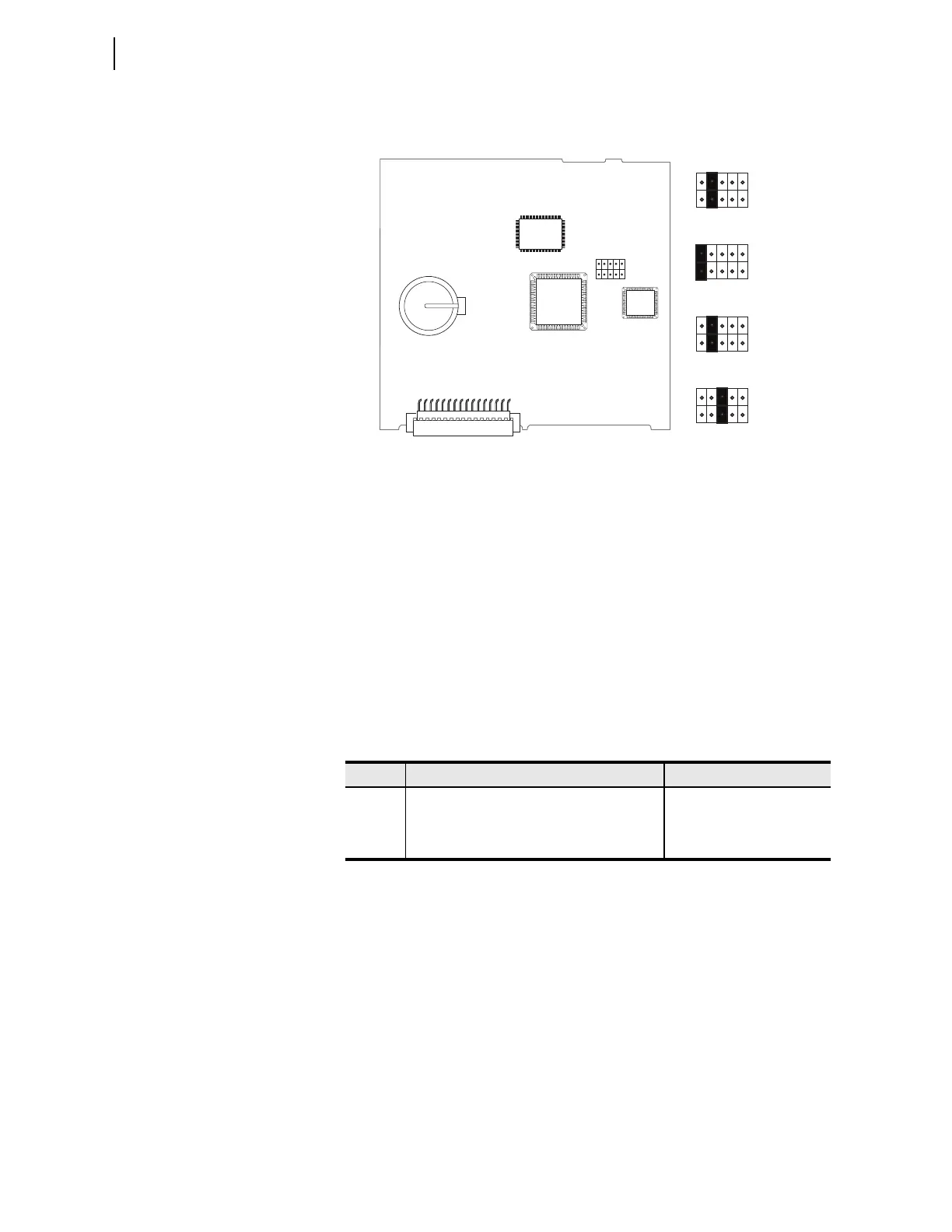
Figure 2.7 shows the major components of the Slot B card in the base unit.
Notice the three sets of pins labeled A, B, and C.
Figure 2.7 Pins for Password, Breaker Control, and SELBOOT Jumper
Pins labeled A bypass the password requirement, pins labeled B enable
breaker control, and pins labeled C force the relay to the SEL operating sys-
tem called SEL
BOOT. In the unlikely event that the SEL-751 experiences an
internal failure, communication with the relay may be compromised. Forcing
the relay to SEL
BOOT provides you with a way to download new firmware. To
force the relay to SEL
BOOT, place the jumper in position C, as shown in
Figure 2.7 (SEL
BOOT Forced). After the relay is forced to SELBOOT, you can
only communicate with it via the front-panel port.
To gain access to Level 1 and Level 2 command levels without passwords,
place the jumper in Position A, as shown in Figure 2.7 (Password Bypassed).
Although you gain access to Level 2 without a password, the alarm contact
still closes momentarily when accessing Level 2. See Table 2.17 for the func-
tions of the three sets of pins and their jumper default positions.
Table 2.17 Jumper Functions and Default Positions
Pin8s Jumper Default Position Description
A Not bypassed (requires password) Password bypass
B On (breaker control enabled) Enable breaker control
a
a
Enable/disable serial port, front panel, and Fast Operate commands for the breaker control.
The jumper position affects the breaker control using the OPEN or CLOSE commands and
output contact control using the PULSE command via the serial port, the front-panel menu-
driven user interface, or the communications protocols. The jumper position does not affect
the operation of the local bits, the remote bits, or the front-panel programmable pushbuttons.
C Not bypassed (not forced SELBOOT)SELBOOT Forced
JMP1
ABC
JMP1
ABC
JMP1
ABC
JMP1
ABC
Password
Bypassed
Default
Positions
SEL
BOOT
Forced
Remote
Breaker
Control
Allowed
JMP1
A B C



 To Next Page