10.23
Date Code 20170927 Instruction Manual SEL-751 Relay
Analyzing Events
Event Reporting
The 50A1P element picked up at the first sample of the trigger cycle row (see
Figure 10.6)
Viewing Compressed
Event (CEV) Reports
The CEV can be viewed in the following ways:
➤ ACSELERATOR Analytic Assistant SEL-5601 Software
➤ ACSELERATOR QuickSet SEL-5030 Software via SEL-5601
Software or
SYNCHROWAVE Event Software (SEL-5601-2)
➤ SYNCHROWAVE Event Software (SEL-5601-2)
SEL-5030 Software provides an option to choose between SEL-5601 or
SYNCHROWAVE Event (SEL-5601-2) to view the event reports. Navigate to the
Options menu under Tools and select either SEL-5601 or
SYNCHROWAVE
Event (SEL-5601-2) as the event viewer.
To view the saved events using the SEL-5030 software, click on the View
Event Files function from the Tools > Events menu to select the event you
want to view (
ACSELERATOR QuickSet remembers the location where you
stored the previous event record). Use View Combined Event Files to
simultaneously view as many as three separate events. To view the saved
events using
SYNCHROWAVE Event Software, click on the Load Event
function on the right side of the screen.
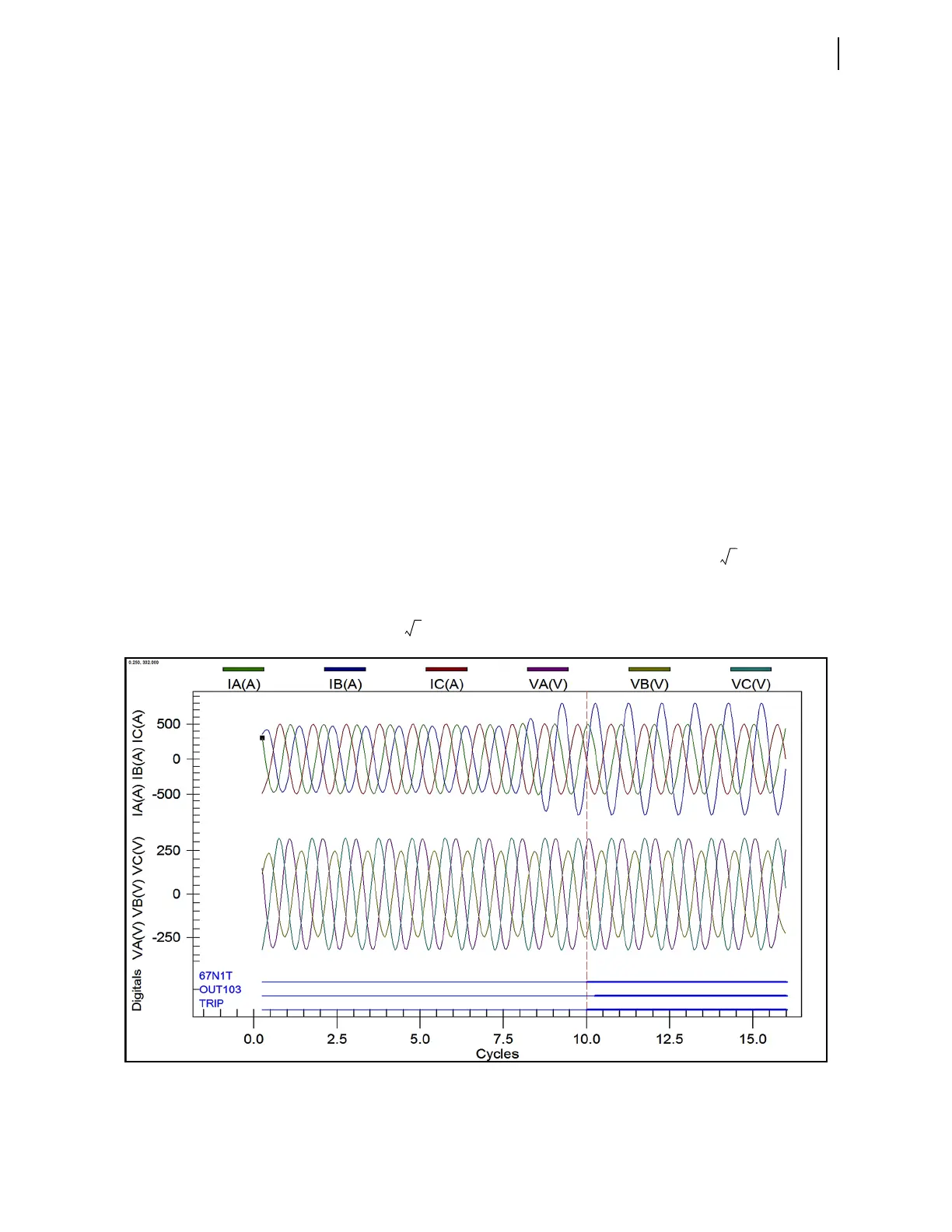
As shown in Figure 10.7, all the ac analog data points shown in a CEV report
when viewed with
ACSELERATOR Analytic Assistant SEL-5601 or
ACSELERATOR QuickSet via SEL-5601 are scaled down by . SEL recently
introduced
SYNCHROWAVE Event, also known as SEL-5601-2 Software, for
displaying and analyzing relay event reports. The ac analog signals in a CEV
report, when viewed using
SYNCHROWAVE Event Software, are scaled up by a
factor of to display the instantaneous magnitudes.
Figure 10.7 Sample CEV Report Viewed With Analytic Assistant or ACSELERATOR QuickSet Via SEL-5601
With ACSELERATOR Analytic Assistant, you have two options for converting
CEV reports to COMTRADE, as shown in Figure 10.8.



 To Next Page