283
SAW sensor – Maintenance
Type 8098 FLOWave L
17.27 Checking the correct behaviour of the device
have made.
You can check the behaviour of the device:
• by simulating one or several process values,
• by simulating one or several events.
17.27.1 Choosing the process values to be simulated
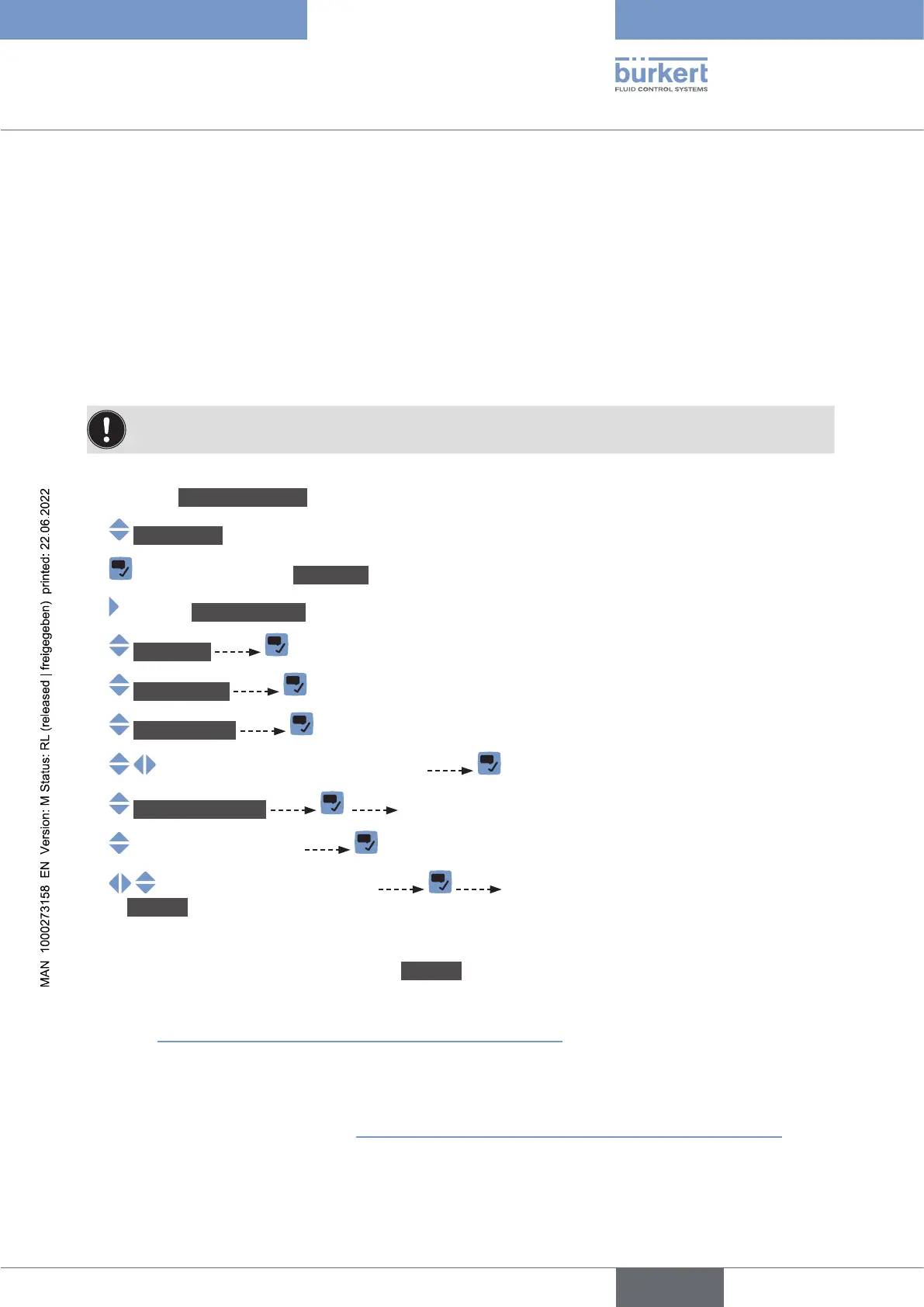
To check the behaviour by simulating a process value, do the following:
→ Go to the CONFIGURATION view.
→ SAWsensor
→ Parameter view.
→ MAINTENANCE view.
→ Simulation
→ Meas.values
→ Processvalue
→
→ Valuestosimulate The previously selected process values are displayed.
→
→ The status of the simulation is automatically set
to Running and the value is being simulated.
→ Check if the device behaves depending on the settings you have made.
The simulation is active as long as the status Running is active. Thus, you can:
• leave the menu to check if a measurement view shows the simulated value, or if the analogue
output associated to one of the simulated physical quantities gives out the correct current value (see
20.2 Checking the correct operation of an analogue output).
• or simulate another value for the same process value and/or another process value,
• or simulate one or several events.
→ .
English



 To Next Page