EasyManua.ls Logo

Burkert FLOWave L - Troubleshooting When A Message Is Displayed; Troubleshooting When No Message Is Displayed

Burkert FLOWave L
354 pages
Print Icon
To Next Page IconTo Next Page
To Previous Page IconTo Previous Page
Loading...
323
Maintenance and troubleshooting
Type 8098 FLOWave L
24.6 Troubleshooting when no message is displayed
Problem The display is OFF
Possiblecause The device is not energized
Whattodo?
 Check the wiring.
2. 
.
3. Check that the power supply source is working properly.
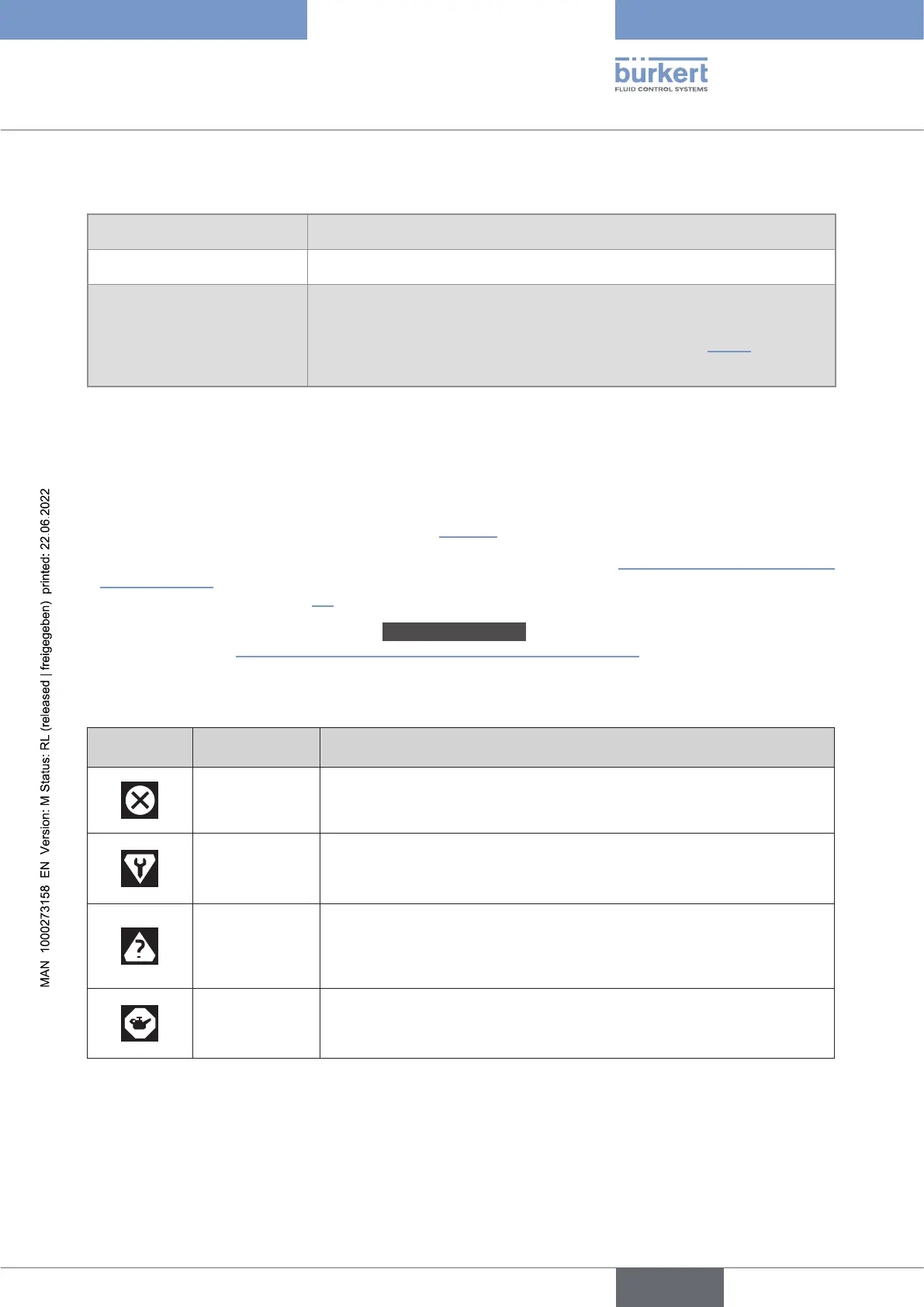
24.7 Troubleshooting when a message is displayed

If a message has been generated:
a symbol is displayed in the information bar: see .

status indicator"
.
The message is displayed in a list called Messagesoverview
.
 
Symbol Status Description
Failure, error or
fault

or monitored values in the error range.
Function check

behaviour of the outputs by simulating measurement values); the output
signal is temporarily invalid (e.g. frozen).
Out of

The ambient conditions or process conditions for the device are outside
the permitted ranges.
Device internal diagnostics point to problems in the device or with the
process properties.

required

restricted.
Do the required maintenance operation.
English

Table of Contents

Related product manuals