84
How to do the settings
Type 8098 FLOWave L
10.4.2 How to use the touch sensitive keys
The highlightedterms are related to menus or menu items.
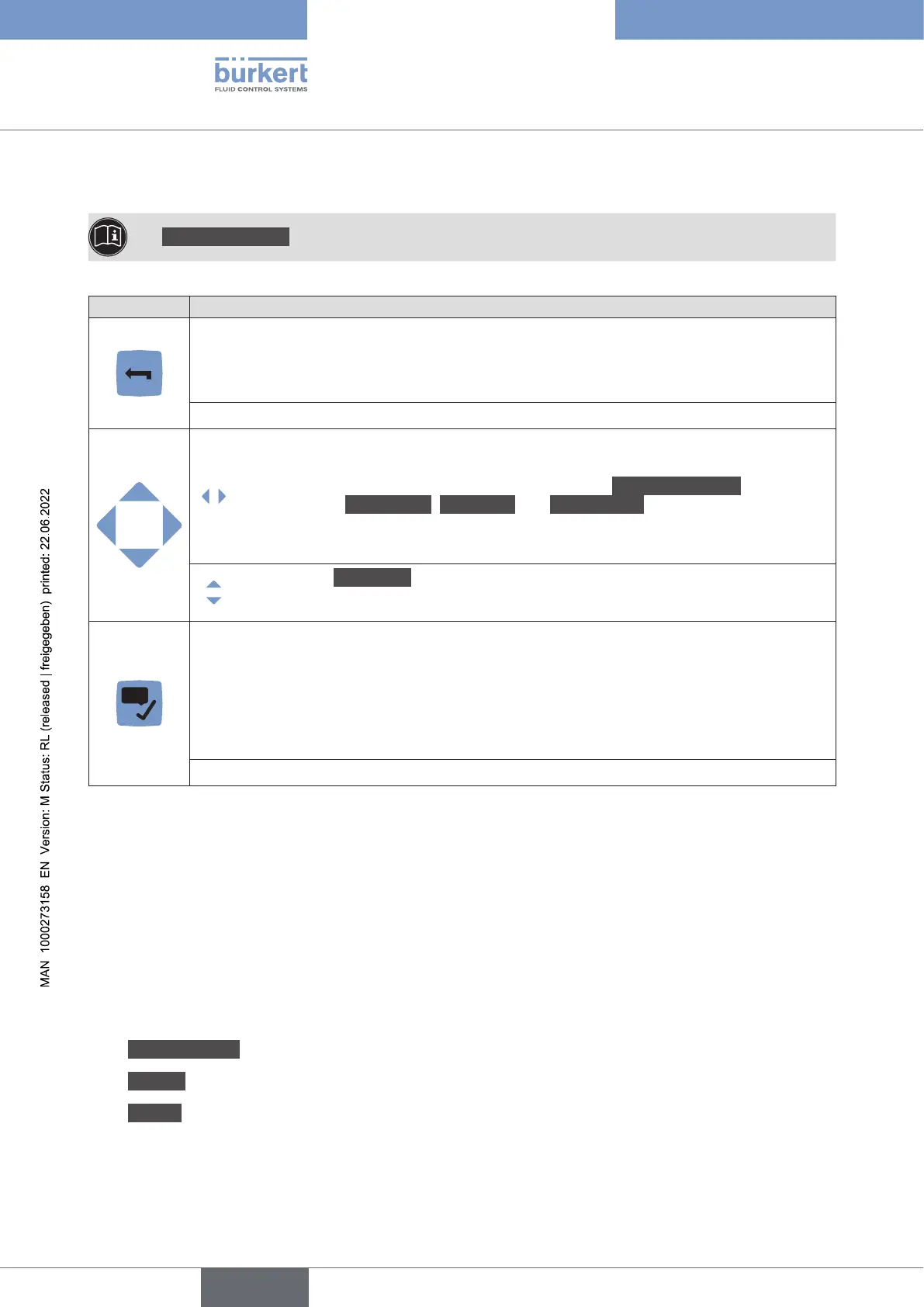
Key Description
Short press: to go back to the parent menu or to the parent view. This key is called BACK in
the display messages.
If the user makes changes but does not save these, then a message is displayed asking if
the changes should be saved.
If one or both keys are displayed:
• To switch between views, from the left to the right and vice versa. Only possible
between the views that can be customized and the CONFIGURATION view, and
between the Diagnostics, Parameter and Maintenance views.
• To select the digit to the left or the digit to the right when you are asked to enter a
value.
• To select a Menuitem.
• To select an option or to change a value.
This key is called OK in the display messages.
Short press:
•
• To save a choice.
•
10.4.3 Minimum and maximum values when entering a numerical
value
values are always displayed.
10.5 Available login user levels
The following 4 login user levels are available to operate or adjust the device:
• the basic user level, which is the level with the least functions,
• the AdvancedUser user level,
• the Installer user level (default),
• the Bürkert user level.
By default, the device adjustment is not protected by passwords.
English



 To Next Page