43
Installation in the pipe
Type 8098 FLOWave L
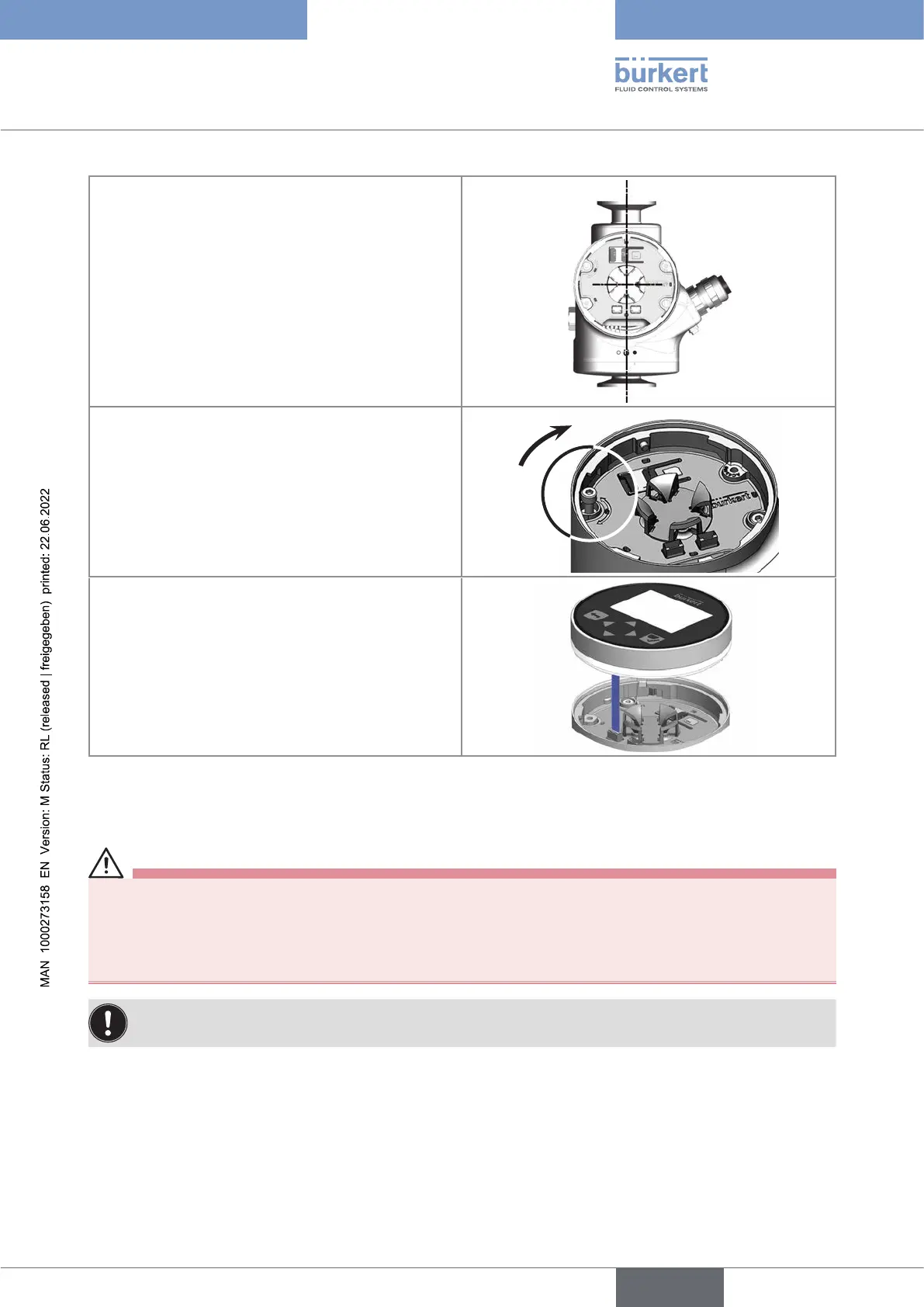
sensor until the blind cover is perfectly parallel or
Connect the display module or the Wi-Fi module
to the transmitter.
Put the mark of the cover on the unlocked
marking of the transmitter housing and screw
the cover clockwise on the transmitter until the
mark is on the locked position. You should hear
a click.
7.3.2 Switching positions of the blind cover and the display module
or the Wi-Fi module
CAUTION
Riskofinjuryduetoaheavydevice.
A heavy device can fall down during transport or during installation and cause injuries.
▶ Transport, install and dismantle a heavy device with the help of another person.
▶ Use appropriate tools.
These instructions are valid for all the device variants.
Upon delivery, a display module is screwed on the top and a blind cover is screwed on the housing side.
→ To switch positions of the display module or the Wi-Fi module and the blind cover, do the following:
English



 To Next Page