87
How to do the settings
Type 8098 FLOWave L
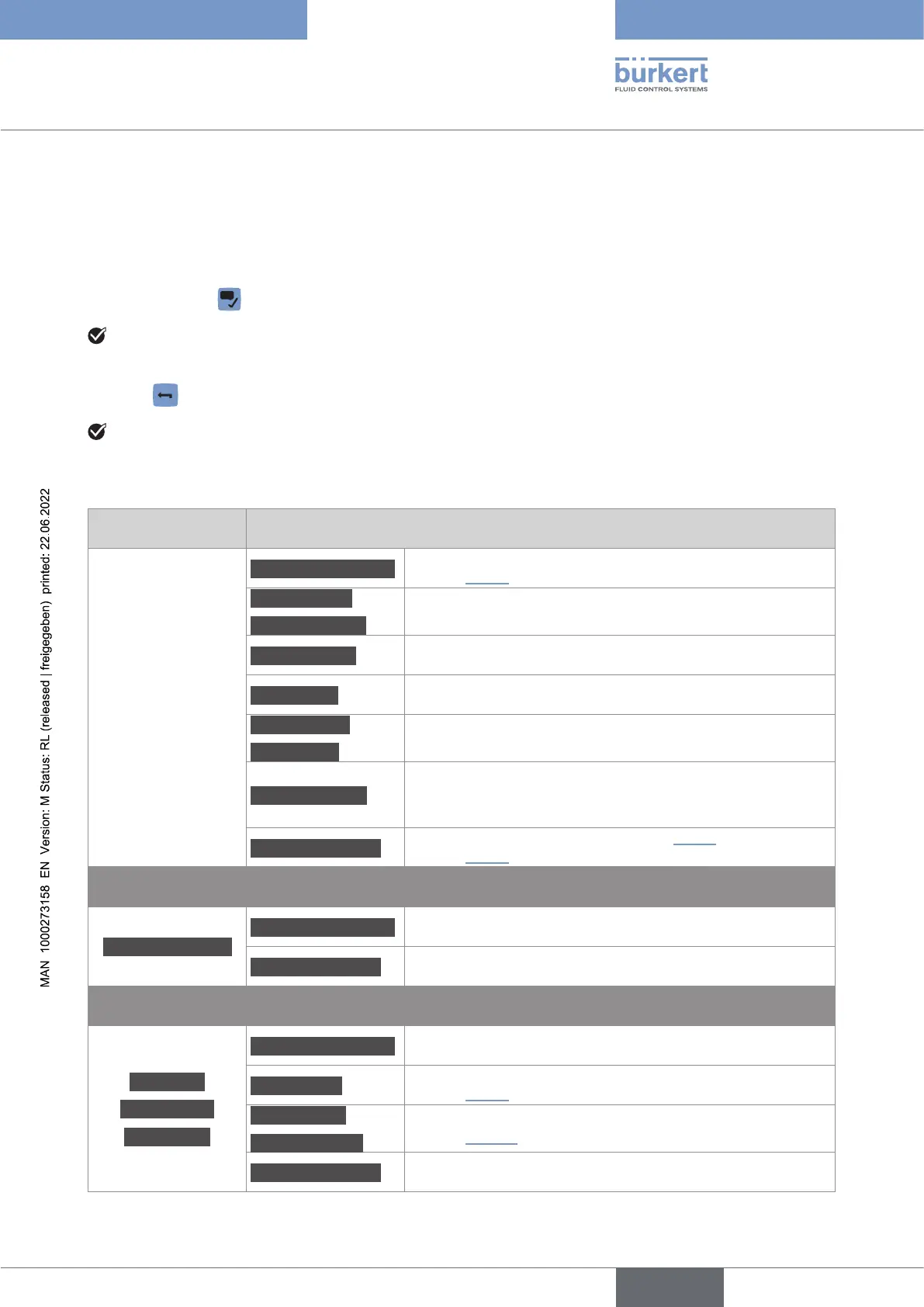
10.7.1 Opening or closing the context menu in any view (display
module only)
→ Press and hold .
→ Press .
View Menu items of the context menu
Messagesoverview
To display the list of messages generated by the device. See
.
Addnewview
Deletethisview
To add a new view or to delete the displayed view.
Changelayout
values.
Changetitle To change the title of the displayed view.
Changevalue
Changeunit
To change the value(s) or the units of the values displayed in
the view.
Fractionaldigits
Not available for trends.
To choose whether a value of the view is displayed as a
whole number or with one or more decimals.
Changeuserlevel
or
.
CONFIGURATION
Messagesoverview To display the list of messages generated by the device.
Changeuserlevel To change the user level.
Parameter
Maintenance
Diagnostics
Messagesoverview To display the list of messages generated by the device.
WhereamI?
To display the access path to the displayed menu item. See
.
Addshortcut
Deleteshortcut
Changeuserlevel To change the user level.
English



 To Next Page