85
How to do the settings
Type 8098 FLOWave L
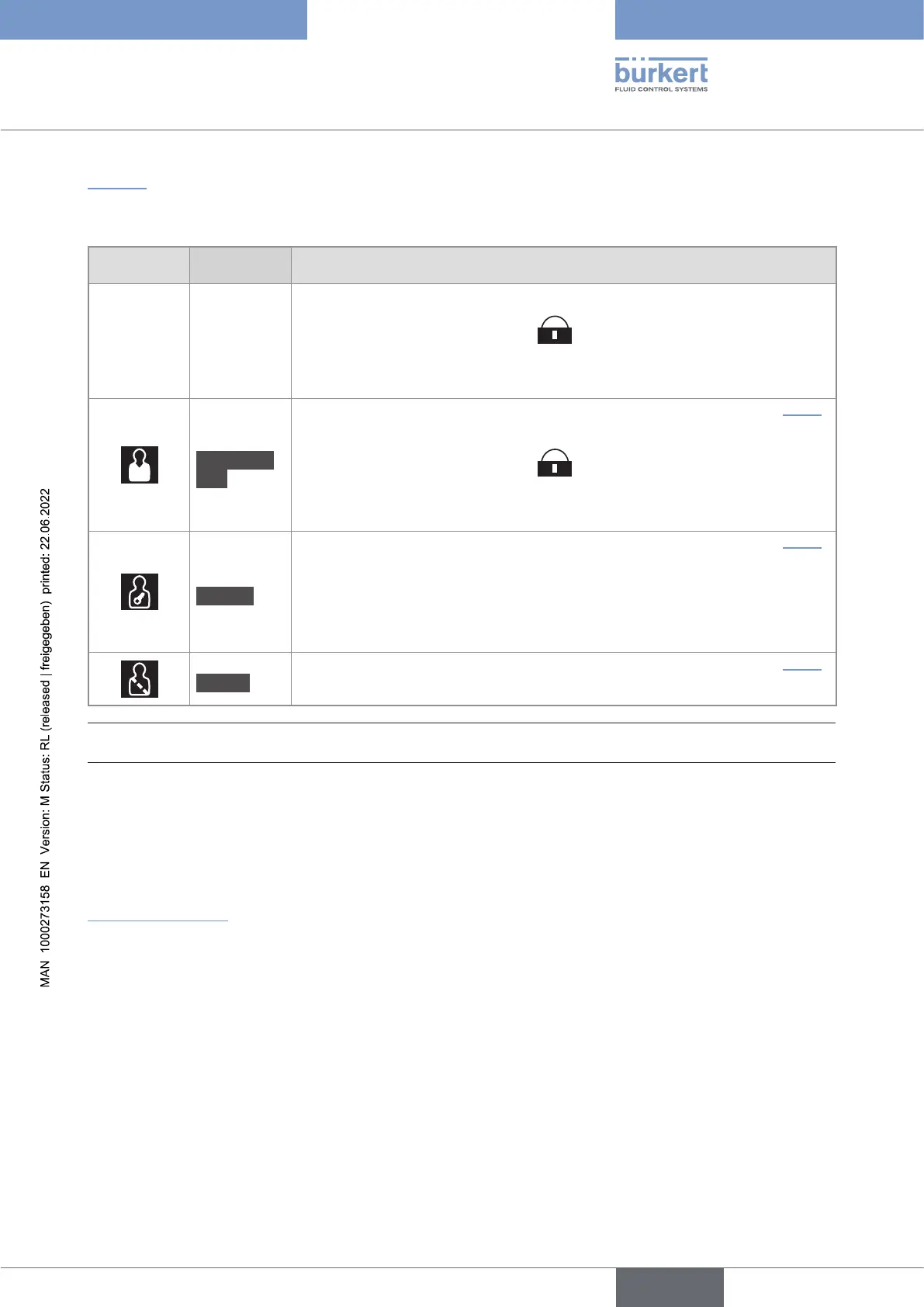
shows the symbol displayed in the information bar, depending on the user level that is active on
the device, and what can be done with each type of user level.
Symbol
1)
User level Description
No symbol
Basic user
• No password is required.
• The menu items with the symbol
enable read-only access.
• Not all the menu items that are available with a higher user level are
displayed.
Advanced
user
• ).
• The menu items with the symbol
enable read-only access.
• Not all the menu items that are available with a higher user level are
displayed.
Installer
• ).
• This level is active by default (and by default, password protection is
• All the available menu items can be adjusted.
Bürkert
• ).
• Only for Bürkert service.
displayed in the information bar, only if the adjustment is protected through passwords.
→ If you have forgotten your passwords, you can restore the default passwords with the Type 8920 Bürkert
Communicator software. Refer to the related Operating Instructions.
10.6 Default settings
country.burkert.com.
→
with all the default settings of the device.
English



 To Next Page