41
Installation in the pipe
Type 8098 FLOWave L
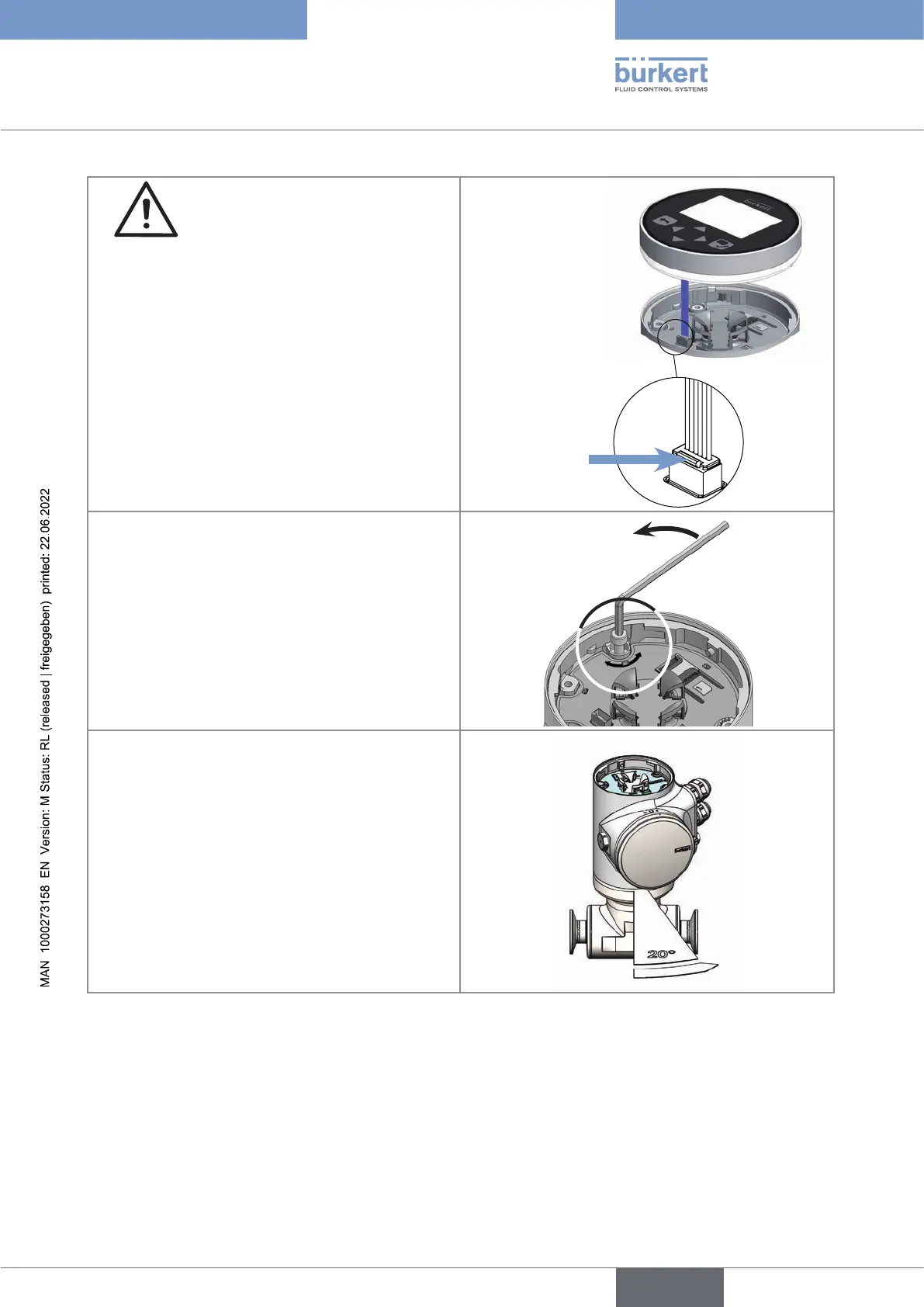
3. Carefully lift the display module or
the Wi-Fi module because a cable connects
the display module or the Wi-Fi module to the
transmitter.
4. Push the tab of the cable connector to dis-
connect the display module or the Wi-Fi module
from the transmitter.
Remove the display module or the Wi-Fi module
and put it on a clean surface to protect the seal
from dirt.
Push the tab to
unlock the cable
connector
that is marked with the arrow and that locks the
the other hand, turn the transmitter by about
English



 To Next Page