60
Electrical installation
Type 8098 FLOWave L
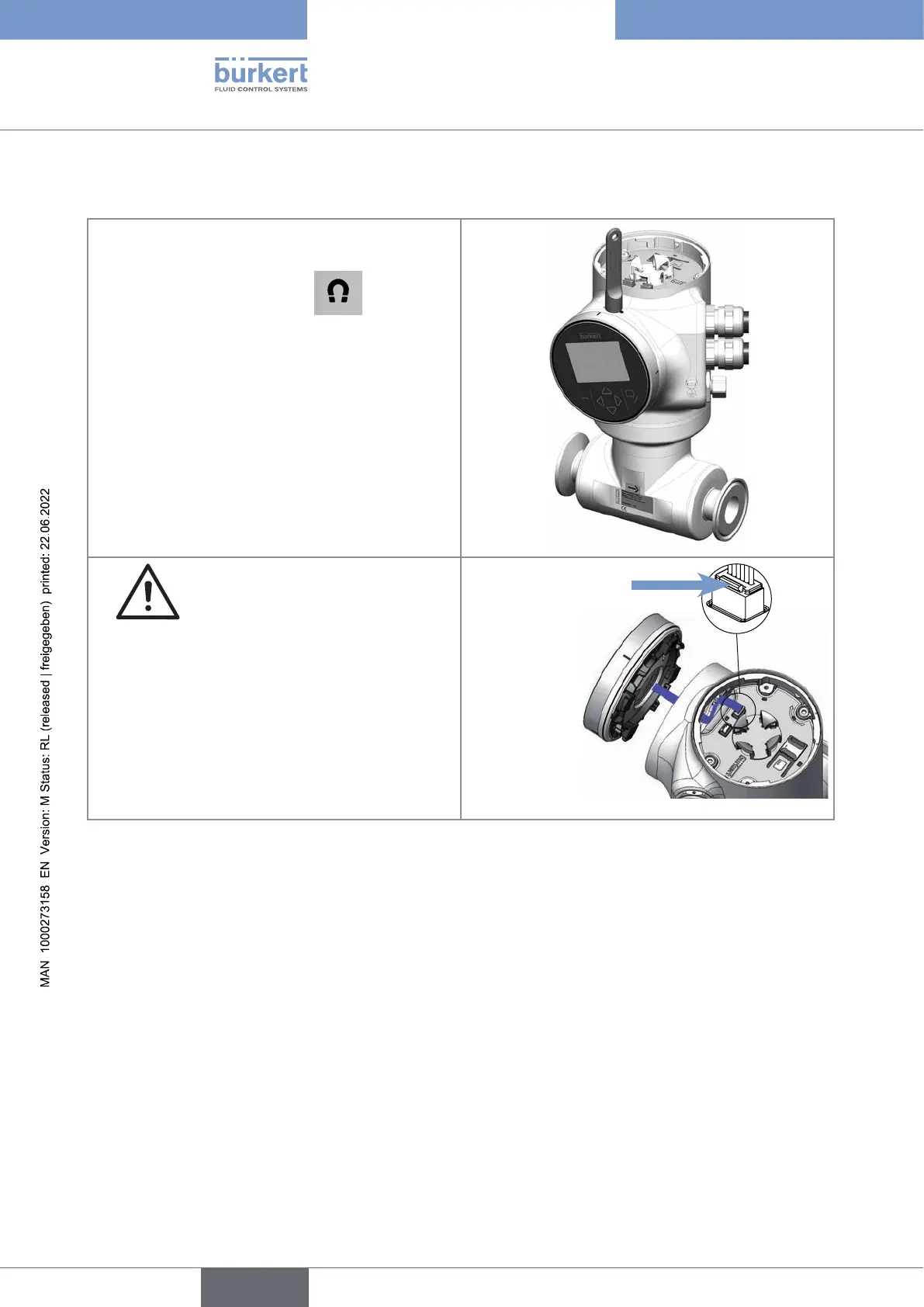
Proceduretoopenthefrontofthetransmitterifthedisplaymoduleor the Wi-Fi module isonthefrontof
thedevice
Remove the blind cover from the top of the
transmitter.
2. Put the magnetic key on the
mark related
to the display module or the Wi-Fi module. You
should hear a click indicating that the display
module or the Wi-Fi module is unlocked. Do not
use a tool to turn the display module or the Wi-Fi
module.
3. Turn the display module or the Wi-Fi module by
hand to the unlocked position.
4. Carefully pull the display module or
the Wi-Fi module because a cable connects
the display module or the Wi-Fi module to the
transmitter.
Push the tab of the cable connector to dis-
connect the display module or the Wi-Fi module
from the transmitter.
Remove the display module or the Wi-Fi module
and put it on a clean surface to protect the seal
from dirt.
Push the tab to
unlock the cable
connector
English



 To Next Page