81
How to do the settings
Type 8098 FLOWave L
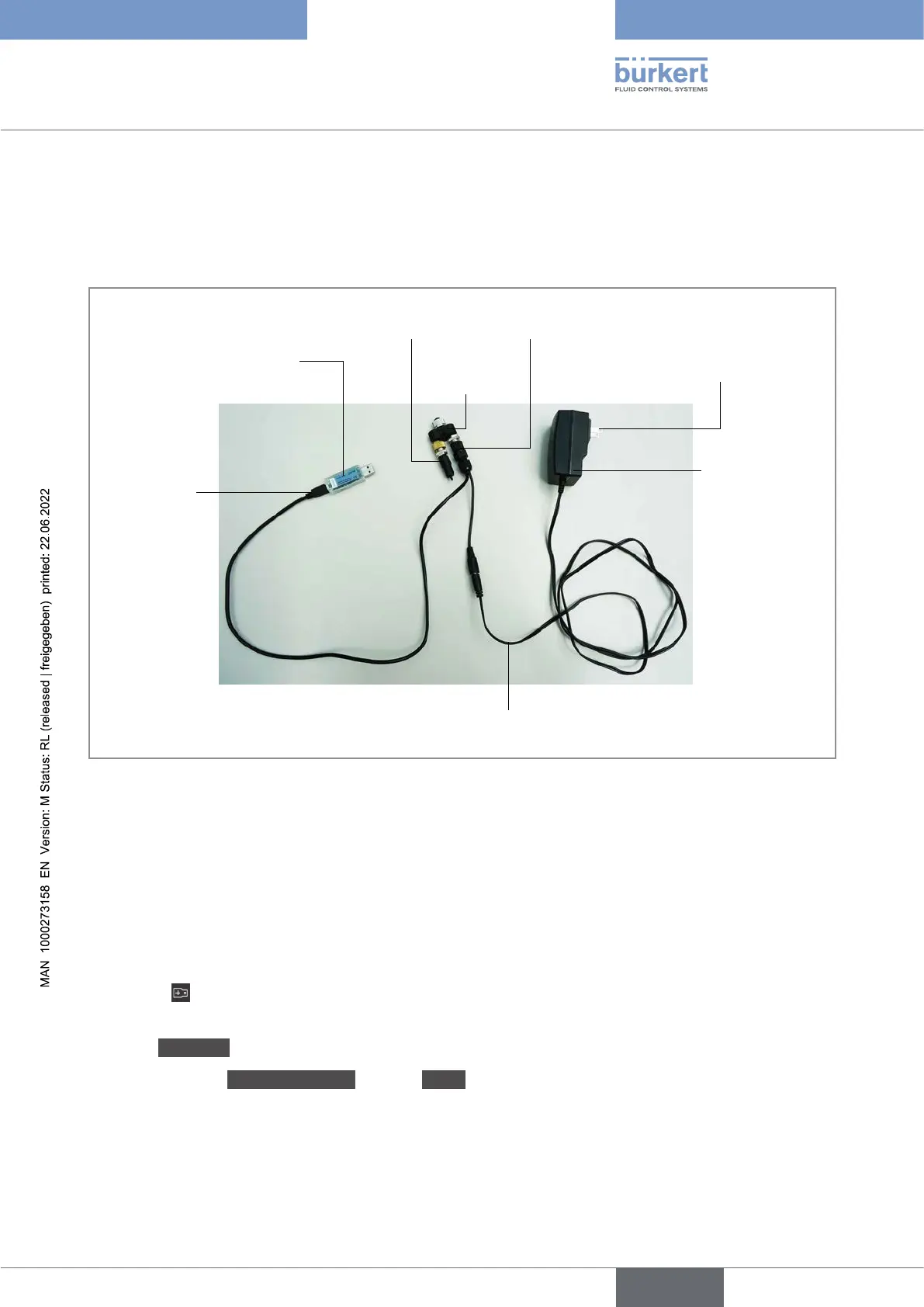
Insert the mini-USB of the cable into the delivered büS stick.
Do not insert the mini-USB of the cable into any equipment other than the büS stick.
Insert the appropriate power adapter into the AC/DC adapter.
8.
Y plug
Termination
resistance
connector
büS stick
mini-USB
AC/DC adapter
Power adapter
Cable of the AC/DC adapter
9.
Insert the büS stick into a USB port of the PC.
Wait until the Windows pilot of the büS stick has been completely installed on the PC.
Connect the AC/DC adapter to the power supply.
Start the Bürkert Communicator software.
Click on
in the Bürkert Communicator software to establish the communication between the Bürkert
Communicator software and the device. A window opens.
Select büS-Stick.
Choose the port BürkertbüSStick, click on Finish and wait until the device symbol appears in the list
of devices.
In the list of devices, click on the symbol related to the device. The menu structure for the device is
displayed.
English



 To Next Page