8-168 Phaser 7500 Printer Service Manual
Service Parts Disassembly
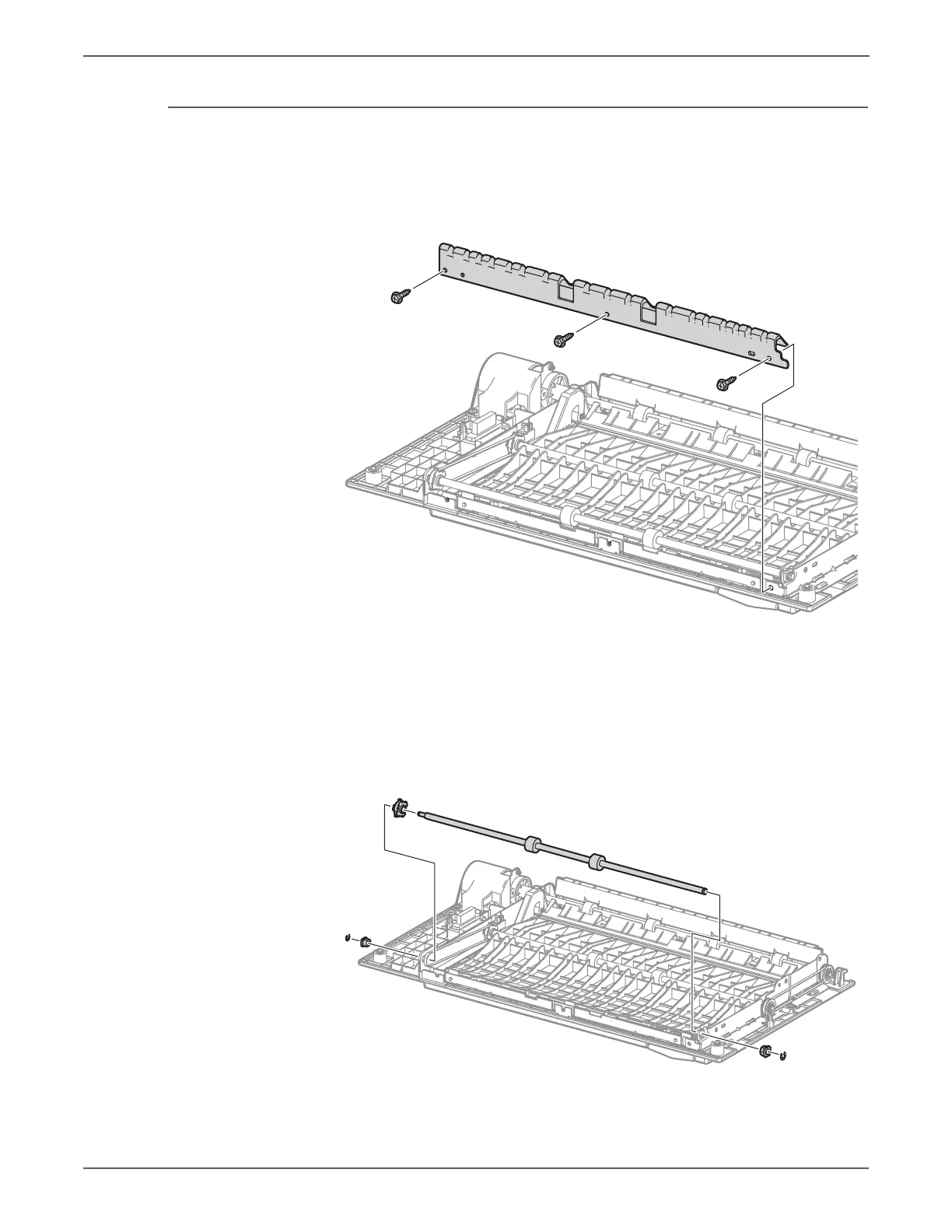
REP 14.17 Duplex Roller 1
PL14.6.12
1. Remove the Duplex Assembly (REP 14.12, page 8-161).
2. Remove 3 screws (silver, Tapped, 8mm) that secure the Upper Chute to the
Duplex Assembly and remove the Upper Chute.
3. Remove the E-ring that secures the Sleeve Bearing at the rear belt and remove
the Sleeve Bearing.
4. Remove the E-ring that secures the other Sleeve Bearing and remove the
Sleeve Bearing.
5. While removing the belt from the pulley, remove the Duplex Roller 1 from the
Duplex Assembly.
6. Remove the pulley from the Duplex Roller 1.


 To Next Page
 Loading...














