222 EDIUS — User Reference Guide
Section 3 — Capturing and Importing Clips and Stills
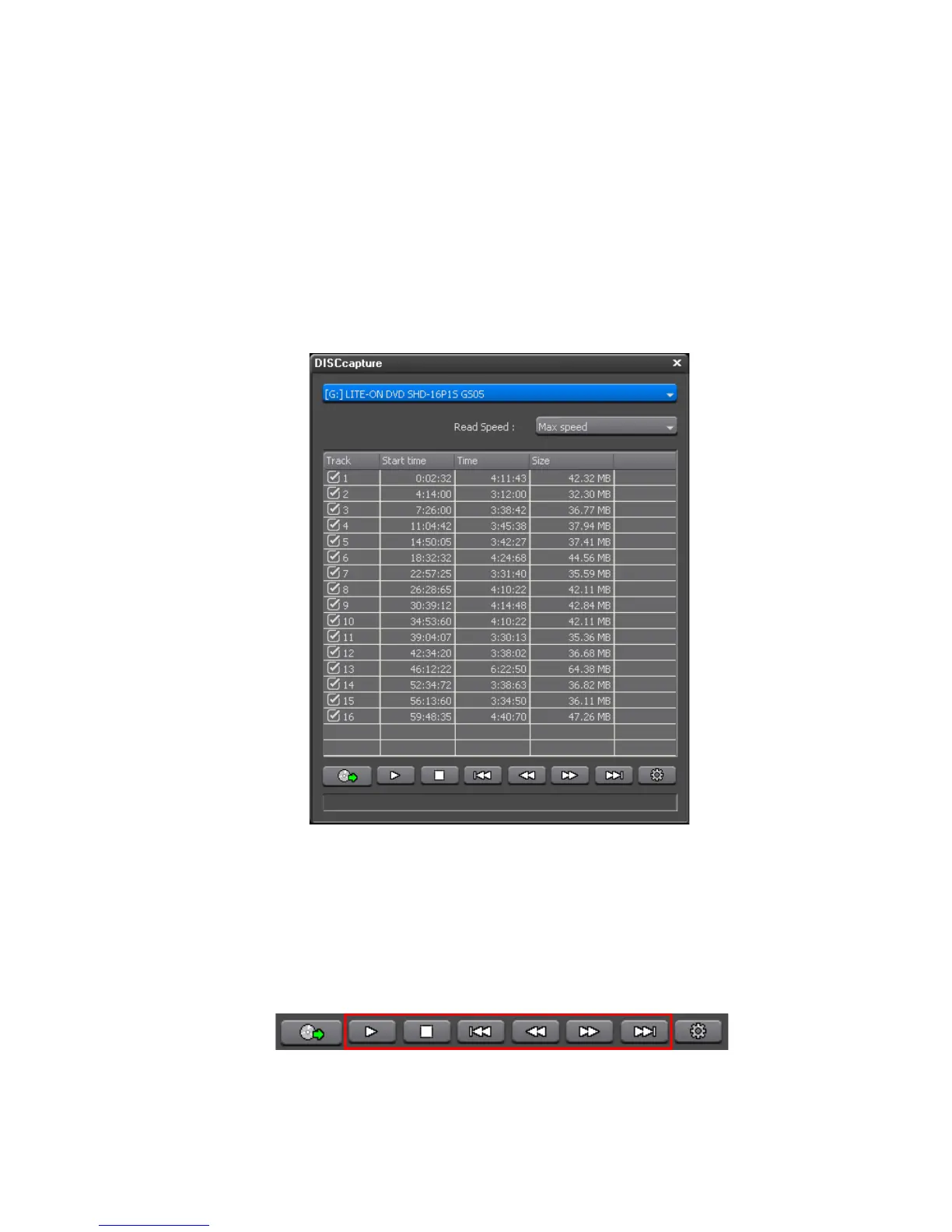
If the desired source disc was already in the disc drive when DISCcapture
was initiated, its contents will be displayed in the DISCcapture dialog (See
Figure 203).
2. If the desired source disc is not in the drive, and there is more than one
CD/DVD disc drive in the EDIUS computer, select the appropriate disc
drive from the drop-down list in the DISCcapture dialog and insert the
source disc in the drive.
The track list appears in the DISCcapture dialog as illustrated in Figure 203.
Figure 203. DISCcapture Track List
Note Track contents vary according to the source disc.
With Audio CDs, the track control buttons (see Figure 204) allow you to
Play/Pause, Stop, Go to Previous Track, Rewind, Fast Forward, and Go to
Next Track.
Figure 204. DISCcapture Track Control Buttons
3. Select the track(s) you wish to capture.



 To Next Page