System Options
5-4 Manual # 42-02-7223
System Interconnect
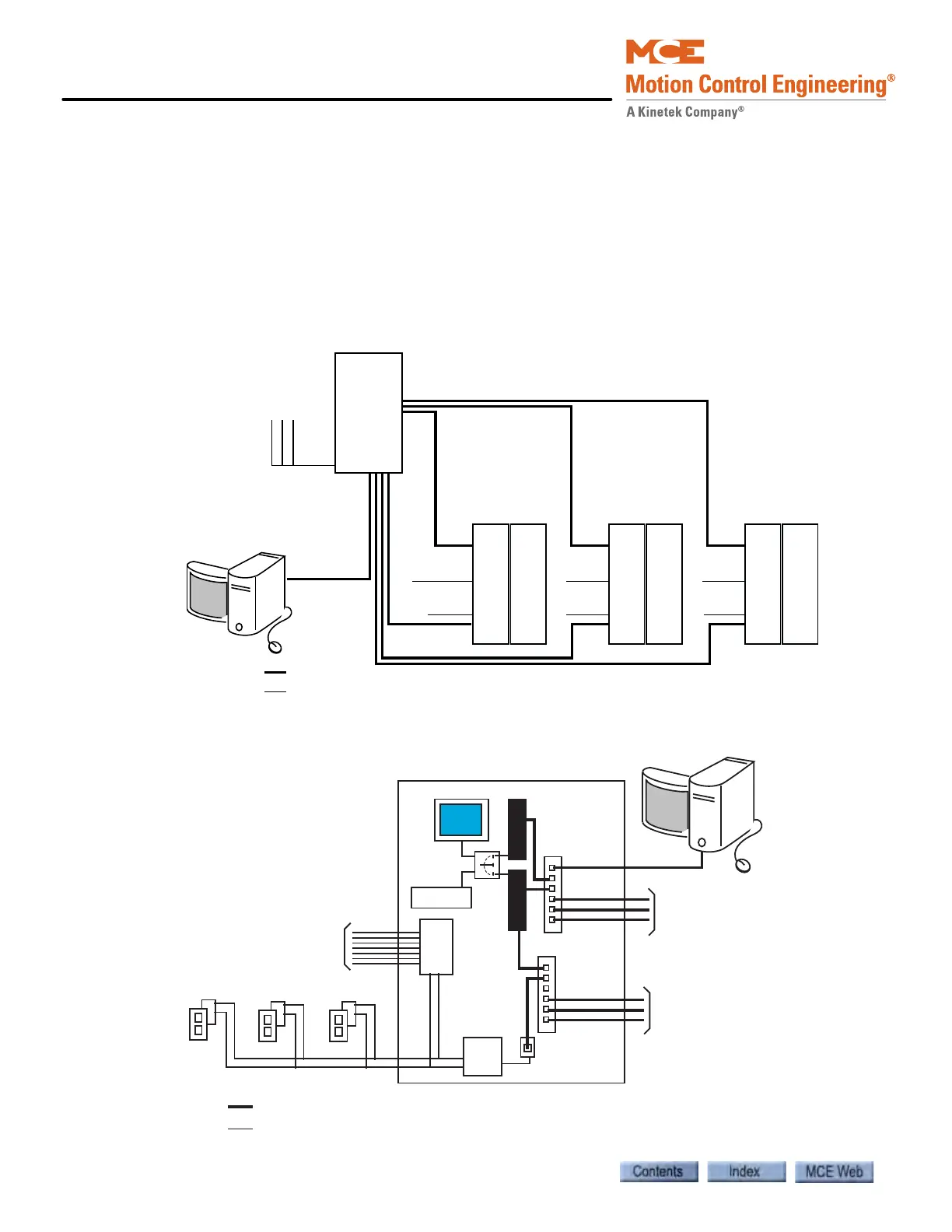
It can be helpful to have a general understanding of the way the entire iControl system is inter-
connected. This section contains high-level interconnection drawings for:
• System Interconnection: Basic car control and dispatcher interconnections.
• Dispatcher Interconnection: More detail for dispatcher interconnections.
• iControl Interconnection: More detail for car controller interconnections.
• Cartop Interconnection: More detail for cartop interconnections.
Figure 5.2 iControl System Interconnection
Figure 5.3 Central Dispatcher (iCentral) Interconnection
DISPATCHER
CAR CONTROL CAR CONTROL CAR CONTROL
SYSTEM: Hall calls, Parking, Special operating modes
iView
LAN: iView,
iMonitor,
iReport
Hall Calls
Car
Calls
Car
Calls
Car
Calls
Cartop Cartop Cartop
Ethernet
Other
LAN: iView, iMonitor, iReport Connectivity
SYSTEM: Hall calls, Parking,
Special operating modes
LAN: iView, iMonitor, iReport
connectivity.
Ethernet
Other
DISPATCHER
Hall Calls
SYSTEM
LAN
To Cars
To Cars
iCue
Monitor
Switch
Keyboard
iView
Serial
Driver
Serial to
Ethernet
iMonitor or iReport
Serial Bus
SC-
ION
General Field Inputs
to Dispatcher



 To Next Page