iView - Controller View
9-22 Manual # 42-02-7223
Diagnostics - Virtual Oscilloscope
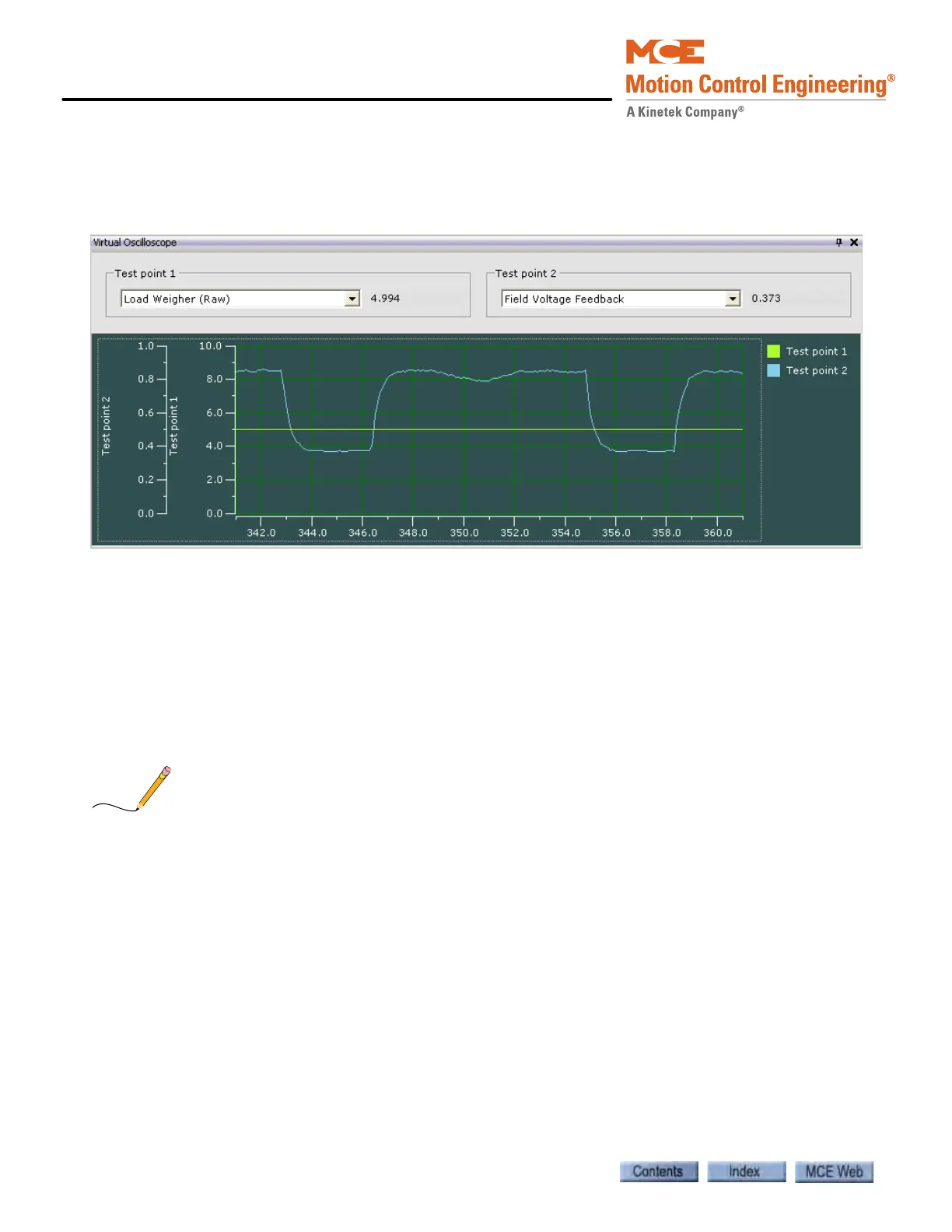
The Virtual Oscilloscope allows you to display and track two signals over time simultaneously.
The selected signal values are shown on the Test point 1 and 2 displays and output on the STP 1
and STP 2 physical test points on the iBox.
• Acquire write privileges (select Acquire from the Write privilege menu).
• Using the drop down list, select the Test point 1 signal. This signal will be tracked in green
on the oscilloscope, displayed numerically in the Test point 1 window and output to iBox
test point STP1.
• Using the drop down list, select the Test point 2 signal. This signal will be tracked in blue
on the oscilloscope, displayed numerically in the Test point 2 window and output to iBox
test point STP2.
• You can freeze and reposition the display by clicking and dragging.
Some signals are scaled, e.g. motor field and brake voltage are scaled by a factor of 100. Other
signals are scaled based on parameter values, e.g. pattern High speed (contract speed).



 To Next Page