iView - System View
10-38 Manual # 42-02-7223
Special operations configuration
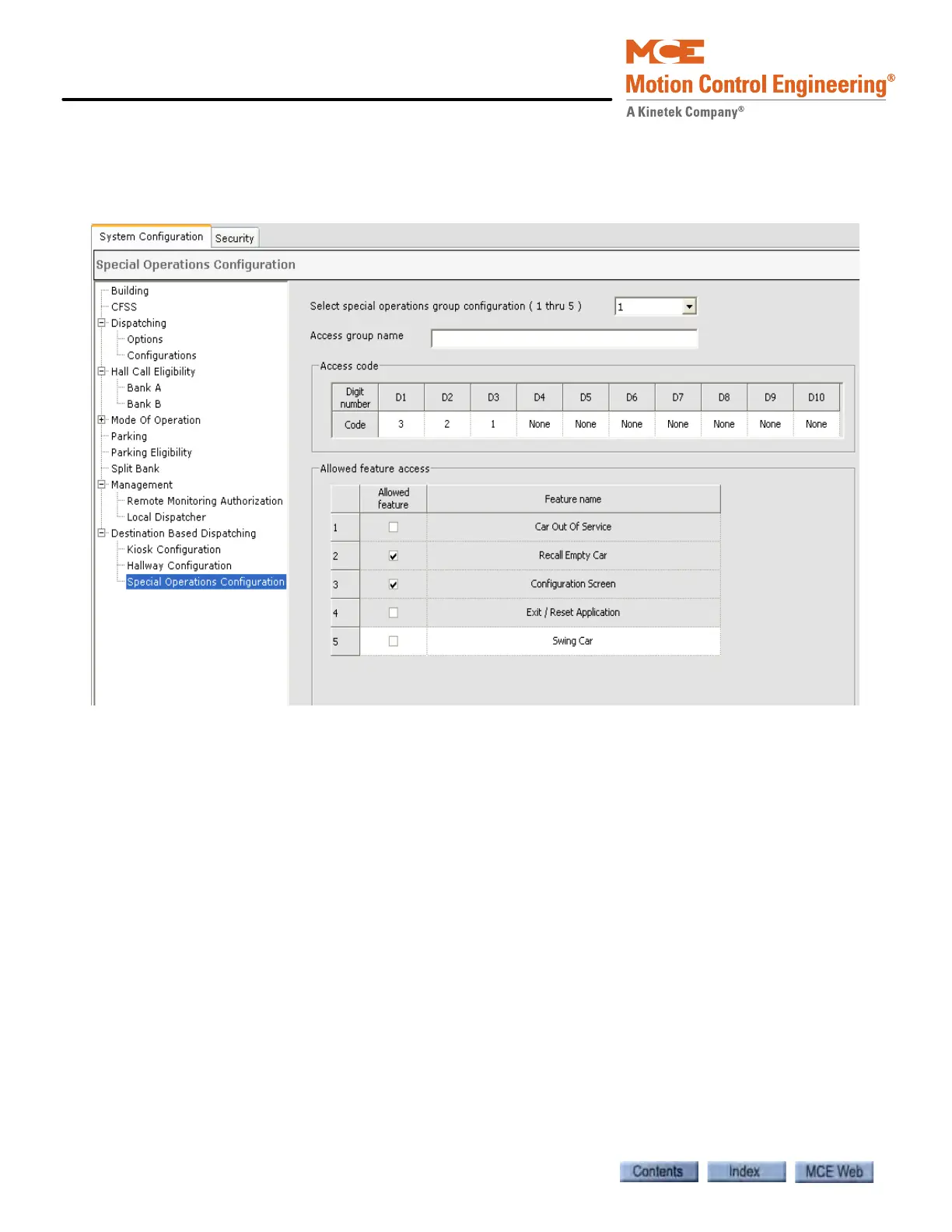
Special operations, such as “Recall Empty Car” can be activated from a kiosk. Use the Special
Operations Configuration tab, System > Destination Based Dispatching > Special Operations
Configuration tab, to create and save the group configuration.
• Select special operations group configuration (1 thru 5): Select the desired configuration.
• Access group name: Enter a name for the group configuration.
Access code
• Code: Program the access code. This code must be entered at a kiosk to allow the user to
access the special operation(s).
Allowed feature access
• Allowed feature: Click to authorize. A check indicates which special feature(s) may be
accessed using the Access code programmed in this group configuration.



 To Next Page