iView - System View
10-86 Manual # 42-02-7223
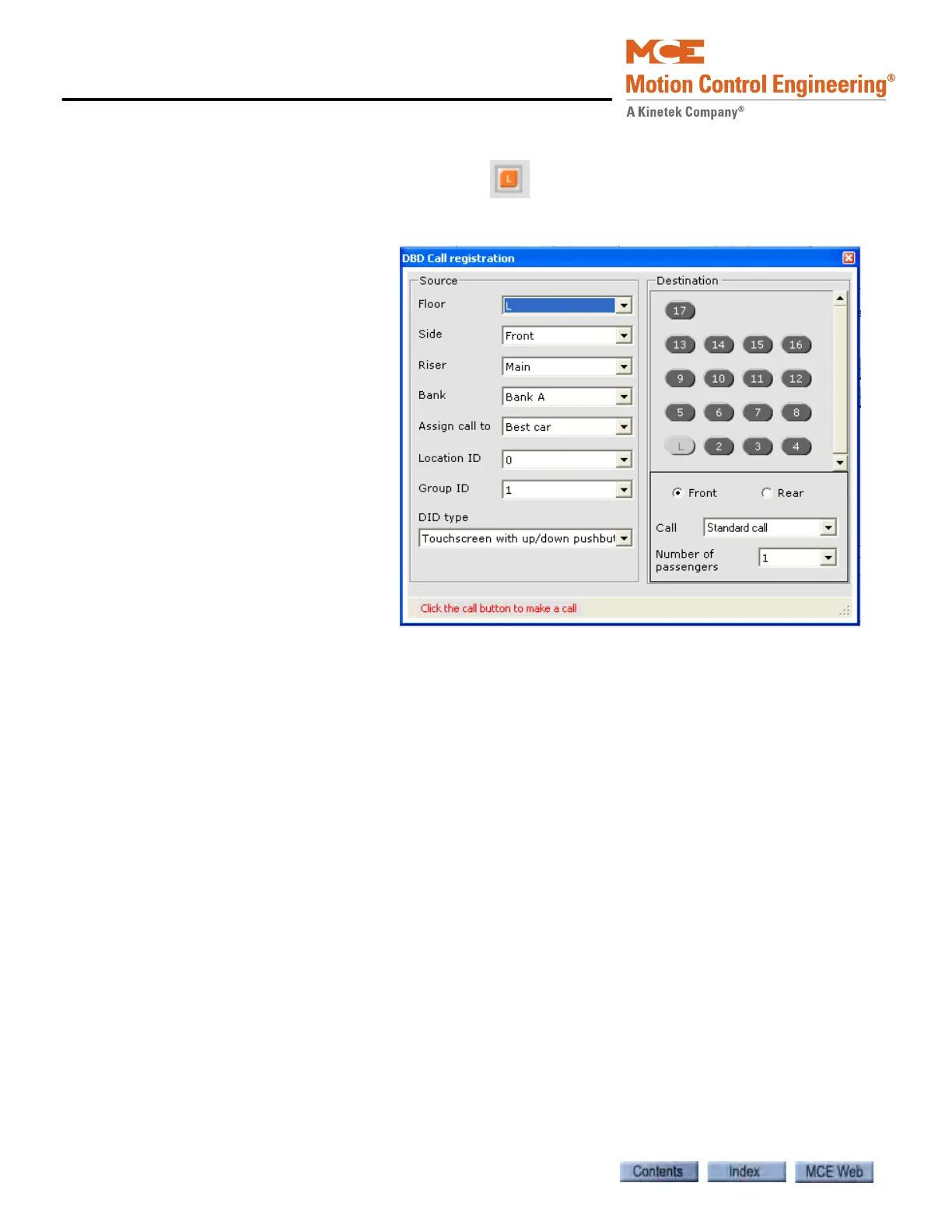
DBD Call Registration
Click the DBD Call Registration button to
open the dialog used to register Destination
Based Dispatching calls.
Source
1. Select the Source Floor.
2. Select the Side (Front,
Rear or Both).
3. Select the Riser (Main or
Aux).
4. Select the Bank (A or B).
5. Assign call to: Select a
specific car or allow the
dispatcher to choose the
“Best car”.
6. Select Location ID.
7. Select Group.
8. Select DID Type.
Destination
1. Select the Side (Front or
Rear).
2. Select the Call type:
•Standard call
• Accessibility call
• CFSS call mode 1 or 2
• Up button
• Down button
3. Select Number of passengers
4. Click a Destination call button to place the call.



 To Next Page