Troubleshooting
6-116 Manual # 42-02-7223
SC-ION: Serial Control I/O Board
One or more SC-ION boards may be used in an iCentral group. The SC-ION board provides a
communications interface between discrete signal or relay-oriented field equipment and the
serial communications bus used for serial hall call and other serial messaging. Inputs and out-
puts on the SC-ION board are assigned unique serial addresses at the factory according to cus-
tomer requirements. Using iView, customers can view the function assigned to each address
and may even assign a different (MCE-supported) function if their needs change. Each SC-ION
board provides 16 user-configurable inputs and 16 user-configurable outputs.
I/O Connections
Connect inputs and outputs as shown in your job prints. SC-ION board inputs are always
117VAC. Outputs may be configured (in specific groups) to provide either a path to ground or
current to drive indicator lamps/LEDs.
Output State Selection The outputs are divided into three groups. Each group shares
a common. The common may be wired to provide a current source or a path to ground. The
groups are:
•Relays 1 — 4
•Relays 5 — 8
•Relays 9 — 16
The commons for the groups are determined by the connections made to board connector J4.
The appropriate connections are determined during the job survey. Each system is configured
before shipment. You need only connect the inputs and outputs as shown on the job prints.
Board Addresses Each of the 16 inputs and 16 outputs on the board has an address on
the system bus. The addresses are assigned as indicated by the job survey before the system is
shipped. A software tool, running on a Windows platform, is used to set individual addresses
and also to set the address range (10-489 or 10-989) used for the job. To configure the board, a
Windows PC running the software tool must be connected to the board serial port.
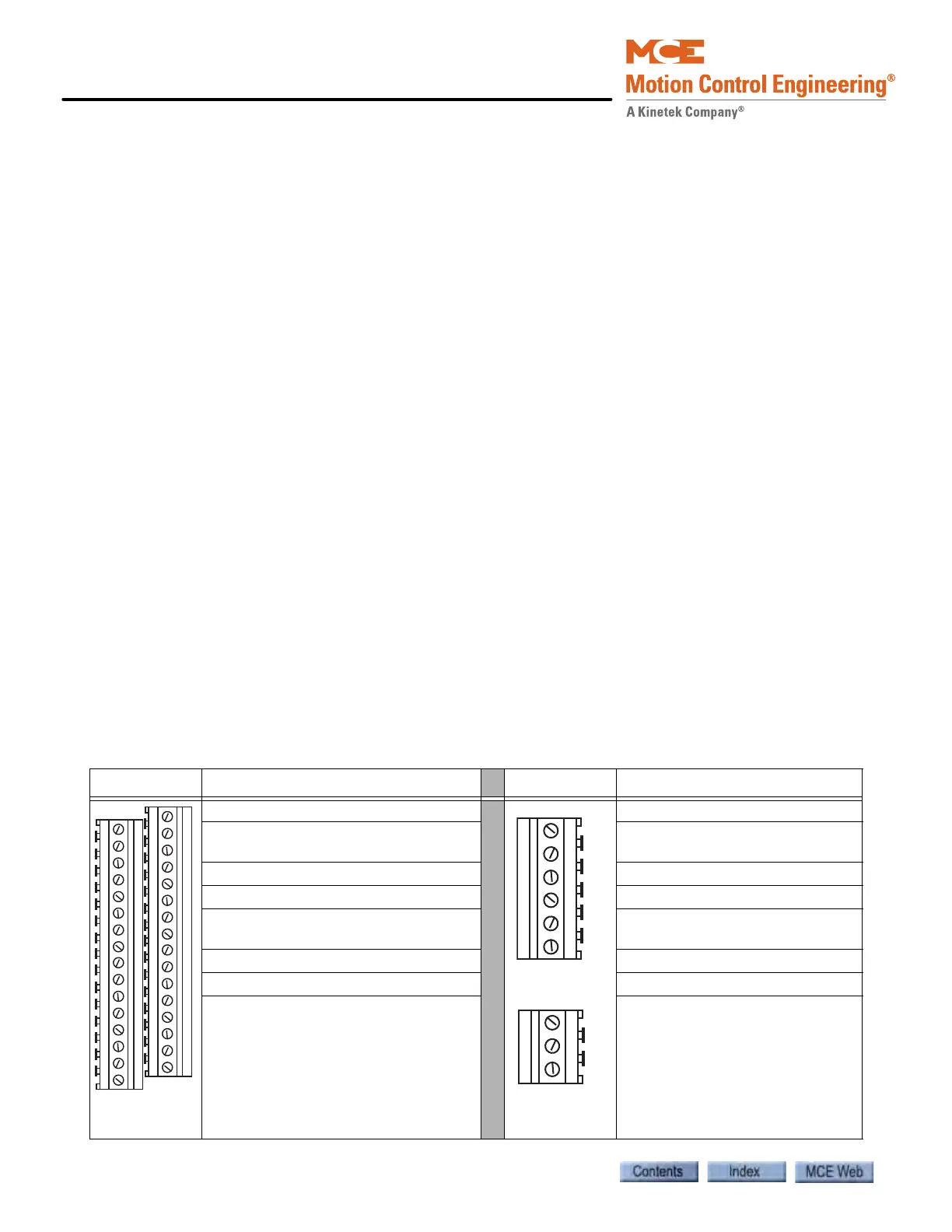
Table 6.28 SC-ION Board Inputs and Outputs
Connector Signal Connector Signal
In 1-16:117VAC when active
1: Common
Out 1-16: Determined by common
connection
SHCS: Serial signal, +/-15V bit
stream
SHCC: Serial signal, common
1: Common
SHCS: Serial signal, +/- 15V bit
stream
SHCC: Serial signal, common
COM 9-16: Connect to select
active output for outputs 9-16.
COM 5-8: Connect to select active
output for outputs 5-8.
COM 1-4: Connect to select active
output for outputs 1-4.



 To Next Page