Configuration Tabs - Security
10-47
10
iControl DC
General - Manage Passwords
Only the “manager” can set passwords. To change the password settings:
1. Logon using the manager’s password. If you are changing the passwords from their ini-
tial settings, logon using the default password “manager”.
2. Display the Manage Passwords tab (General > Manage Passwords).
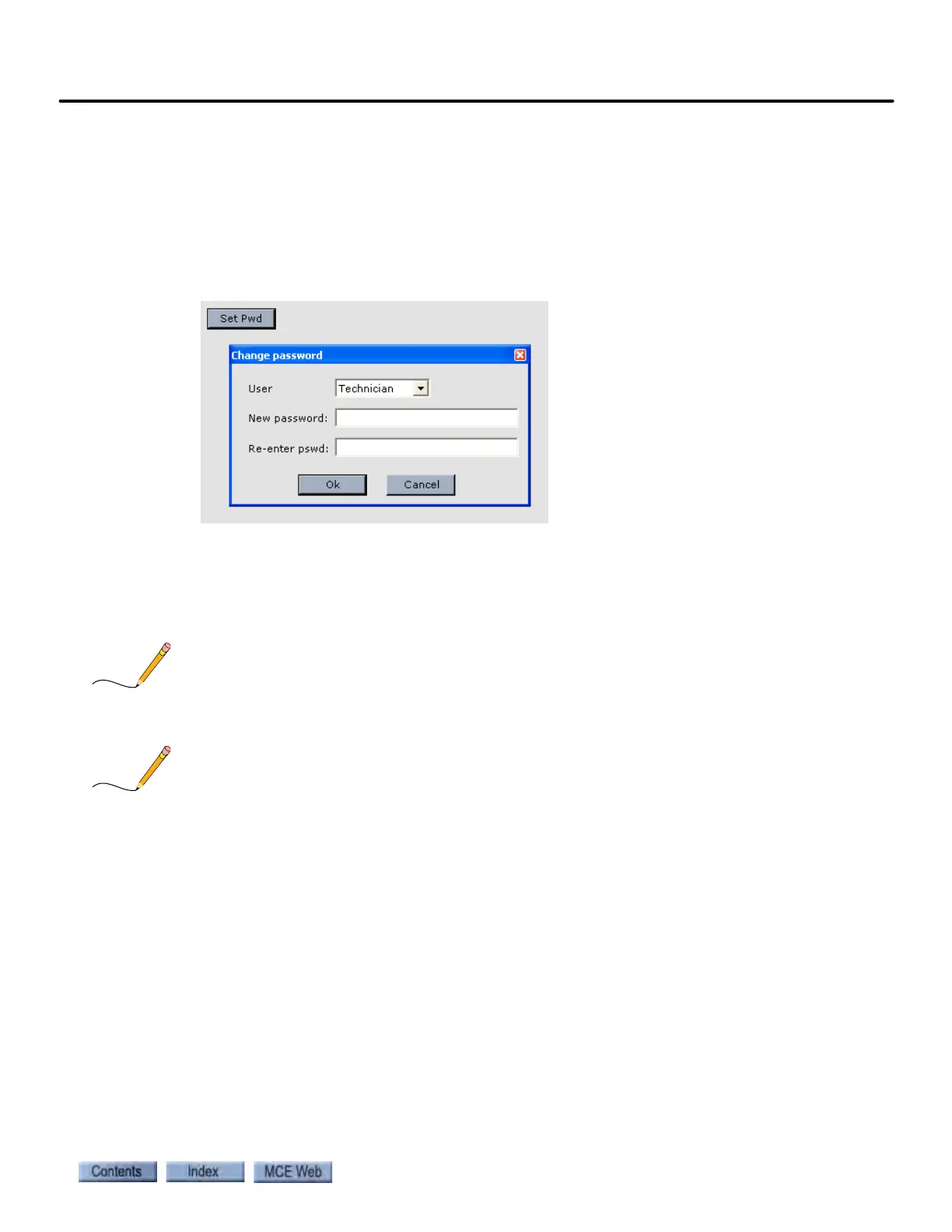
3. Click the Set Pwd button. The Change password dialog is displayed.
4. Select the User (Manager or Technician) who’s password is to be changed.
5. Enter the new password in the “New password:” text box.
6. Re-enter the new password in the “Re-enter pswd:” text box.
7. Click OK.
If you forget the password, locate the job number and/or serial number of the controller and
contact MCE Technical Support at 916-463-9200.
In order to activate security, physical device (card reader, key switch, etc.) inputs must be prop-
erly configured and wired. Please refer to “Configuration - I/O Boards” on page 9-122.



 To Next Page