iView Windows and Tabs
8-31
8
iControl DC
System View Windows and Tabs
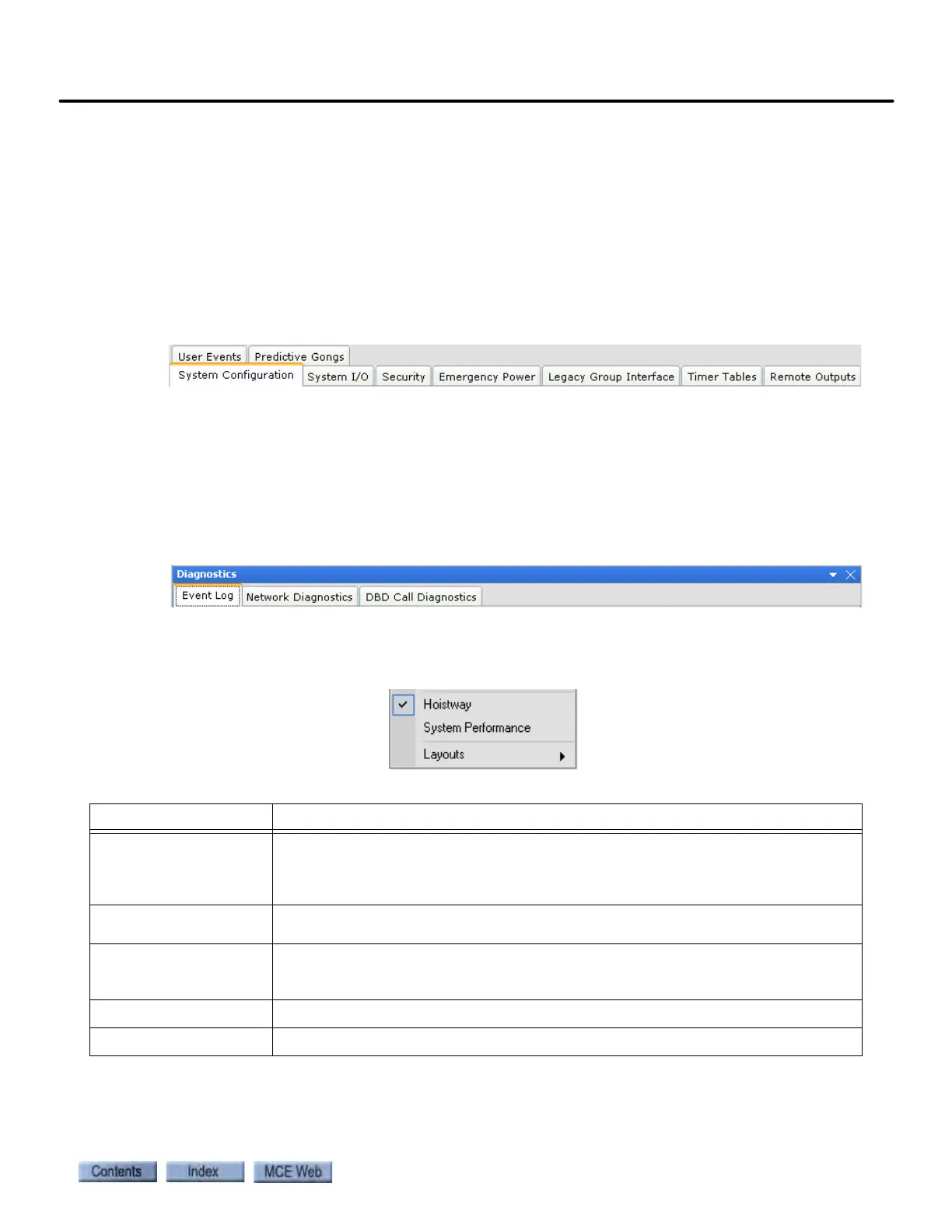
System - Configuration Tabs
System parameter settings are displayed and may be changed on the System - Configuration
tabs. The Configuration tabs may be accessed in one of two ways.
1. While in System view (see “Selecting System View” on page 10-1), select the desired tab
from the View > Configuration menu.
2. Display all of the Configuration tabs by selecting Configuration from the View > Layouts
menu. Then click the desired configuration tab.
System - Diagnostic Tabs
The System - Diagnostic tabs contain information about the status and condition of the system.
The Diagnostic tabs can be accessed in one of two ways.
1. Select the desired tab from the View > Diagnostics menu.
2. Display all of the Diagnostic tabs by selecting Diagnostics from the View > Layouts
menu. Then click the desired diagnostics tab.
Additional Windows
Additional windows can be accessed from the View menu. They include:
•Hoistway
• System Performance
•Layouts
Table 8.9 System - View Menu
Window Content
Configuration System parameter settings are displayed and may be changed on the Configura-
tion tabs. The tabs include Emergency Power, System Configuration, Legacy Group
Interface, Security, System I/O, Timer Tables, User Inputs and User Outputs (see
page 10-2).
Diagnostics The System Diagnostic tabs contain information about the status and condition of
the system. The tabs include Event Log (see page 10-78).
Hoistway A graphical representation of the cars in the system hoistways, including assigned
car and hall calls. Shows the current mode of operation, direction preference and
current floor for each elevator (page 10-82).
System Performance
Graphical representation of system performance statistics (see page 10-87).
Layouts
Use to load Configuration, Diagnostic or Custom layouts (see page 10-88).



 To Next Page