EDIUS — User Reference Guide 697
Exporting in Various File Formats
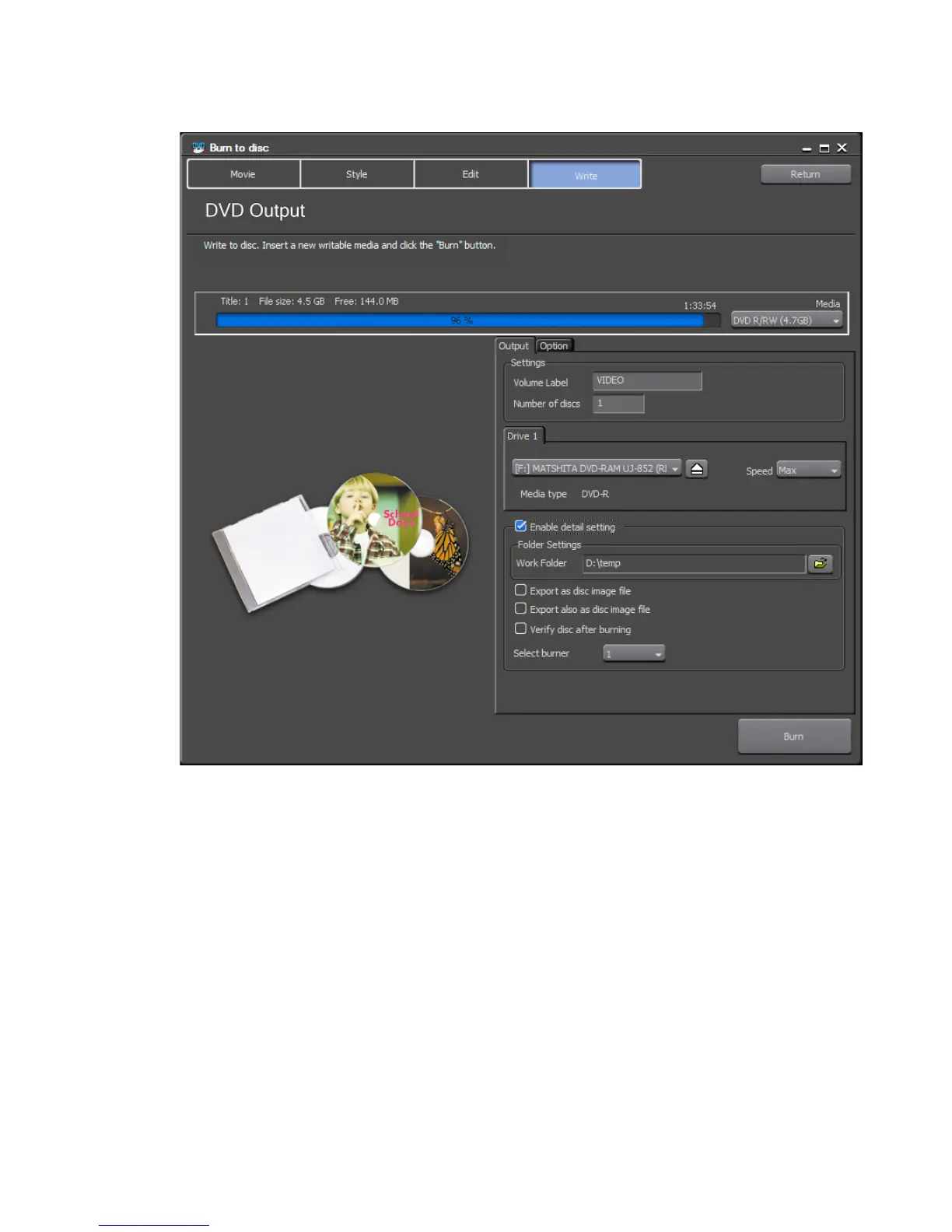
Figure 849. Burn to Disc Output to Dialog
12. Set the disc (DVD or BD) Output parameters
Volume Label
Enter the volume label for the disc.
Number of Discs
Enter the number of copies of the disc you wish to burn.
Note A prompt to insert another disc will appear as each copy is successfully
burned. When all copies are burned, the message “burn to disc completed”
will appear.
Drive
Select an installed burner to be assigned to each drive number.



 To Next Page