iView - Controller View
9-158 Manual # 42-02-7223
Pattern Profile parameters
• Initial jerk: The transition from zero speed to full acceleration. As Initial jerk is increased,
the profile transitions more quickly from starting acceleration to maximum acceleration.
• Acceleration: Determines the maximum acceleration for this profile.
• High roll jerk: Used when the car is not able to reach High speed. Determines how quickly
the profile transitions from maximum to zero acceleration and zero to maximum decelera-
tion.
• High speed: Determines the maximum speed for this profile. (For the Standard profile this
is usually contract speed.
• Low roll jerk: Used when the car is able to reach High speed. Determines how quickly the
profile transitions from maximum to zero acceleration and zero to maximum deceleration.
• Deceleration: Determines the maximum deceleration for this profile.
• Flare jerk: The transition from maximum deceleration to Approach deceleration. As Flare
jerk is increased, the profile transitions more quickly.
• Approach deceleration: Determines the deceleration rate for the transition from Flare jerk
to Approach Jerk.
• Approach jerk: The transition from approach Deceleration to leveling speed. As Approach
Jerk is increased, the profile transitions more quickly.
• Low speed: The Low speed parameter is used only in Inspection mode. It determines the
reduced speed to which the car will decelerate after encountering a DNT5 or UNT5 switch
when operating in Inspection mode. (For example, if Inspection - High speed were set to
50 feet per minute and Low speed to 20 feet per minute, the car would decelerate from 50
fpm to 20 fpm if a terminal switch was encountered during Inspection operation.) Active
only when the Reduced inspection speed option is enabled.
• Reduced inspection speed: Specifies that the car, when in Inspection mode, will decelerate
to the Low speed setting if a DNT5 or UNT5 switch is opened.
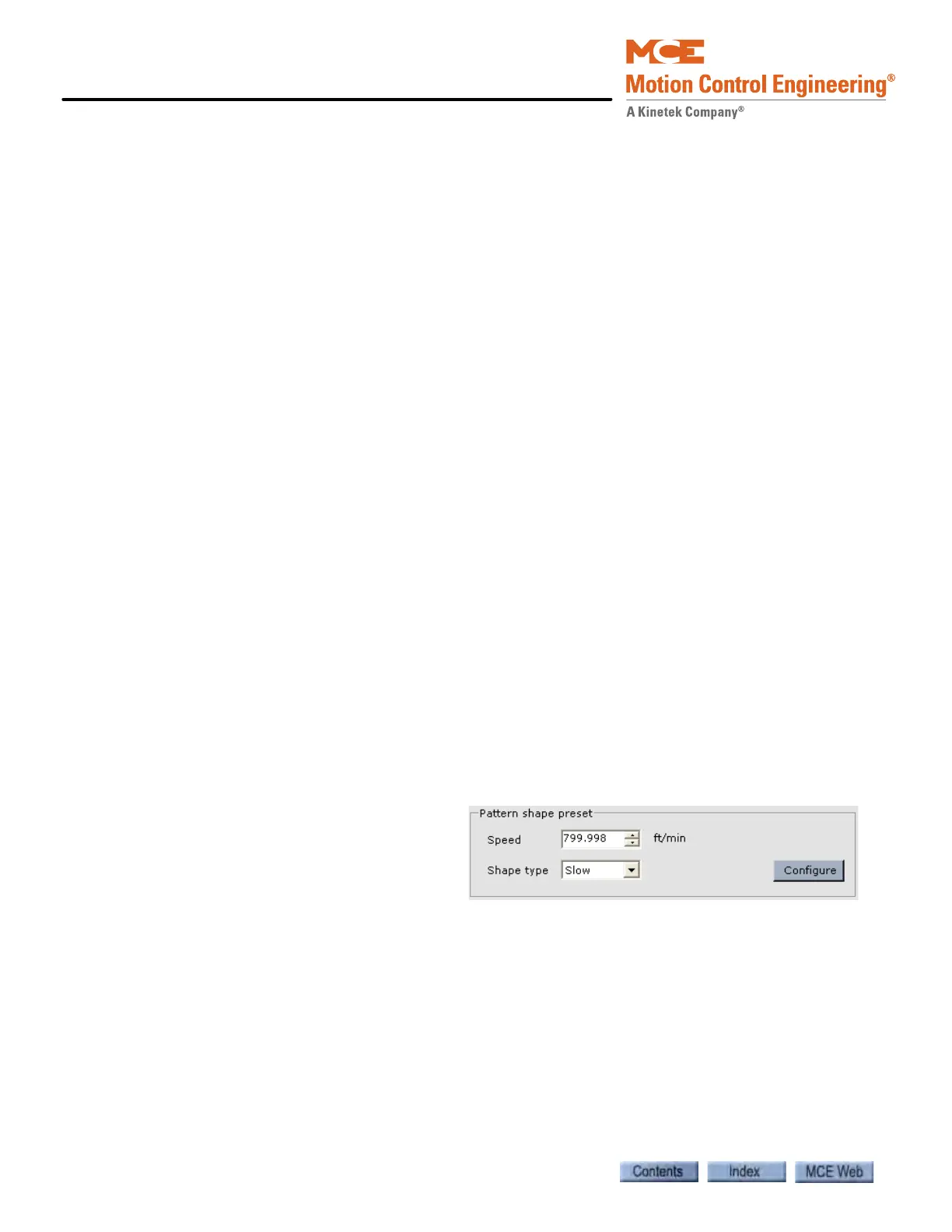
Pattern shape preset Pattern shape preset can be used to enter preset values for the
profile parameters based on the high speed (contract speed) of the elevator and the selected
shape type.
1. Speed: Enter the high speed (con-
tract speed of the elevator).
2. Shape type: Select the desired
shape type.
• Slow: Slow floor to floor times
with gentle transitions.
• Moderate: Moderate floor to floor times with moderate transitions.
• Fast: Fast floor to floor times with aggressive transitions.
3. Click Configure. Preset values for the pattern profile parameters are entered.



 To Next Page