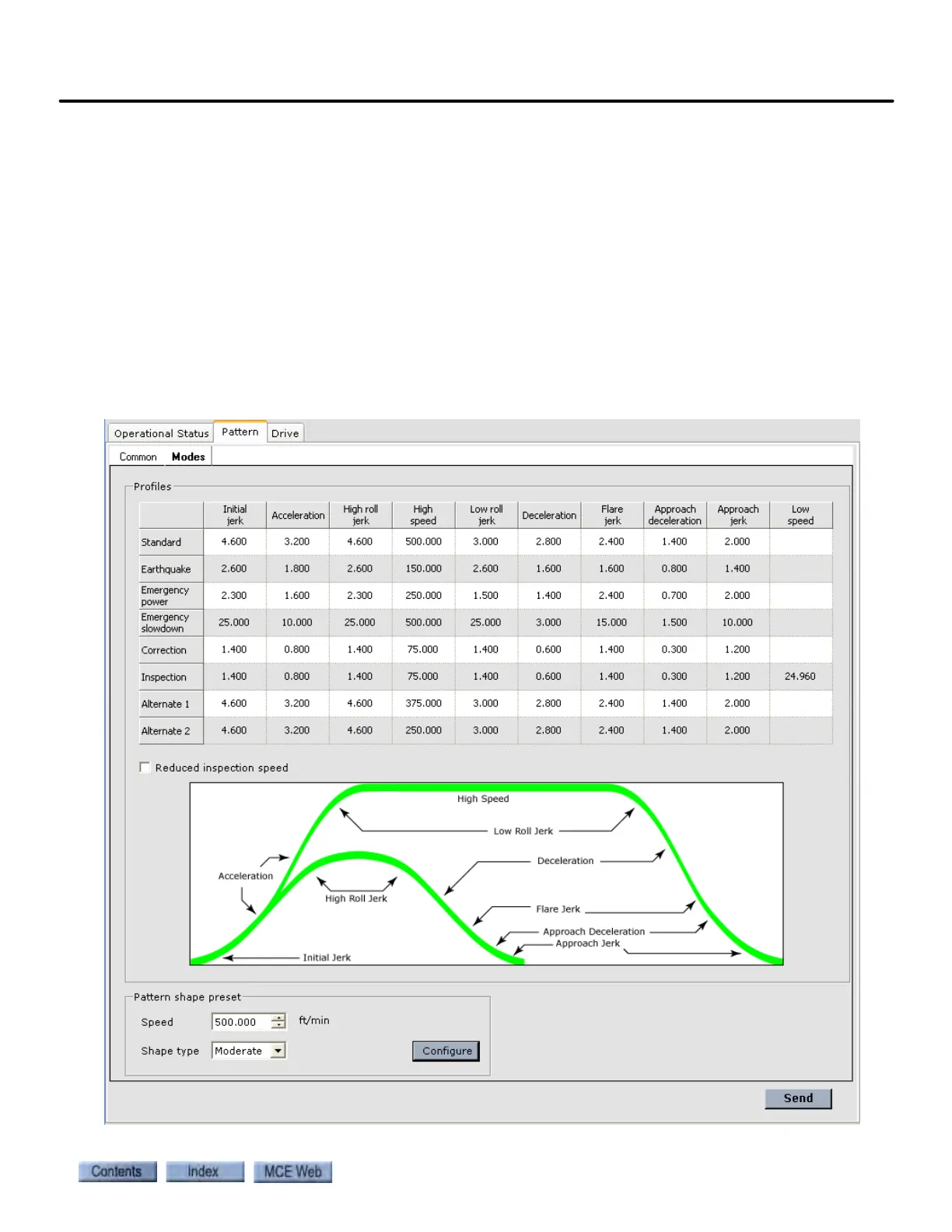
Configuration - Pattern
9-159
9
iControl DC
To edit parameters
1. Click in the cell where the parameter is located.
2. Use the up / down arrow buttons or highlight the value and type a new value.
3. Acquire write privilege (click Acquire on the Write privilege menu). Press the YES soft-
key on the iBox.
4. Click Send to send the new value to iControl.
Typical Pattern Values Typical values for a 500 feet per minute installation are shown
in the following table. Alternate 1 and 2 values depend completely on the behavior desired when
the elevator is operating under control of those patterns (there really are no “typical” settings
for Alt 1 and Alt 2).
Typical Pattern Settings (500 FPM Installation)



 To Next Page